


The 3 Greatest VR Real Time Strategy (RTS) Games on the Oculus Quest 2 and Meta Quest 3
Real Time Strategy is not the most represented game genre in Virtual Reality or on the Oculus Quest 2. As we’ve covered before here that is partly due to a lack of innovation for VR strategy games, and partially due to the VR format being much better suited to innovation in other areas.
The closeness of Virtual Reality and the ability to turn your arms into controllers is much more suited to Shooting or Fighting games than the Strategy genre. Still, VR Strategy Games on the Oculus Quest 2 offer some head turning visuals, and great use of 3D space that utilizes VR controls. So here’s what we’ve got, the 3 Greatest VR Real Time Strategy Games on the Oculus Quest 2… for now.
Real Time Strategy is not the most represented game genre in Virtual Reality or on the Oculus Quest 2. As we’ve covered before here that is partly due to a lack of innovation for VR strategy games, and partially due to the VR format being much better suited to innovation in other areas.
The closeness of Virtual Reality and the ability to turn your arms into controllers is much more suited to Shooting or Fighting games than the Strategy genre. Still, VR Strategy Games on the Oculus Quest 2 offer some head turning visuals, and great use of 3D space that utilizes VR controls. So here’s what we’ve got, the 3 Greatest VR Real Time Strategy Games on the Oculus Quest 2… for now.
You Might Also Enjoy:
Eternal Starlight
As we’ve said in our video on Eternal Starlight, it isn’t the future of the RTS genre, but it is one hell of a take on a Strategy game in Virtual Reality.
In Eternal Starlight you take on the role of a Captain for future humans who have managed to carve out a new home (not Earth) among the stars. Unfortunately a particular faction of aliens has decided that humans must vacate the planet they have settled on or face annihilation.

With nowhere else to go you must stand and fight and defend humanity’s new home. Gather what allies you can and assemble a fleet, because it’s going to get rough. Don’t worry if you fail though, Eternal Starlight is a roguelike, so you can always try again from the start if your flagship goes down in flames.
The roguelike portion of this game is by far it’s weakest, and seems to have been added to make more game out of less. You will end up repeating the exact same missions, all formatted like RTS story campaign missions, over and over again. Though there is some satisfaction in getting slightly further down a mission tree than you did before.

Each mission in Eternal Starlight begins with a brief chat over the comms to give each mission in this VR RTS a little context.
The meat of the gameplay is directing your low poly ships to face towards other low poly ships and exchange volleys of gunfire ranging from canons to lasers.
All, of course, depending on where the weapons are mounted on the ships themselves. Every ship has shields, armor, and hull points. Get those hull points to zero and they explode in a great fireball.
This gameplay takes place over a variety of missions. Protect the space station, destroy the asteroids with explosives, close the stargate that is spawning enemies, and so much more.
Each mission starts with dialog between the quirky alien races that you fight with and against, which is mildly entertaining the first time, but ends up just being something you just skip past the third to tenth times.

Equipping a ship in Eternal Starlight. This Virtual Reality strategy game is all about customizing your small collection of ships.
Throughout these missions you build your fleet up from just your flagship into a force powerful enough to stop the destruction of the human race, or your fleet is too weak to complete a mission and you start over again. Each ship can be customized with different turrets, upgrades, and special abilities.
There is some tactical depth to making a fleet of ships that complement each other, but you will soon figure out which weapons and abilities are just flat out more powerful than others, and use only those.
Eternal Starlight doesn’t captivate as much as a strategy game with more depth would, but it’s easy to get into and easy to enjoy for about as long as you would enjoy most Virtual Reality titles on the Meta Quest 2 (Six to Eight hours).
The controls are occasionally clunky, but make good use of the 3D space in VR. Moving your ships with the Oculus Touch Controllers in 3D space feels natural when it works properly.
Homeworld: Vast Reaches
Luckily it seems that more innovation and effort has been put into the VR RTS space more recently by Virtual Reality Game developers. With none other than Gearbox Software credited as having had some part in the making of Homeworld: Vast Reaches.
Released shortly before the much anticipated, but much maligned, flatscreen game Homeworld 3, Homeworld: Vast Reaches is a fantastic addition to any strategy gamer’s VR collection and is basically a Homeworld game but in Virtual Reality.

Controlling your fleet in Homeworld VR is easy!
Rather than controlling your fleet of ships with a mouse and keyboard as usual, you’ll be using your hands and taking a god’s eye view of the battlefield as the newest controller of the titular Mothership as the Hiigaran people of the Homeworld universe once more defend themselves from great threats.
Homeworld: Vast Reaches is all about deftly organizing and controlling your fleet of ships as it grows bigger and better throughout the story campaign and you face greater and greater threats. Your ships are all organized in clustered formations called Strike Groups. Each of these strike groups is a group of ships that you organize and control as a single entity.

Inspecting a unit in Homeworld: Vast Reaches.
Each type of unit has different strengths and weaknesses in Homeworld VR, and mixing and matching which ships are combined in your strike group, as well as their formations, makes for some very interesting strategic decisions. Not to mention the more tactical nature of controlling your force in three dimensions.
All together Homeworld: Vast Reaches makes for a fantastic translation of the classic Homeworld experience to Virtual Reality, and is a strategy game that anybody who loves Virtual Reality and loves strategy games should definitely try. The only downside is its lack of Multiplayer or even a Skirmish mode. The entire game is limited to the Campaign, but that Campaign is well designed and thrilling from start to finish.
Battlegroup VR
Here we are saving what is, arguably, the best for last. If you want a Virtual Reality Real Time Strategy Game to really sink your teeth into, Battlegroup VR is what you’re looking for. It has a similar control scheme to Eternal Starlight, but with deeper customization and combat options that make it harder to grasp at first, but much more satisfying to master.

Battlegroup VR is a very intense VR RTS.
Once again you’ll be moving 3D ships in a 3D VR space so that their turrets point at the enemy ships and fire on them. Once again in a variety of missions, all with pre mission narration and plot. You will also acquire resources to build, customize, and upgrade a variety of ships throughout the game. There are a number of combat vessels to choose from, as well as support ships for those combat vessels.
There are a ton of fleet compositions to try, and a ton of different ways to equip your ships. If you like the sound of a game like Eternal Starlight, but want deeper mechanics and customization to sink your teeth into, then Battlegroup VR has you covered.

Customizing your commanders and ships is a must do for victory in this Strategy Game.
The missions are just as varied, from base defense, to convoy raiding, to convoy protection, to just going toe to toe with enemy vessels, there are a lot of tactical scenarios to try out. Though a lot tend to just devolve into straight ship on ship battles. Additionally the maps that these battles take place on tend to be a little bland and not offer a ton of terrain to break up the fighting.
Still, the visuals of Battlegroup VR are beautiful, by far the best out of any Oculus Quest 2 Strategy Game. Instead of the smooth low poly visuals of the other games listed here, Battlegroup VR goes for a high sci fi, high realistic and very dark aesthetic. It really pushes the Meta Quest 2’s graphical capabilities far, and still runs smoothly.

You can even see your ships out of the window of your flagship! Very cool.
The game uses these gorgeous visuals well. The bridge of your flagship stares directly into the dark of space, lined with stars. You can even see other ships right through the viewport. It’s very cool and makes you feel like you really are right there in the thick of battle directing things. You can even take direct control of your ship, if the game wasn’t hands on and in depth enough already.
That all being said the main downside of Battlegroup VR is the length of its combat. Sometimes you’ll end up a little bored, waiting for a ship to finish putting salvo after salvo into another vessel. The pacing of the combat is a little too slow at times, but that can be a blessing when the battles become truly massive.
Well there you have it, the 3 Greatest Real Time Strategy games available on the Oculus Quest 2. Hopefully this list will become bigger in time. There are also other games that, while not technically real time strategy, can still scratch that strategic itch, like Cities VR.
You Might Also Enjoy:
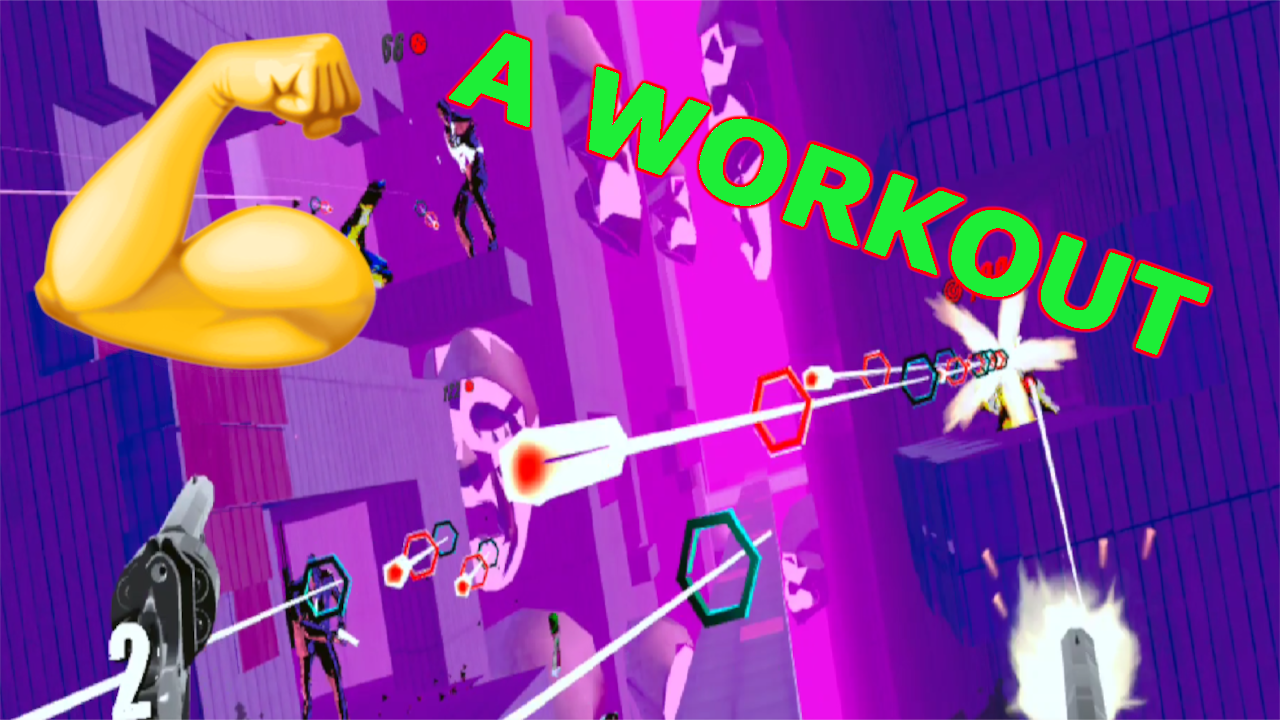
How To Turn Pistol Whip Into an Intense Workout | VR Exercise Guide
The Oculus Quest 2 has brought the possibilities of Virtual Reality fitness to light and made VR exercise possible with no wires to get in the way of flailing arms or legs. Of course, the headset on its own is nothing without games that make exercise fun and exciting. Pistol Whip by Cloudhead Games is one such game, and among VR fitness titles it is often overlooked and underutilized.
Pistol Whip is, whether you know it or not, a fantastic cardio and leg workout on the Meta Quest 2. You just need to know what settings to use to make the game as intense as possible and you’ll be sweaty and sore in no time. Here we’ll show you how to turn Pistol Whip into a workout.

The Oculus Quest 2 has brought the possibilities of Virtual Reality fitness to light and made VR exercise possible with no wires to get in the way of flailing arms or legs. Of course, the headset on its own is nothing without games that make exercise fun and exciting. Pistol Whip by Cloudhead Games is one such game, and among VR fitness titles it is often overlooked and underutilized.
Pistol Whip is, whether you know it or not, a fantastic cardio and leg workout on the Meta Quest 2. You just need to know what settings to use to make the game as intense as possible and you’ll be sweaty and sore in no time. Here we’ll show you how to turn Pistol Whip into a workout.
How Can Pistol Whip Be A Workout?
At the end of the day making a VR game a workout is really not complicated. Just apply the correct settings to arcade mode, and turn a game that can be a standing and pointing simulator into a Quad and Glute stimulating sweatfest. Before we get into what settings to use though, you should know what the goal of these settings are. Basically, you want the game to force you to move as much as possible.

In Pistol Whip the game makes you move your arms to aim and shoot your guns, and also move your head out of the way of incoming bullets. While swinging your arms around to shoot isn’t much exercise, it is fun and will keep you engaged and entertained. Dodging is also fun, and forces you to use your leg muscles to duck, dip, dive, and move out of the way as quickly as you can. Both of these motions together burns a lot of calories and becomes a lot of exercise over the course of a level.
The Right Weapon for Sweatin
When you open Pistol Whip go straight to Arcade Mode. Contracts vary widely in intensity and some levels of the campaign can be very intense on harder difficulties, but not always. To guarantee good exercise, stick to Arcade mode. Now that you’re there, go to the settings panel on your left and select the “Customize” tab. Here is where the magic happens.

Start with the weapon you will be using, by default it will likely be set to the pistol, but you want to use revolvers. That’s right, plural revolvers, dual wielding one in each hand. Why dual wield six shooters you wonder? Glad you asked. First of all you want to dual wield so that you keep both of your arms lifted up during the course of a song, and keep both of them engaged.
This way you won’t favor one arm over another. Also using the Revolvers means that you will have to reload each gun after six shots, which means you will need to move your arms more, since you will have to reload more often. Most importantly having only 12 total shots at your disposal before reloading means that if you are very good at shooting in Pistol Whip you won’t be able to easily shoot all of your opponents before they have a chance to shoot at you. This means more bullets coming at you, and more reasons to move your body to dodge out of the way.
Important Magic Modifiers
So you’ve got your weapon selected, but surely just using dual revolvers doesn’t turn Pistol Whip into a great VR exercise game? You would, of course, be right, the real magic happens in the modifiers section. Just a couple of modifiers turns Pistol Whip from a boring slog where you spend most of your time standing still, into a Quad Blasting masterpiece.
The first and most important modifier is Vengeance. Turning Vengeance on means that every time you shoot an enemy, a bullet is immediately fired back from that enemy towards you. This means that no matter how good you are at shooting, how quick you are to on the draw, there will always be bullets coming at you.
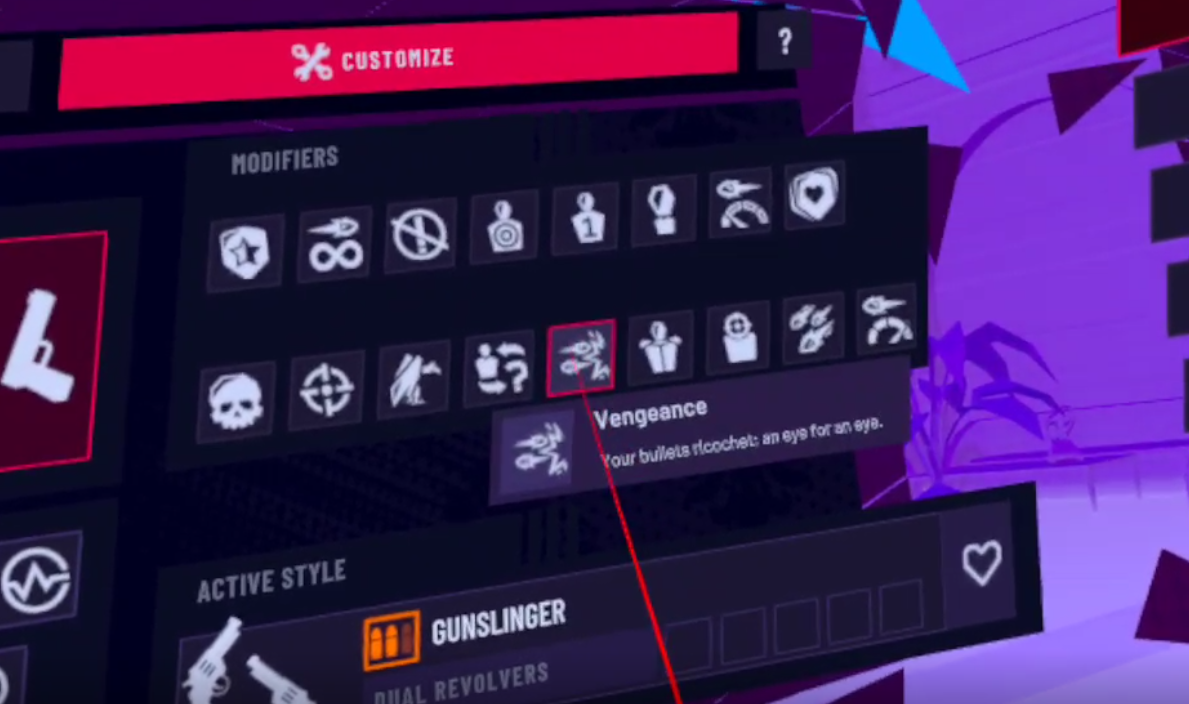
This is important, because it means you will never just be standing still shooting whatever comes in your way. The constant barrage of bullets that are coming at you, even if you shoot every enemy before they have a chance to shoot you, means that you will be constantly engaging your legs and back by dodging out of the way.
That’s what you want, to be forced to dodge and move as much as possible by the game, but not so often that you just lose super quickly every time. Depending on your level of skill in shooting you may or may not want to also activate the Bullet Hell modifier. This makes it so that every enemy will fire a constant stream of bullets towards you rather than one shot at a time.

If you tend to shoot enemies very quickly, then Bullet Hell makes the whole experience a little more tense, and forces you to dodge a ton when you miss an opponent. If you tend to miss enemies a lot then the amount of bullets that the Bullet Hell modifier brings to you might be overwhelming. Either way it will definitely get you moving.
With these modifiers the game becomes a sort of dance, a constant symphony of ducking and weaving between the punctuation of the violent bursts from your guns. There is an agility and grace to the game, and in that a deep sense of satisfaction in its mastery that many a Virtual Reality commentator has described as “feeling like John Wick.” You will find with these modifiers, and the harder you push yourself in this game, the more satisfying executing a perfect dodge by windmilling your whole upper body around a stream of bullets before returning fire with precision.

There are also a number of other modifiers that you can add if you would like, like Disorder (which mixes up enemy types) or High Velocity (which increases bullet speed forcing you to dodge more quickly) but Vengeance and Bullet Hell are by far the most important to keep you moving constantly during Pistol Whip. With Vengeance alone you are in for a workout for sure, and both together will get your legs burning.
Difficulty and Level Selection
Difficulty is simple, because you’re here to get some exercise. Crank the difficulty up as hard as you can without instantly losing. Hard difficulty is preferrable, if there was an extreme difficulty that would be even more recommendable, but Hard is as far as it goes.

If you’re newer to Pistol Whip going to Hard difficulty instantly might lead to you just dying a lot and not having any fun. In that case stick to Normal or Easy for a while, whatever is a good mix of challenging and engaging for you. Just remember that fitness requires pushing yourself, and so you should up that difficulty as soon as possible. The higher the difficulty the more enemies there will be. The more enemies there are then the more bullets coming at you. The more bullets coming at you the more you have to move to get out of the way and the more calories burned.
Which level you select also factors into difficulty. Some are naturally harder than others. “Black Magic” for instance, is one of the easiest levels by far, and is a great warmup round. While “Religion” is the hardest level in the game, and has an extremely difficult part at the end which will not fail to either quickly defeat or exhaust you. When you’re looking at the level select menu they will generally be harder the further to the right and down you go. Except, weirdly, for “The Fall”, which is actually incredibly easy.

On a related note the game is generally more fun when you vary up the levels that you play, and even when you vary modifiers. Just make sure you keep Vengeance and Dual Revolvers on at a minimum and you will be burning some calories for sure. Other than that feel free to experiment and keep it fresh.
Pistol Whip and Virtual Reality fitness in general is about making exercise more fun by playinga game that will make you want to move, so that you win that game. VR just gives us the games that involve using our whole body and not just our hands. Keep it fun and keep it interesting.
So that’s how you turn Pistol Whip into a super effective cardio and leg workout. Have fun out there and stay fit!
Having trouble sweating through your headset’s face cover? Try out new ones from VR Cover that repel sweat and are easy to swap in.
Pistol Whip by Cloudhead Games can be bought on the Oculus store or Steam for $29.99 and it is worth every penny.
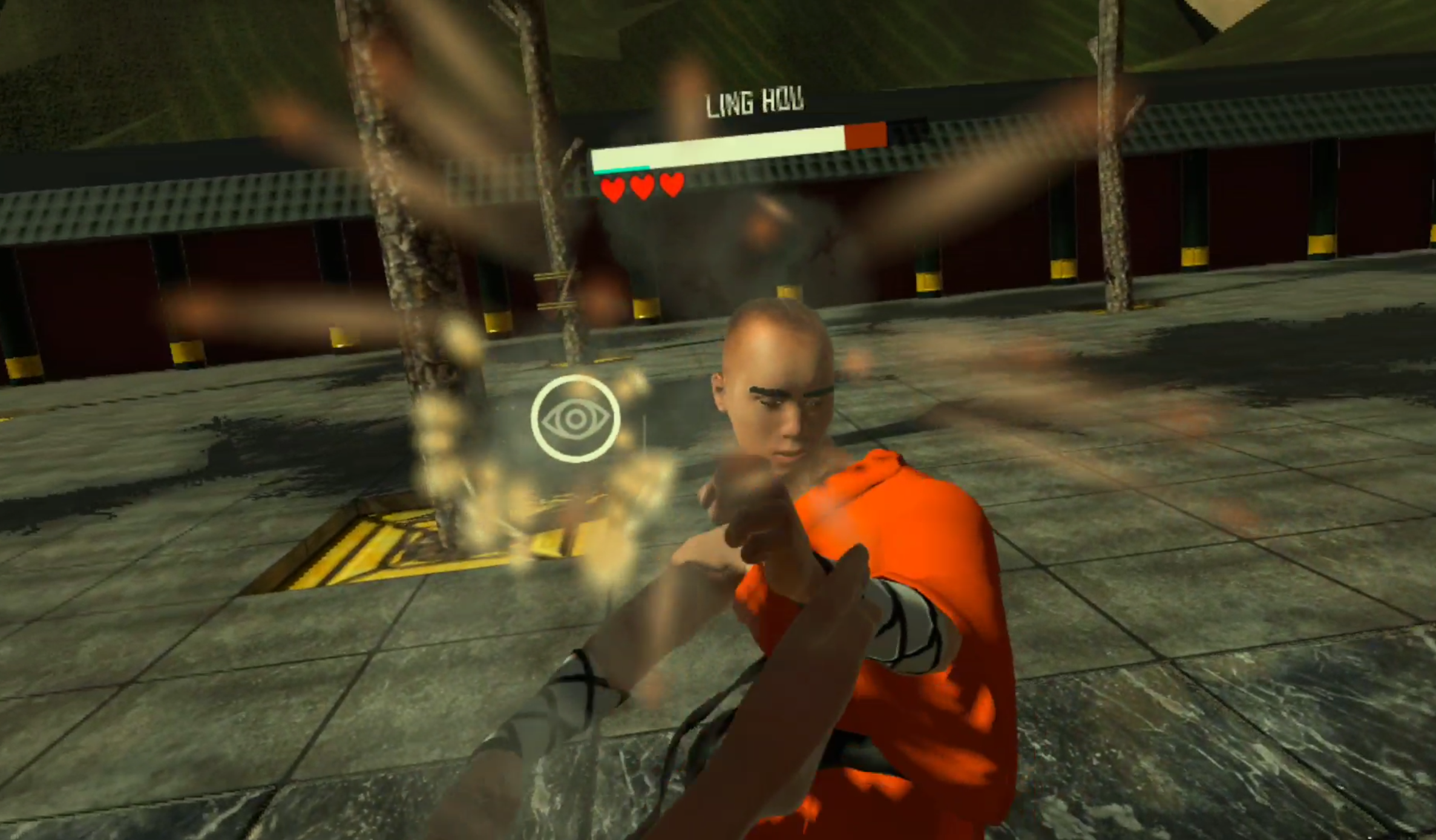
9 Best Fighting Games On the Oculus Quest 2
Want to get into a fight but not get the bruises that come with one? Whether its with your hands, or clubs, or swords, or even magic hands, there are plenty of great choices on the Oculus Quest 2 as far as fighting games are concerned. Here are the 9 best.
Want to get into a fight but not get the bruises that come with one? Whether its with your hands, or clubs, or swords, or even magic hands, there are plenty of great choices on the Oculus Quest 2 as far as fighting games are concerned. Here are the 9 best.
For a video version of this list check out this video on our Youtube Channel.
You Might Also Enjoy:
The 3 Greatest VR Real Time Strategy (RTS) Games on the Oculus Quest 2
11 Best Shooting Games for the Oculus Quest 2 | Shooters for the Quest 2
Dragon Fist: VR Kung Fu - Best Quest 2 Fighting Games
As you might have seen in our youtube video on it. Dragon Fist: VR Kung Fu is one of the hottest and most ambitious quest 2 fighting games out there. In it you get to choose from a wide roster of characters to play as, and to fight against. Each has special abilities, strengths, weaknesses, and a variety of kung fu and non kung fu fighting styles to pair your own up against. If you want to compare it to a VR Mortal Kombat we won’t stop you.
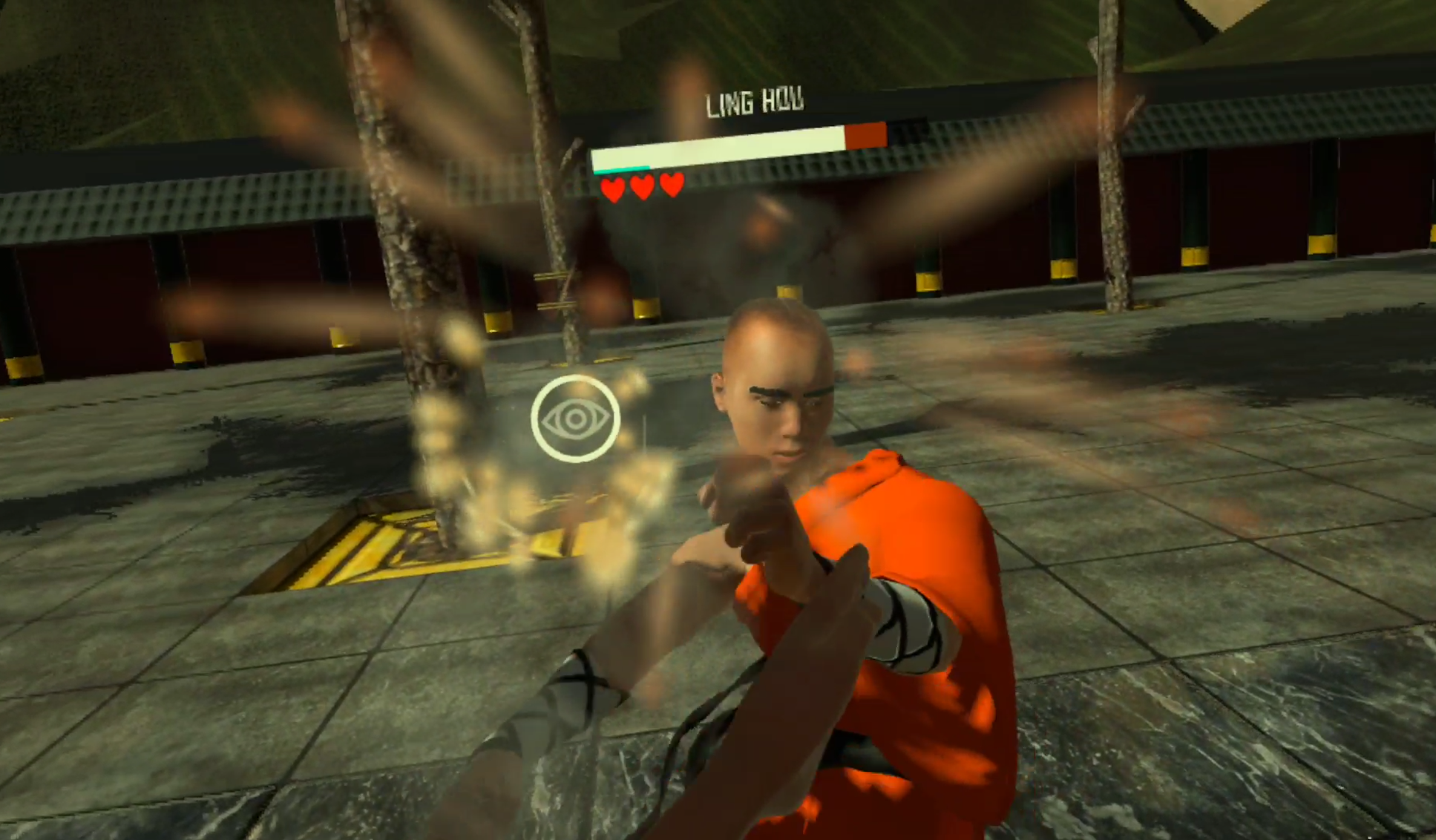
A fight in Dragon Fist: VR Kung Fu - A great VR fighting game
You are free to fight basically however you want. Go in throwing wild haymakers, or carefully palm strike and finger punch the pressure points on your enemy in order to weaken them temporarily. Throw stuff, or throw ninja stars, or throw fireballs, it’s all available and there are a lot of fights to be had in Dragon Fist: VR Kung Fu. A ton of fighting and a lot of ways to experience it, can’t ask for much more.
Thrill Of the Fight - Best Quest 2 Fighting Games
We’ve previously spoken about Thrill Of the Fight as well here… a lot. It is a top tier boxing game that runs on the Oculus Quest 2 as well as PCVR. Out of all existing boxing games, and maybe even all VR fighting games, it is the one that is both the most true to life, without stupid stamina bars and artificial barriers on how quickly you can move or often you can punch, except for your own physical limitations.
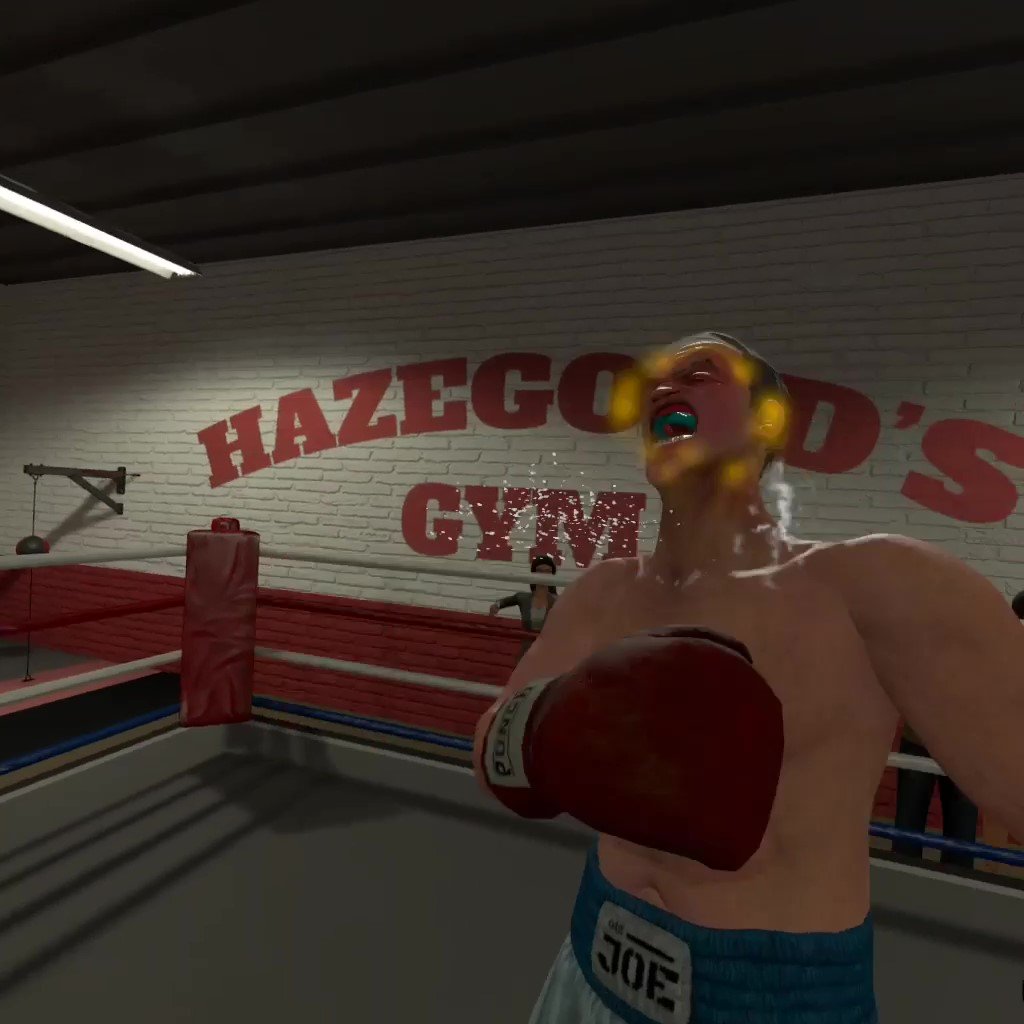
Knocking down Ugly Joe in Thrill Of The Fight
If boxing is your chosen form of combat then there is no better VR title to pursue that with than Thrill Of the Fight. It is not only the most intense workout in VR, but also one of the most rewarding action experiences to overcome. The opponents you face in Thrill Of the Fight will challenge you both in terms of strategy and in how far you can push yourself physically. When you get to the point where how hard each fight is is not enough, there’s always a setting you can change or another difficulty level to go through.
If you’ve yet to get into Thrill Of the Fight and it sounds intriguing, check out our beginner’s guide on how to get the most out of this great VR fighting game.
Blade and Sorcery: Nomad - Best Quest 2 Fighting Games
Out of every game on this list, you’ve probably heard of Blade and Sorcery: Nomad. It has all the great tiktoks and youtube videos, second in infamy there only maybe to Boneworks. Why? Because Blade and Sorcery (and by extension it’s Quest 2 counterpart, Blade and and Sorcery: Nomad). Is supremely moddable with everything from Halo guns to Star Wars lightsabers.
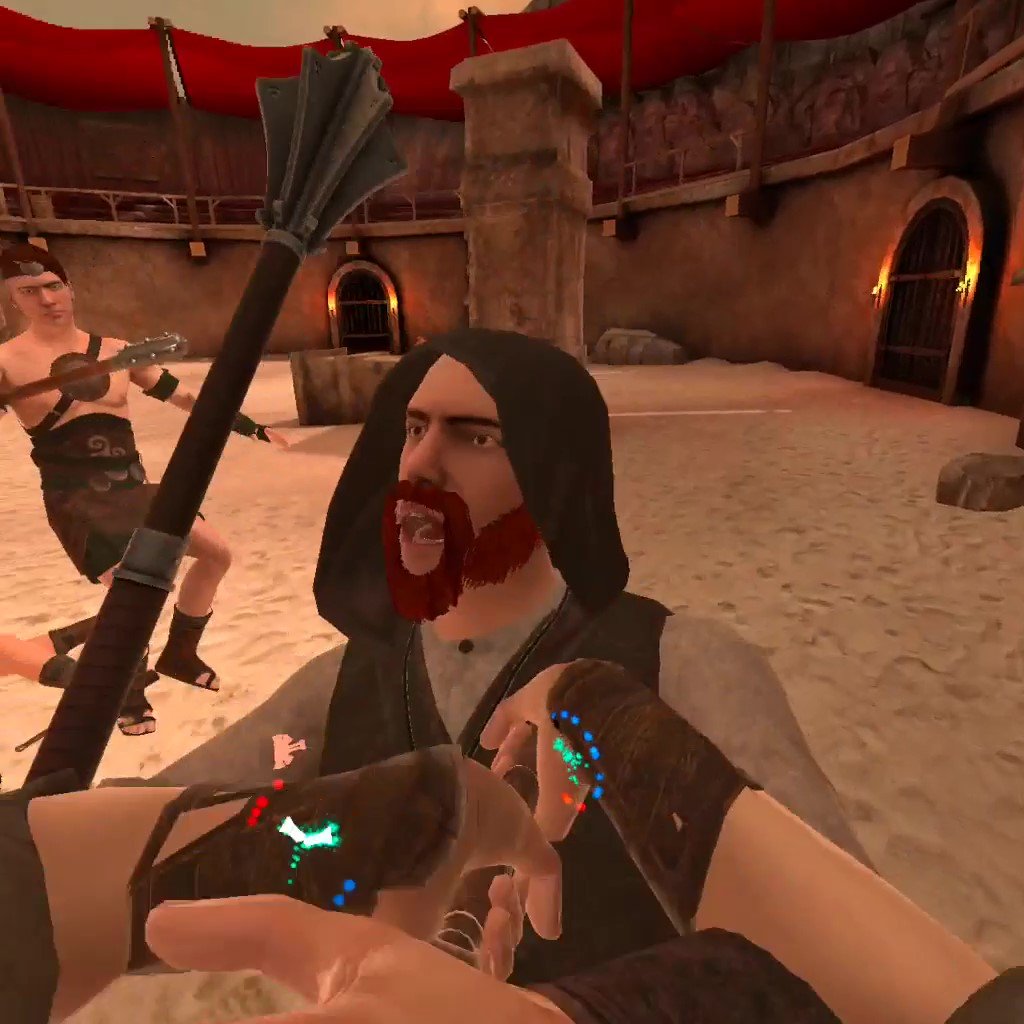
Blade and Sorcery is a fun VR fighting game on the Quest 2
It’s also a ton of fun without mods. There is a large variety of medieval weaponry to choose, from bows to massive two handed swords, to glorified hunks of metal on a stick. The opponents you face are very well animated, attack, and respond dynamically.
Oh, and as the name also implies, you get magic. Throw fireballs, or send lighting from your hands, or dangle someone upside down off of a cliff with a gravity spell. There’s a ton of sandbox fun to be had, and promises of an RPG mode somewhere down the line. If you’re looking for some magical fantasy sword fights then this quest 2 fighting game delivers.
Swordsman VR - Best Quest 2 Fighting Games
Like the idea of Blade and Sorcery, but like the “Blade” part more than the “Sorcery” part? Well then Swordsman is probably your go to Meta Quest 2 action game. The goal of Swordsman is to be the best sword fighting game in VR, and they’ve done quite a lot to try to earn that reputation. With an RPG progression system and a ton of enemies to face, Swordsman certainly isn’t strained for content, and these enemies are much tougher than you might be accustomed to from other VR fighting games.

VR fighting games are great
Each is heavily armored, and parries and ripostes your attacks with precise moves and timing, more precise than any of the quest 2 fighting games. If you want an intricate fencing experiences, where every move counts and mistakes are punished immediately, then Swordsman is your game. Master opponents from Vikings to Samurai and everything in between. It’s tough, but it’s so satisfying to land that perfect counter on your enemy’s exposed elbow.
Battle Talent - Best Quest 2 Fighting Games
Battle Talent used to be free, but it’s still well worth the price as we’ve mentioned before. It is also the most High Fantasy, with all sorts of goblins, elves, and skeletons for you to fight with a variety of weapons and spells. There’s a spear that spits lightning and a literal gun. That’s not even counting the tons of weapons that can be modded in. Battle Talent is just as moddable as Blade and Sorcery.

A boss skeleton in Battle Talent
Battle Talent has a leg up on other VR fighting games with it’s exciting maze mode. There aren’t exactly a lot of RPG elements to go with a lot of these fighting games, and so Battle Talent shines because of the many interesting character building choices you make in its mazes. You start the maze with a single weapon and average stats, but over the course of the maze as you defeat enemies and bosses you build and enchant your arsenal to make it more powerful. You also get upgrades to your character like extra health or magical damage. Make a powerful mage, or a burly warrior, or anything in between.
Gorn - Best Quest 2 Fighting Games
Want to shut off your brain and just smash for a while? Play Gorn. This somewhat goofy, but all around fun, colorful gladiator simulator Quest 2 fighting game is a really good time. You and all of your enemies are obscenely buff, with huge arms and hilariously stubby legs that bounce up and down off of the ground. Blood splatters are colorful and downright pretty, and you can do absolutely horrible things to your enemies from ripping off limbs to pulling hearts out.

Gorn is the most hilarious of all Quest 2 fighting games
While Gorn doesn’t have a lot of mechanical depth to it’s fights, really they’re easy to win just by flailing your arms, it is an extremely fun game to just mess around in. It’s not really about winning in this VR fighting game, it’s about destroying the ridiculous musclebound puppets that come at you in as fun a way as possible with a huge variety of weaponry. While Gorn doesn’t have a ton of replayability, for the laughs you get the first time around it is more than worth it, and is a great example of what VR physics can do.
Gladius - Best Quest 2 Fighting Games
Want a more serious gladiator simulator than Gorn? Well then come on down to the Colosseum of Ancient Rome in Gladius, a gladiator simulator where you will definitely die horribly, and avoiding that death for as long as possible is pretty hard. All sorts of beings will try to kill you in Gladius, from Lions to Gauls to Tigers to Amazons, and you need to fight carefully to preserve your limited health while you dispatch them.

A tiger attacking in Gladius
With weapons from Gladii to Longswords, try to please the crowd as you dismember and slice your way through your enemies. Please the crowd and they will throw you gifts, more money for weapons, food to heal you, powerups to give you immense power temporarily. See how long you can make it in the arena, and the longer you do, the more gold you get for upgrades to give you even more VR fighting options.
While Gladius is sometimes a little janky in its animations and executions, it combines the Ancient Roman setting and its RPG elements delightfully.
Until You Fall - Best Quest 2 Fighting Games
Until You Fall is an action fantasy roguelike set in an ancient kingdom overcome by a strange crystalline evil that turned your once proud people into monstrous versions of themselves. You, as the kingdom’s last defender, must fight your way through it to defeat the evil that has infested your home in this VR fighting game.

Until You Fall is a very colorful VR fighting game
Since Until You Fall is a roguelike, you need to fight your way to the end without falling yourself, and pulling that off is the great hook of the game. Hit certain milestones to get more options for your arsenal, and further upgrade your weapons with better stats using points that you get each time you fail. The progression is very solid for a roguelike, and keeps you coming back for another upgrade to your favorite weapon.
Until You Fall’s greatest strength other than it’s progression is its use of both of your hands in its action combat, and it’s way of encouraging you to move. Some even say that Until You Fall is even more of a workout than most VR fighting games. Whether it is or not it is very strategic, and requires good reflexes. Mix and match the weapons you take in either hand. Some are slower, some are faster, and see which special abilities combine for the greatest effect. Until You Fall gives you some opportunities to plan and think about your character build, while also having loads of quick action.
Creed: Rise to Glory - Best Quest 2 Fighting Games
Creed: Rise to Glory is the other good Boxing game on the Oculus Quest 2. While not as realistic or as intense as Thrill Of the Fight, anyone who is still craving more boxing action should give Creed a look.
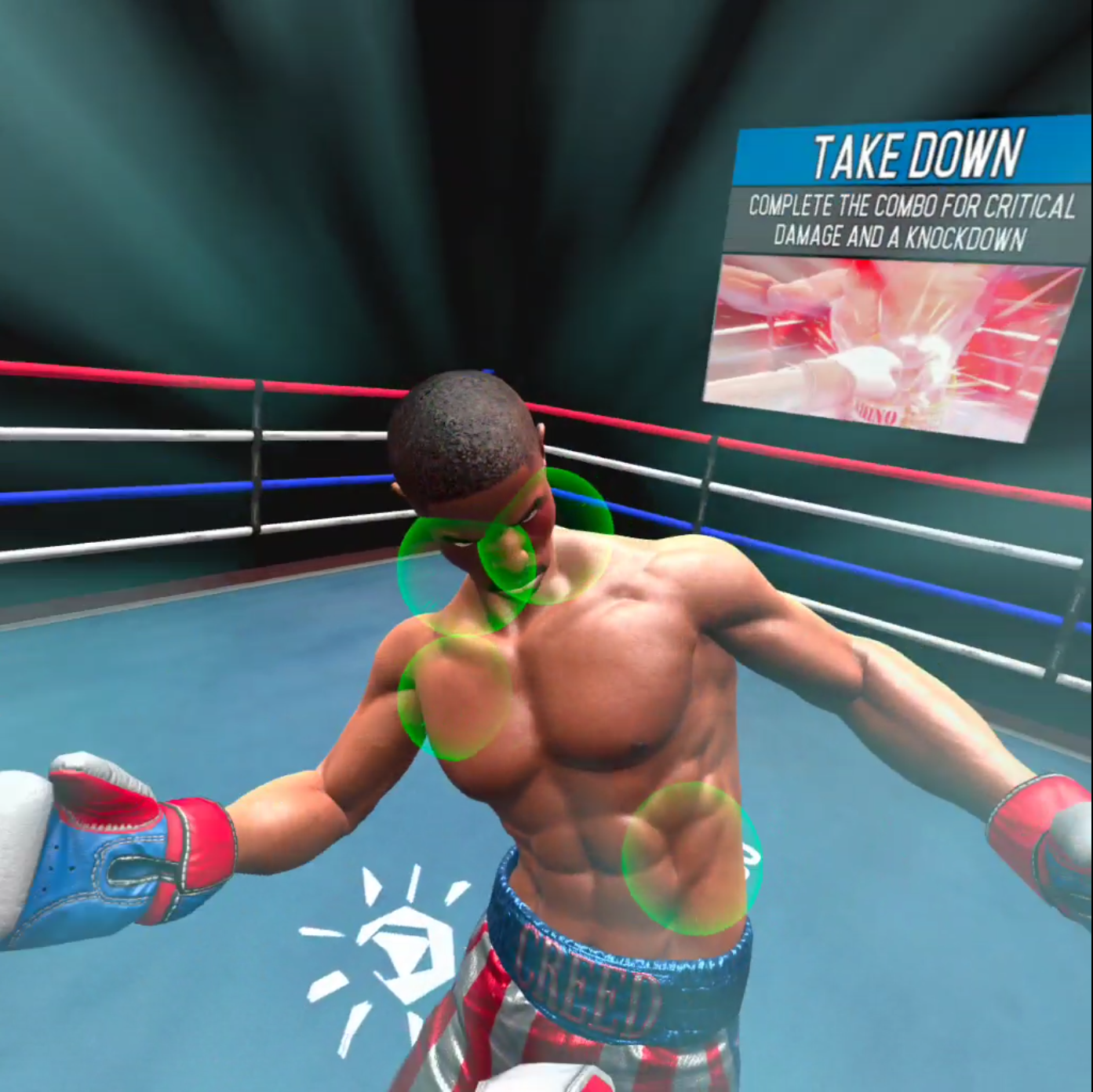
A slow motion attack in Creed: Rise to Glory
In this Quest 2 fighting game you take the role of Adonis Creed, and fight your way to the top of the Rocky franchise one opponent at a time. It is similar to Thrill Of the Fight in fighting style, but falls sort of being the more true to form experience that Thrill Of the Fight is. You don’t need to punch as hard, you don’t need to duck and weave as much. The whole experience is more toned down and artificial feeling.
The opponents you face move in more set patterns. You are encouraged to move in a certain way, and punch certain points as well. The game will interrupt a sweet combo to slow everything down and tell you to punch certain points. Creed: Rise To Glory is a more arcadey VR boxing experience, but it is still fun if you don’t mind being interrupted.
Compared to Thrill Of the Fight, Creed can be a bit of a let down for those who want a very real experience. However Creed: Rise to Glory looks very good, and is a fun romp of its own, especially for those that want to box in VR without sweating through their headset.
You Might Also Enjoy:

Massively Improve your Oculus Quest 2 Video Graphics Quality with this App
The Oculus Quest 2 is an amazing piece of hardware, but the video quality can be kind of a let down. It looks fuzzy and it can be really hard to see things at long distances, and so you might be wondering how you can improve the graphics on your Oculus Quest 2 to make it more enjoyable, or give you a competitive edge.
Well look no further, because an application already exists that will improve the graphics on Meta Quest 2 games and applications automatically and natively on your headset without having to type in any ADB commands or do any programming or configuration yourself.
The Oculus Quest 2 is an amazing piece of hardware, but the video quality can be kind of a let down. It looks fuzzy and it can be really hard to see things at long distances, and so you might be wondering how you can improve the graphics on your Oculus Quest 2 (or Quest 1) to make it more enjoyable, or give you a competitive edge.
Well look no further, because an application already exists that will improve the graphics on Meta Quest 2 games and applications automatically and natively on your headset without having to type in any ADB commands or do any programming or configuration yourself.

On the Left, Onward run with Quest Games Optimizer. On the Right, Onward without
What App?
The App you’re looking for to make your Quest 2 graphics look better is the Quest Games Optimizer app, which you can install on to your headset directly through an .apk and an app like SideQuest and then find in the “Unknown Sources” menu. After you have Quest Games Optimizer installed you can make your games look better at the flick of a switch.
When you open it, Quest Games Optimizer (a.k.a. QGO) will show you every game you have on your Meta Quest 2 that has a profile which can be applied to it to make its graphics look beautiful.

The Quest Games Optimizer Main Menu
There are over 250 profiles right now, and more are being added by the developer and community all of the time! A ton of popular titles like The Walking Dead: Saints and Sinners have profiles that make it look incredibly crisper. (Here’s the complete list Use google translate for the page). The profile can be enabled in the QGO application and then will be applied automatically when you start your game. (A popup will let you know that it is applied successfully when you start the game)
Just look at the difference! While some profiles have greater effects than others, all of them make games look much clearer, and improve the graphics overall very noticeably.

Onward Improved
Also, for you moment capturers and content creators out there, you can easily change the recording resolution of your Quest 2 from the Quest Games Optimizer. Just use the little video icon in the top right corner, and you can change your recording resolution with just a single button press
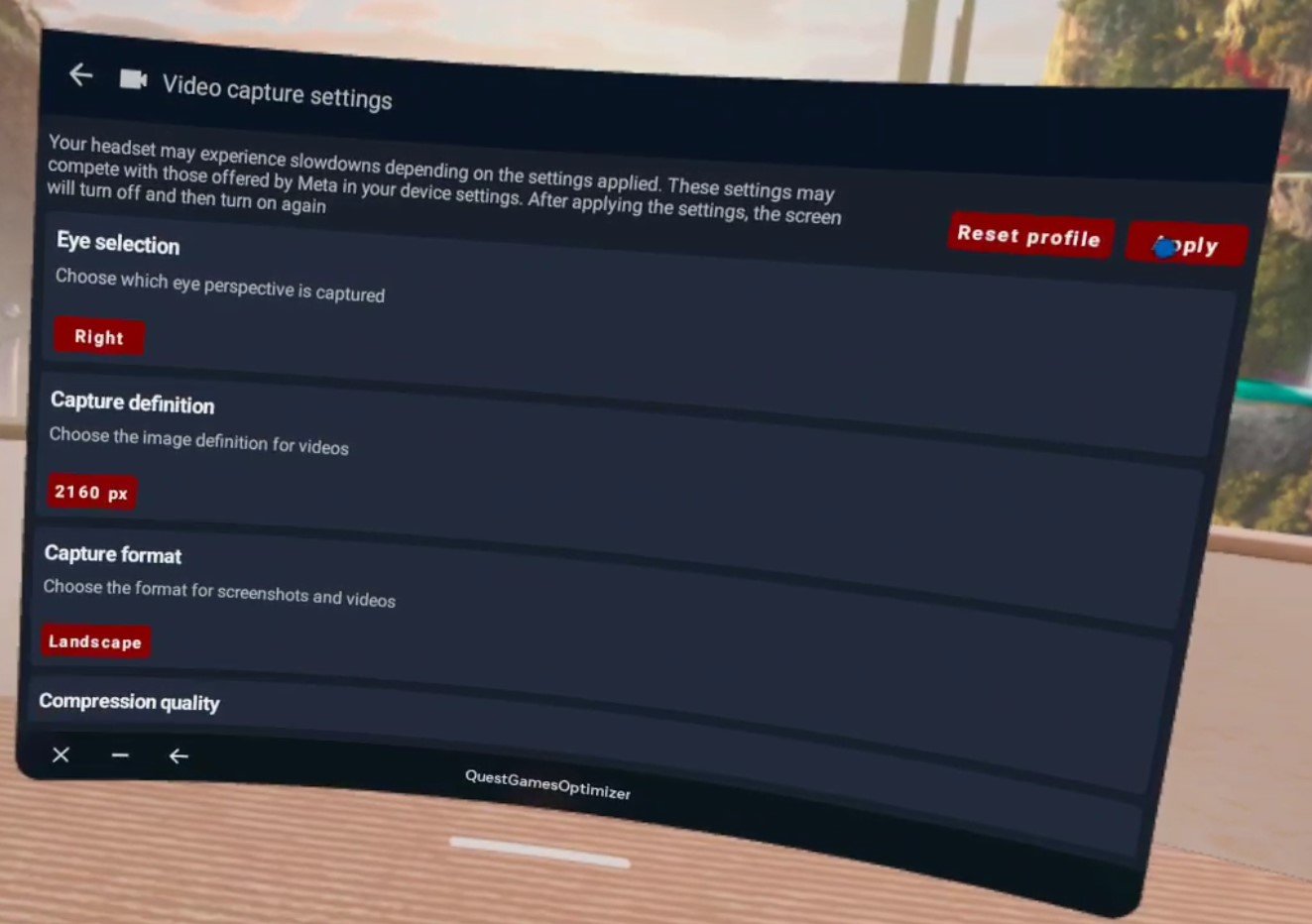
The Quest Games Optimizer Video Capture Settings
Of course, the Oculus Quest 2 is only so powerful, and so can only process so much due to its hardware. Optimizing a game on its own will run very well, but optimizing a game and then recording on top of that can cause noticeable frame lag and stutters. So be careful combining optimization and high resolution recording. Maybe when Project Cambria (aka the Quest 2 Pro) comes out, both can be achievable at the same time.
Setup
Speaking of issues, there is only a single issue with Quest Games Optimizer, and that is the setup. Getting it running in the first place can be a lot if you’re newer to the Quest and haven’t used Airlink or Quest Link before. As you can see in the “Prerequisites” section of the itch store page here. You need to:
Have your headset and Facebook/Meta account in developer mode so that you can use applications in “Unknown Sources.”
Do no disturb needs to be disactivated so that you can get notifications when a profile is applied or your recording settings are changed.
You need to enable an ADB wireless connection for QGO to work at all.
This can be a lot for some people if they’re not a certified VR lover who has already done all of this to install custom applications or connect their Headset to their PC. Luckily there are plenty of guides out there that explain the setup steps.

Thrill Of The Fight improved with Quest Games Optimizer, and not improved
Even if you have already done all of this, you will need to reconnect your Headset to your PC once to enable ADB, which Quest Games Optimizer needs to do anything, though this can be done wirelessly. Luckily after you enable ADB debugging wirelessly you won’t need to do it ever again. One setup and you can change your recording settings and make your games look better whenever you want.
After you enable ADB you can keep using Quest Games Optimizer without having to worry about connecting it to a PC, just stay on the same wireless network. After the initial hookup it’s still very easy. The easiest way around this limitation is to just avoid restarting your headset, and it’s pretty hassle free after you’ve done it once, so it’s really not that big of a problem.

Moss: Book 1 improved and unimproved
For more guidance on how to enable an ADB wireless connection the developer of Quest Games Optimizer has a post on their itch page about it here. When it comes to setup their itch page actually has a lot of great advice, and you can find out even more about Quest Games Optimizer on it.
Quest Games Optimizer is currently 4.99$ on itch io. Whether or not you might mind the setup it is extremely worth it to use this to make your Quest 2 games look much better. It is doubly worth it if you want to easily make your recordings look good too.
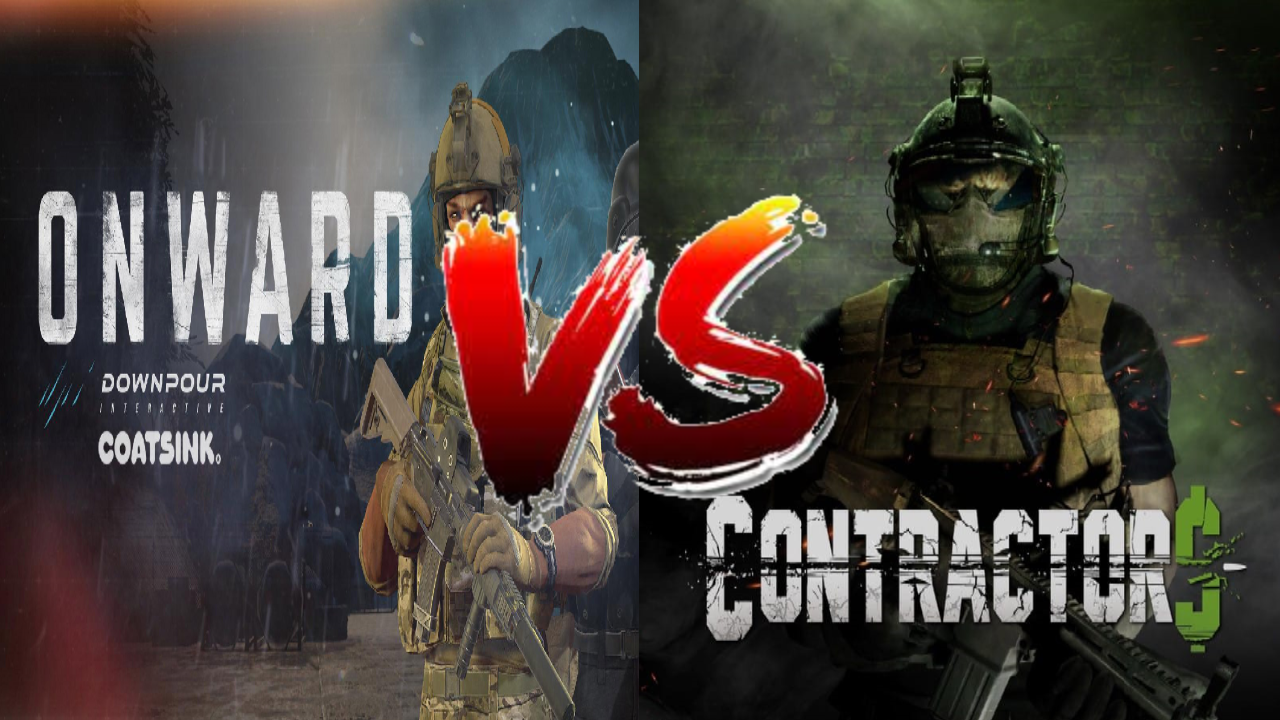
Onward VS Contractors - Multiplayer Shooters on the Oculus Quest 2
There are a few shooters on the Oculus Quest 2, but none as popular as Onward and Contractors, the two giants of Multiplayer Shooting in standalone Virtual Reality. So anyone with a new Quest 2, or that wants to get into VR Shooters might be asking, which one is better? Well that might depend on your own taste. Here you’ll see, category by category, how the two games compare. So here’s a breakdown of Onward Versus Contractors on the Oculus Quest 2.

There are a few multiplayer shooters on the Oculus Quest 2, but none as popular as Onward and Contractors, the two giants of Multiplayer Shooting in standalone Virtual Reality. So anyone with a new Quest 2, or that wants to get into VR Shooters might be asking, which one is better? Well that might depend on your own taste. Here you’ll see, category by category, how the two games compare. So here’s a breakdown of Onward Versus Contractors on the Oculus Quest 2.
Gameplay
Gameplay can mean a lot of things, so let’s get a little more specific. How does the game feel to play? What is the moment to moment action like? Fun can mean a lot of different things to a lot of different people, so what kind of fun are you looking for?
Well if you want fast paced action, then Contractors is probably going to be your go to game. Often called the “Call of Duty of Virtual Reality”, Contractors emphasizes movement, quick reflexes, and constant gunplay. While there are a variety of game modes (more on that later) most of them play out similarly. Spawn, run for a few seconds, see an enemy, fight, see another enemy, fight, die, rinse and repeat.

There is constant action and very little waiting. You will die and be in another gunfight in less than thirty seconds. The action never stops. As for the gunplay, it plays out quickly, but gives you a chance to react. It takes quite a few bullets to take someone down, depending on the weapon, though generally at least five or six, and headshots are instant kills. All weapons are very accurate and most have low recoil. It is easy to fire fully automatic and hit your target almost every time. Health regenerates automatically, which means that tactics like jumping out of cover or sliding past your enemies are completely viable without risking instant death.
So if you want a fast paced rush where you can jump and power slide across the ground while spraying with an AK, Contractors delivers on that. Otherwise if you just don’t like waiting around and don’t have a whole lot of time to get into a game before you have to take your Quest off, Contractors offers some quick action.

So what about Onward? Well if Contractors sounds too arcadey and fast paced for you, then chances are you will love this alternative. Most Onward games play out like Search and Destroy matches, a team of five against a team of five, one life only per round, no respawns. There is a respawn option, but you will see that less often in public lobbies, and respawns take about ten to fifteen seconds just to get back into the game with them enabled.
All of this means is that your life is more precious in Onward, because once you die you’ll be waiting for a new round to play again, which usually means another couple of minutes before more action at the very least. Couple this with the VERY low Time to Kill (a single bullet can kill easily, no way you can live through three) makes for a very slow paced and cautious game. You might call it “realistic”.

Whatever you call it, Onward offers less action but more tension. Running into the open where an enemy can see you means almost certain death, and while reflexes will definitely matter in some situations, especially in close quarters combat, careful thinking and outsmarting your opponents will give you victory. The fun in Onward isn’t in run jumping into a room spraying bullets, but crouch walking behind a wall, peeking into windows and waiting for an enemy head to appear.
Onward is for those that like mil-sims or just more slowly paced shooters, where quick reflexes and movement aren’t everything. Still, for both games that isn’t all there is, there’s more features to consider.

Game Modes
There’s no use beating around the bush here. Contractors blows Onward out of the water when it comes to Game Modes, and more are being added all of the time. Contractors has been a consistently improved and expanded game through constant updates, while Onward has remained largely the same for the past year or so.
That being said, not all of Contractor’s game modes are very good, but you will probably find something that you enjoy. Base Game Modes include your typical capture the flag style gameplay with sixteen players in a single match (Ground War), Team Deathmatch, escort the VIP, the usual hits and more. With a good variety of maps included in the game, there are also World War 2 and Ninja game modes, where the weapons are all replaced with WW2 variants, or everyone gets a bow, Katana, and smoke bombs. They’re all great fun, though preferences and opinions may vary.

There are quite a few single player missions. While the AI is pretty incompetent, fighting a lot of them can be very fun. There’s some escorting missions, enemy leader assassination missions (the leaders are just super buffed AI enemies), and more. While the Singleplayer is not enough alone to justify buying the game, it’s not a bad way to warm up from time to time, and can be experienced in Co-Op Multiplayer.
What’s more interesting is the Co-Op survival mode, where a team of four players faces off against waves of enemies. The later waves get very intense, and there is decent variety in the enemies that you face, from guys with SMGs to explosive laden attack dogs. It’s a challenge and it’s good fun. There is also a lackluster zombie survival mode, that feels like it needs more effort put into it, though hopefully that will be fixed one day with updates.

The thing that really makes Contractors stand out is its support of custom game modes and maps. Want to experience classics from the old Call of Duty games in VR? Maps from every classic installment of the series, such as the Modern Warfares and Black Opses, can be found in Contractors to fight over again in Virtual Reality. These maps are the most popular and the most fun. Arenas from other games are present as well, like Halo 3.
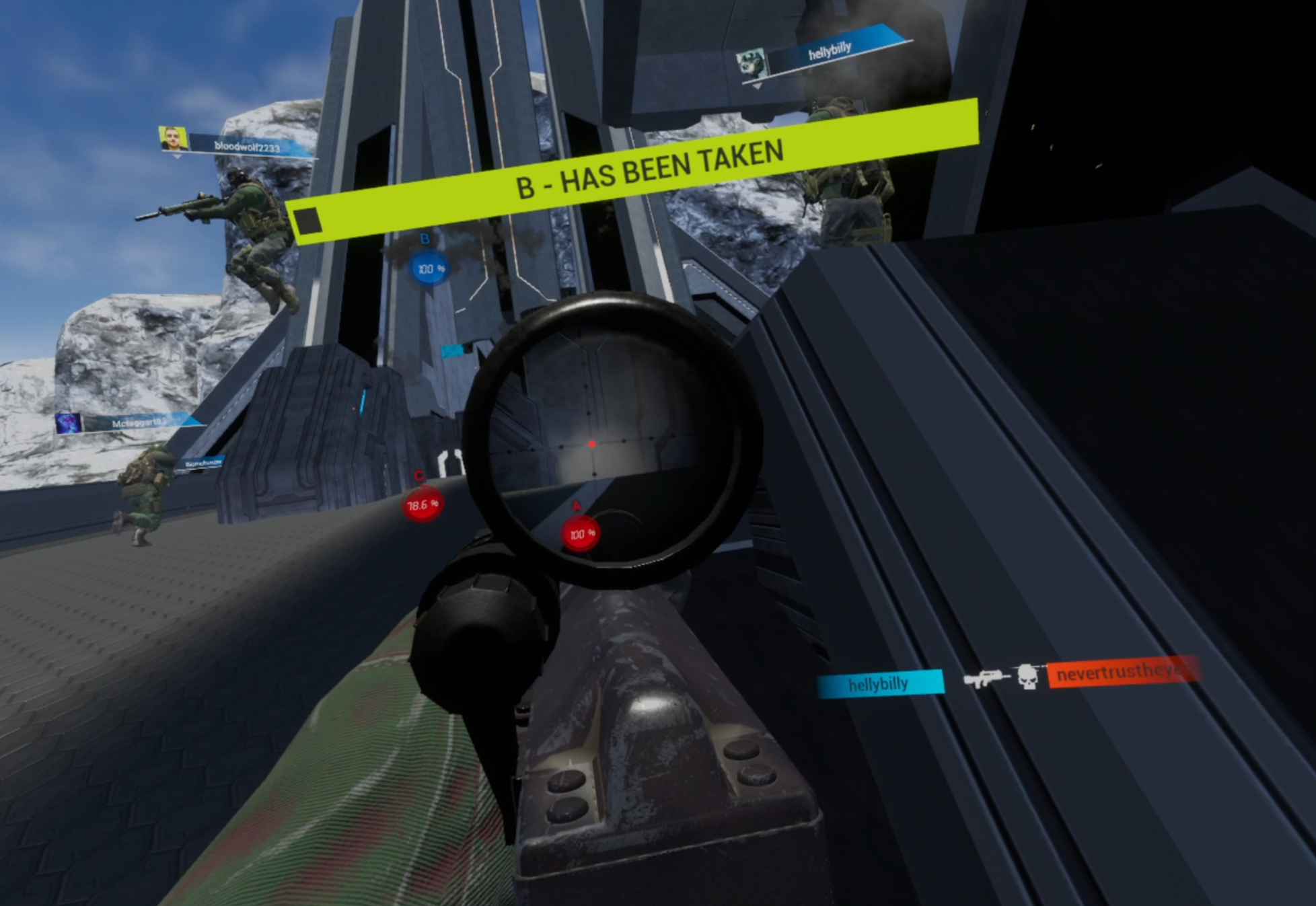
Custom game modes like Gun Game are also present in Contractors, so when you get tired of Capturing flags there’s a lot more to do. Really there’s far too many choices to list here, and more are added all of the time.
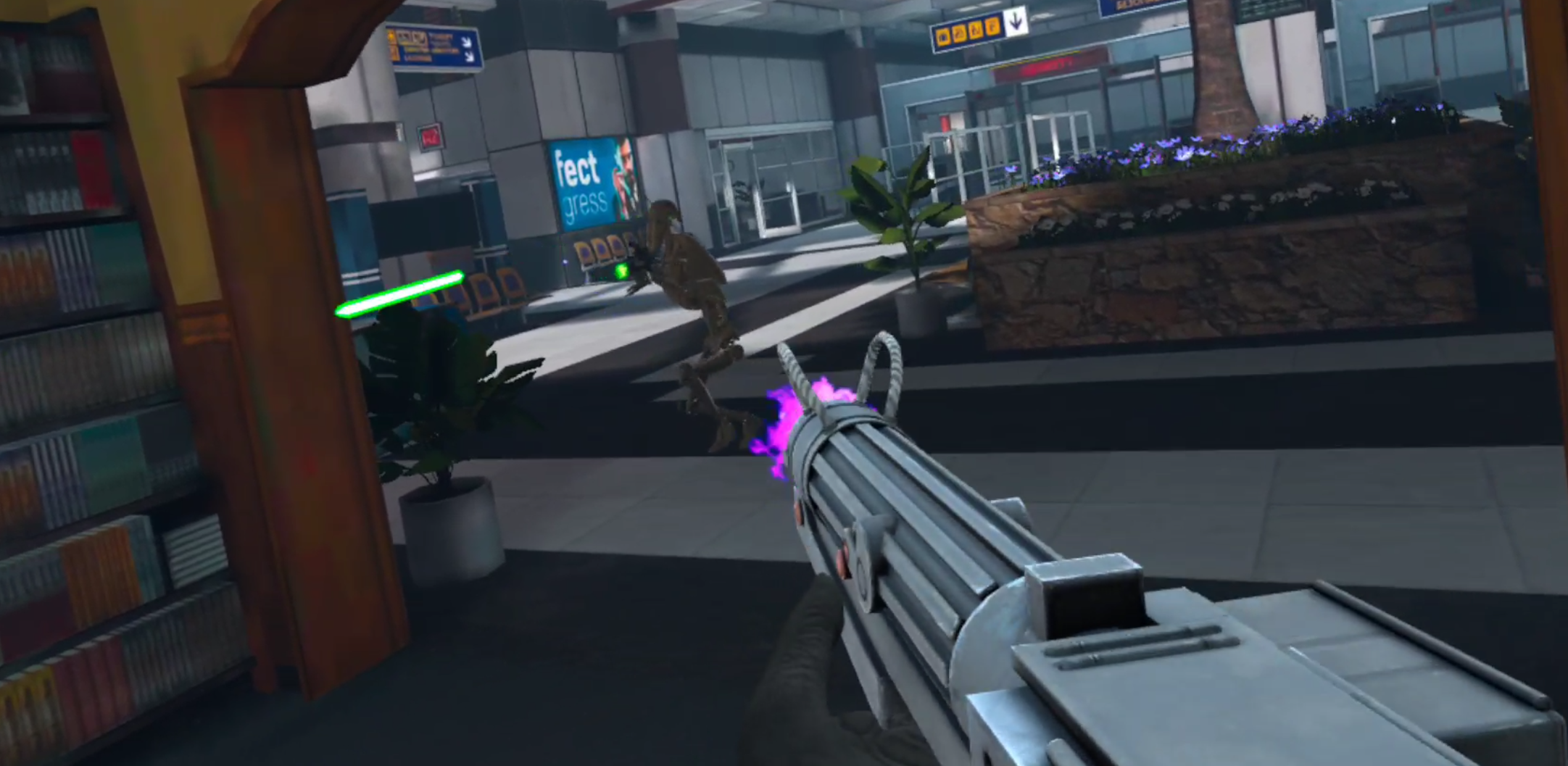
Custom Loadouts are a more recent addition to the Contractors modding scene, and they really round out custom experiences. Want Halo guns for your Halo map? Now that is possible, and you’ll even be wearing Master Chief’s armor while you use them. Want Star Wars droids fighting clone troopers on Call of Duty’s terminal map? That’s possible now too. These mods are now even capable of affecting the pace of gameplay, with guns that are less accurate, and more shots required for a kill.
Unfortunately Onward does not have modding support outside of some custom maps. Still, the game modes are pretty good. There are two main game modes in Multiplayer, Send the Uplink (type some numbers in front of a dish the other team is defending), and Escort the VIP (make sure one player with only a pistol makes it to one of two points on the map, if that player dies you lose). There’s also Gun Game, which is pretty fun, though it fits better in a faster paced game like Contractors, and a bizarre game mode called Spec Ops.
Spec Ops is kind of a misgnomer, something like “zombie” or “infection” would be a better name. In this mode one team moves really quickly and is armed with knives, while the other team moves normally and has pistols with a single magazine of ammunition. Whichever team is wiped out first loses. Oh, and the map looks foggy so it’s hard to see far. Spec Ops is… well it’s a bit weird and doesn’t really fit into the rest of Onward’s lineup, but is a decent distraction for a few rounds.

While these are good game modes that take familiar archetypes and do interesting things with them, there isn’t nearly as much variety here. On the other hand the built in maps that Onward comes with are fantastic, and come with a variety of spawn points and objective locations to keep them fresh. While the custom maps might show some promise over time, so far what the community has created so far has not surpassed Onward’s original maps.
Onward does have a better Singleplayer experience than Contractors does, with two game modes. Hunt, where you must defeat all AI enemies on the map, or Evac, where you must fight off or evade waves of enemies and escape in a Helicopter. All in all Onward has a better single player, mostly through the virtue of slightly better AI opponents, who aren’t terribly lifelike, but at least take cover sometimes and shoot straight. Still, the Singleplayer is not enough on its own, except as a nice warm up and a decent couple of hours of AI stomping.
Weapons and Loadouts
What is a shooter without a ton of weapons to shoot and customize? Well in this category Onward outshines Contractors.

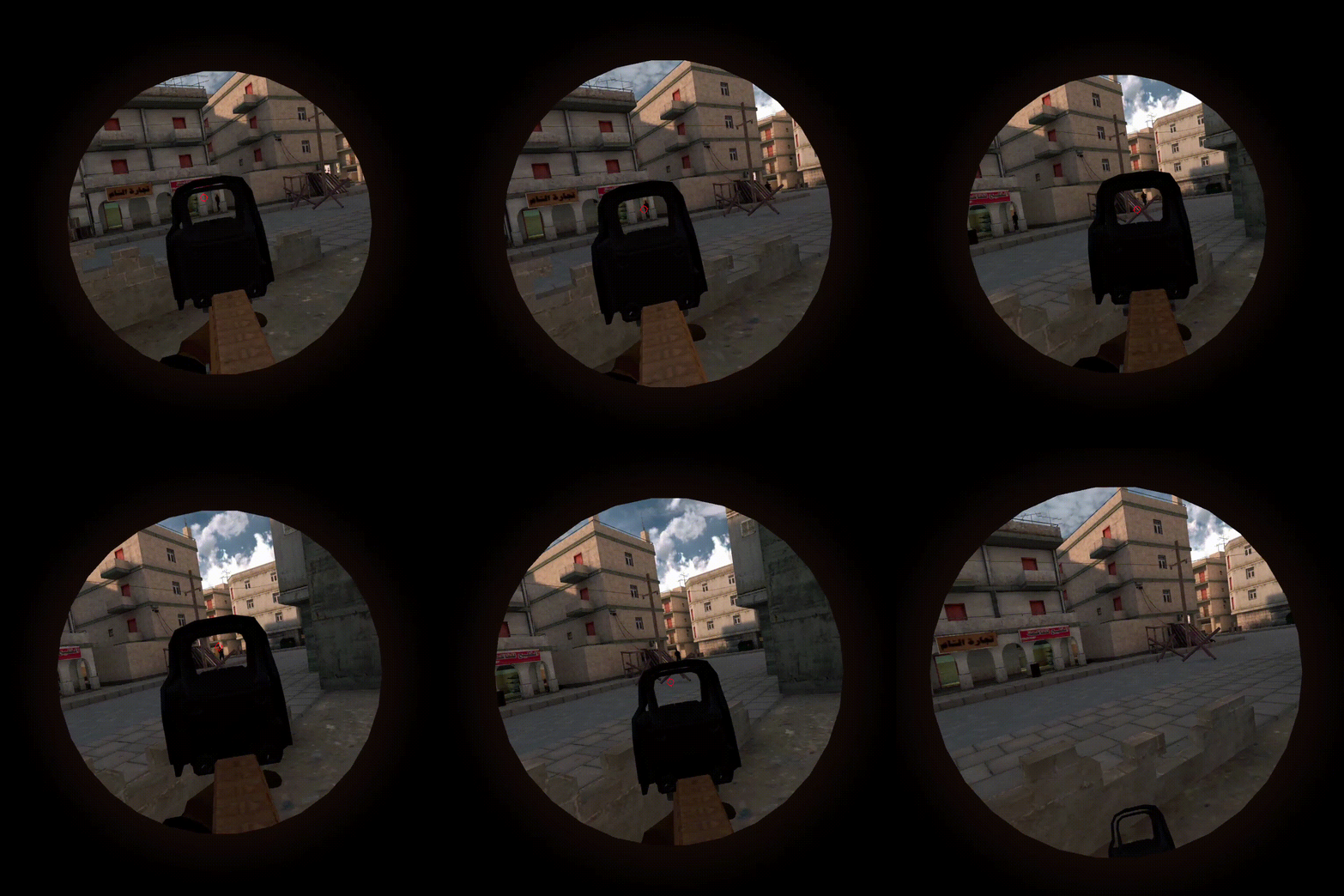
There are more possibilities for customization in Onward, where in Contractors you get some choices like what weapon to take and whether or not to use a foregrip or silencer. Contractors also has a few optics to choose from depending on the weapon, though the options to choose from are very limited.
Contractors does also offer a choice between light, medium and heavy armors. The thinking being that more armor means slower movement, and less armor means faster movement. Not to mention the grenades and melee weapons there are to choose from. Meanwhile Onward offers more viable variations of loadouts depending on the situation, or player preference.
In Onward there is a greater variety of options to play around with. You can choose between AP and FMJ ammunition, whether to take extra body armor, or extra healing items. Night vision is an option for night maps, and so are lasers and flashlights on your weapon. Bipods are an option in addition to foregrips. There are riot shields and RPGs available, or even an underbarrel grenade launcher on a couple of weapons. You can take a flying drone for scouting, and put C4 on it for the classic exploding drone technique.

The options you have to customize your loadouts in Onward are far beyond what Contractors offers, and the slower pace of gameplay makes optimizing your loadout and playing with all of the options very rewarding. There are four roles to be taken in Onward, Rifleman, Specialist, Support, and Sniper. Some weapons and gear are shared between them, and some are role exclusive. Each role gets two loadout slots for a total of eight loadouts.

Contractors only gives you five loadouts (though there are another 5 for the World War 2 Game Mode) and each can use any weapon. As for those weapons, while there seems to be a wide variety, you will quickly find that some are just not as good as others.
What the current meta is becomes apparent quickly when you see what weapons you get killed by in public lobbies. Some weapons are just much better at killing opponents faster than others, so the worse weapons just never get used once you realize they are terrible. In Contractors you will find that only one or two weapons in each category are actually useful, which means there is less variety than there seems to be.

Not only that, but the sound and feeling of firearms is different between the two games, and once more Onward outshines Contractors. The weapons in Contractors really need better sounds, suppressed or unsuppressed they sound like Airsoft guns.
In Onward each weapon has a respectable report that sounds much closer to an actual gunshot, and bullets will snap as they pass near your head, while in Contractors you only notice you’re being shot when your screen goes red.

While the weapons in Contractors have a variety of spray patterns and recoil, you will generally be firing them at close range and fully automatic to try and spray down your opponent as quickly as possible. Onward has many maps with wide open spaces (such as Downfall) that require careful aiming and encourage sniping. Sniper rifles are rarely very good in Contractors. The recoil of weapons in Onward makes firing full auto at anything other than close ranges more difficult, and overall feels more like firing an actual gun than an airsoft gun.
Conclusion
So there you have it, the breakdown of Onward VS Contractors on the Oculus Quest 2. Each outshines the other in some areas, so whichever sounds better is totally up to you, though you definitely might enjoy both of them.
One final thing to note is that Contractors more consistently receives large updates that adds more modification options, gameplay improvements, and gameplay modes than Onward does. While these updates are not all super stellar and vary in quality and scope, they have been consistently making Contractors a better game and a greater contender.
Onward has not been receiving the same frequency of updates, and for the past year or so has been pretty stagnant in terms of new features and content. Maybe Downpour Interactive is just working on something big using Onward assets, but if they don’t start updating their game soon they threaten being left in the dust by Contractors. Only time will tell.
Whichever you pick, have fun in VR, and enjoy yourself.
You can get Onward on the Oculus Quest store for 24.99$. Contractors can be found there for 19.99$.