


Easily Install Hellsplit Arena Mods With The New Mod Manager Update
Hellsplit: Arena mods have been very hyped up and that hype is so true. Since the game is built in Unreal Engine 4 and also contains a complete framework for the use of guns, there are a ton of opportunities for mods.
These aren’t the janky gun mods you’ll find in Blade and Sorcery, nope, these Hellsplit: Arena mods look nice, feel nice to use, and are a ton of fun to mess around with.
Hellsplit: Arena mods have been very hyped up and that hype is so true. Since the game is built in Unreal Engine 4 and also contains a complete framework for the use of guns, there are a ton of opportunities for mods.
These aren’t the janky gun mods you’ll find in Blade and Sorcery, nope, these Hellsplit: Arena mods look nice, feel nice to use, and are a ton of fun to mess around with.
There’s even mods that are practically total conversions, like a Resident Evil 4 mod. All this within Hellsplit: Arena, and using the fantastic haptic controls and engine of this game.
Anyway let’s get into it. Here’s how to install Hellsplit: Arena mods with the new Mod Manager update added in patch 1.2.
How To Install Hellsplit Arena Mods With The Mod Manager
Alright, thanks to the devs over at Deep Type games, installing Hellsplit: Arena mods is super easy!
Just start the game as usual and hit that orb to open the main menu. You won’t notice anything different for now.
Select your profile and calibrate your height as you usually do.

Opening the Game Menu in Hellsplit: Arena
Awesome, now you’ll be in the menu for your selected profile, and all of the usual options will be present. Campaign… Training.
Oh what’s this? A new “Mod Manager” option?
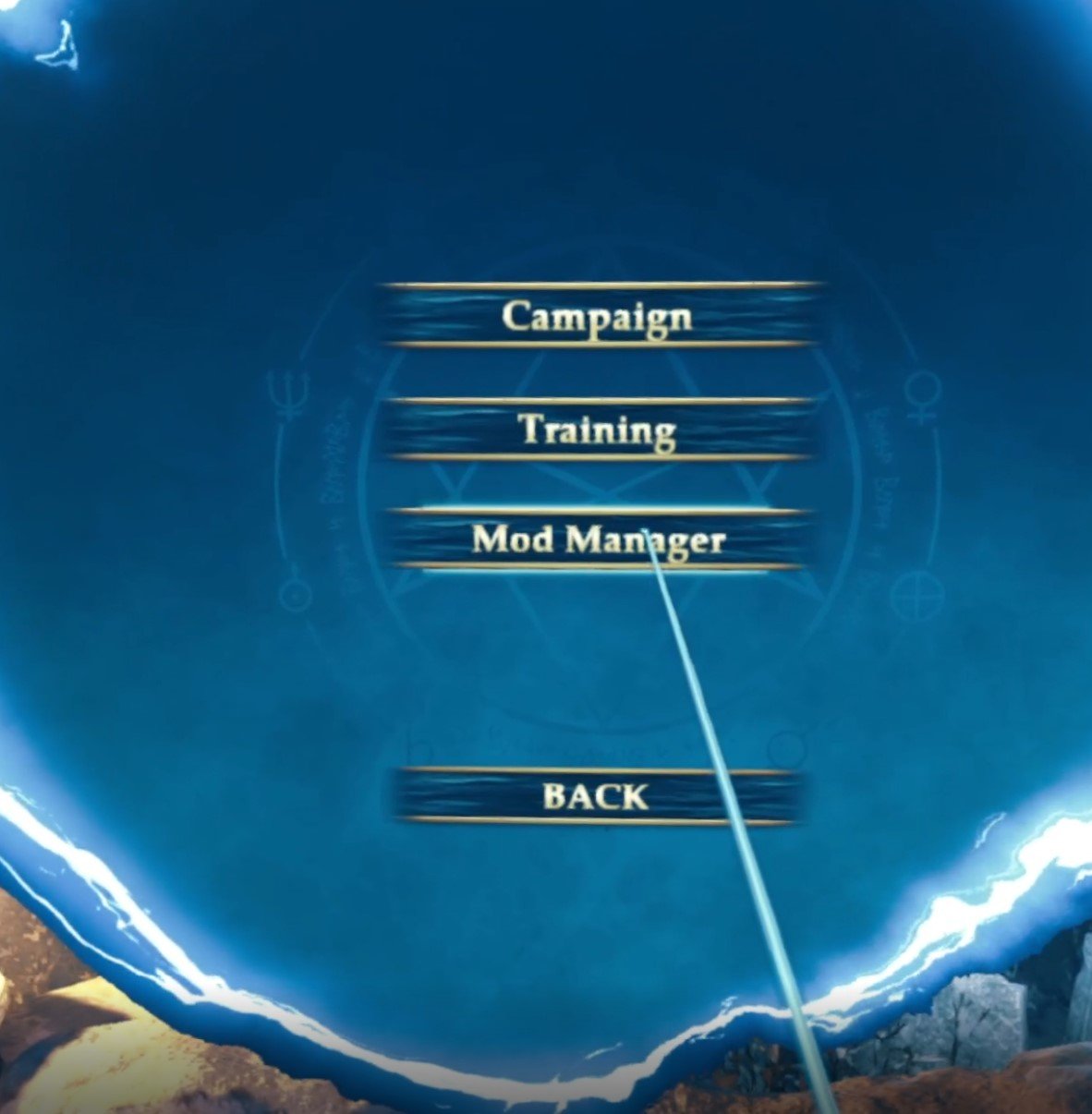
Opening the Mod Manager in Hellsplit: Arena
Click on this and your screen will go black or freeze for a moment, but don’t worry.
When it comes back you’ll find yourself on the top of a skyscraper in a city with a massive screen in front of you.

The Mod Manager Mod Browser
This is the Mod Manager! No complicated and convoluted setup steps here. You can point your usual pointing hand at the screen to navigate around.
There’s all sorts of mods to choose from, and there will be even more in the future thanks to dedicated modders, big thanks to them as well.
Browse around until you find something you like. For this example we’ll be looking at the Modern Firearms mod.

Modern Firearms is an excellent Hellsplit Arena Mod
This Hellsplit: Arena mod is great. It adds a ton of modern firearms to the game like the M16A1 and Beretta M9.
When you open the mod page you’ll see the thumbnail and description of the mod, and when you’ve decided that you want to install it click the “Install” button in the top right hand corner of the screen.
You’ll see a loading bar for a little while. High fidelity weapons and textures can take a while to download, but shouldn’t be too long.
When it’s done you’ll see an “Uninstall” button instead of an install button.
Now that you’ve downloaded the mod or mods that you want you can click the button that looks like a house in the top left hand corner to go back to Hellsplit: Arena.

Exiting the Hellsplit: Arena Mod Manager
For the Modern Firearms Mod we go to Training and select a map. When we look at the spawn menu and go to Ranged Weapons, there they are.

The Modern Firearms mod adds a ton of great new weapons
A whole host of modded in guns for Hellsplit: Arena. Time to go nuts.

The M16A1 is a ton of fun
Make Your Own Mods With Hellsplit: Workbench
After using some of these awesomely fun Hellsplit Arena Mods, you might be wondering how you can make your own mods in this great game.
Well it turns out the developers haven’t only made installing mods easier, they’ve made developing them too with Hellsplit: Workbench.
This is a full modding SDK that makes all of the modding tools for Hellsplit: Arena easy to find and use for modders. If you want to give it a try you can download it on the Epic Games Store.
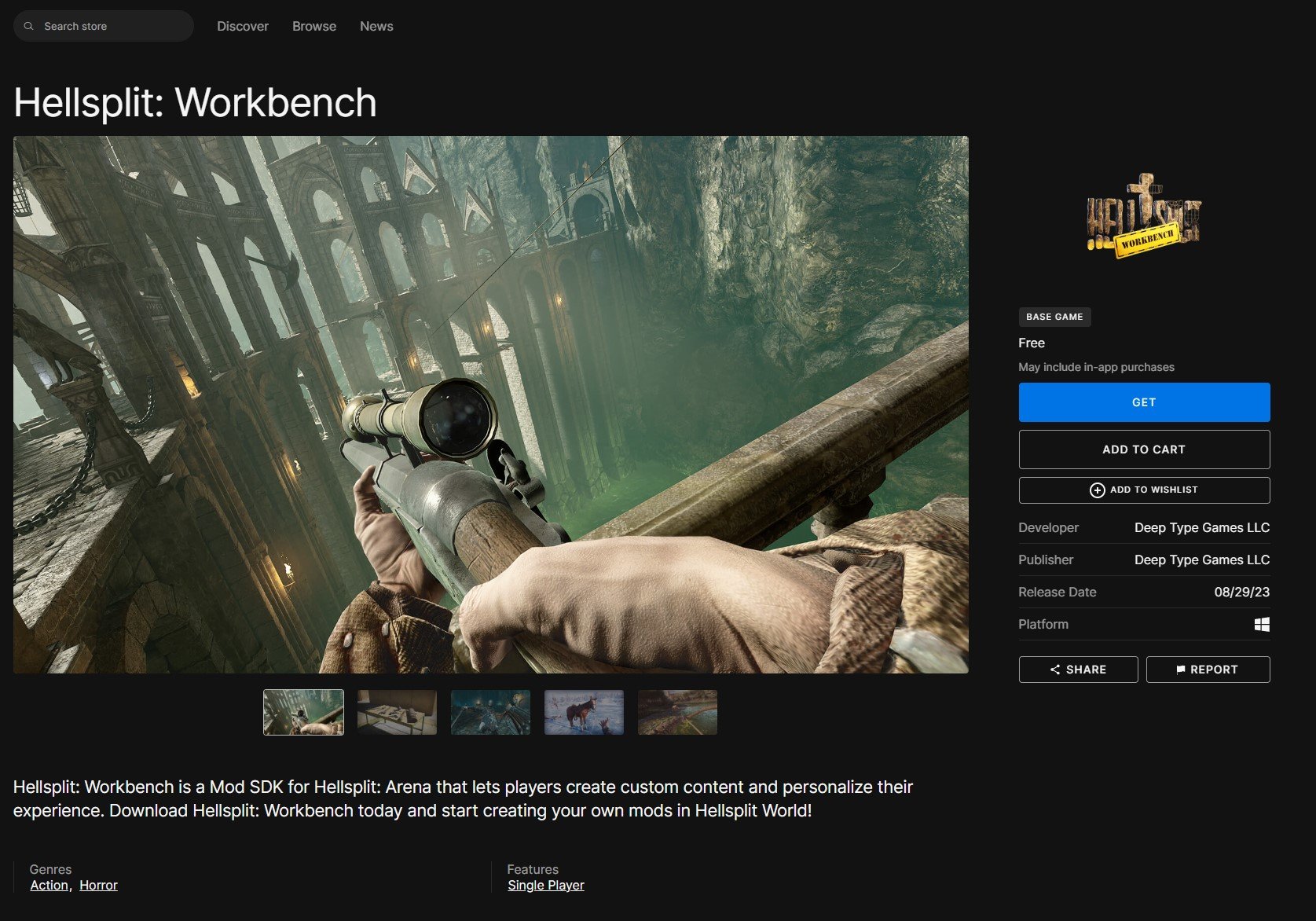
Hellsplit Workbench on the Epic Games Store
Of course you might have trouble at first and want a little guidance on how to mod Hellsplit: Arena.
Well don’t worry because the devs over at Deep Type Games have you covered there too. They’ve already started a modding tutorial page that you can find here.
This will go over the basics and will be expanded upon in the future. So go nuts and make whatever you want in Hellsplit: Arena.
Well that’s all for this article on how to install Hellsplit: Arena mods after the 1.2 Mod Manager update, and also a little bit about Hellsplit: Workbench. Now you can become a modder too. Your creations feel more real than ever when you see them in the immersive 3D world of Hellsplit: Arena in Virtual Reality.
Whether you want to just enjoy mods others make or want to make your own, enjoy!

How To Use Blade and Sorcery Cheats
Blade and Sorcery is a ton of fun, but what makes any VR game more fun? Cheats! So here we’ll show you what cheats are available in Blade and Sorcery and how to use them. If you’re wondering whether you’ll have to install mods to do this and have to go through that whole setup process, don’t worry!
Cheats are built into Blade and Sorcery, and it’s Meta Quest counterpart Blade and Sorcery: Nomad. So you won’t have to install mods or change your game in any way to use them.
Blade and Sorcery is a ton of fun, but what makes any VR game more fun? Cheats! So here we’ll show you what cheats are available in Blade and Sorcery and how to use them. If you’re wondering whether you’ll have to install mods to do this and have to go through that whole setup process, don’t worry!
Cheats are built into Blade and Sorcery, and it’s Meta Quest counterpart Blade and Sorcery: Nomad. So you won’t have to install mods or change your game in any way to use them.
Though if you do want to install some awesome Blade and Sorcery mods, there’s an easy way to do that to. So if that sounds interesting check out our Blade and Sorcery modding guide.
Anyway, let’s get on to how to use Blade and Sorcery cheats.
How To Turn On Blade and Sorcery Cheats
Using cheats in Blade and Sorcery is really easy, and if you’re coming here then you probably just didn’t notice it. When you’re in game open the menu like you usually would by pressing the menu button on your left controller.

Opening The Sandbox Settings in Blade and Sorcery
Once you’re here click on “Sandbox” on the left.
Then press “Cheats” and boom, there you go. All the cheats that you could possibly want.
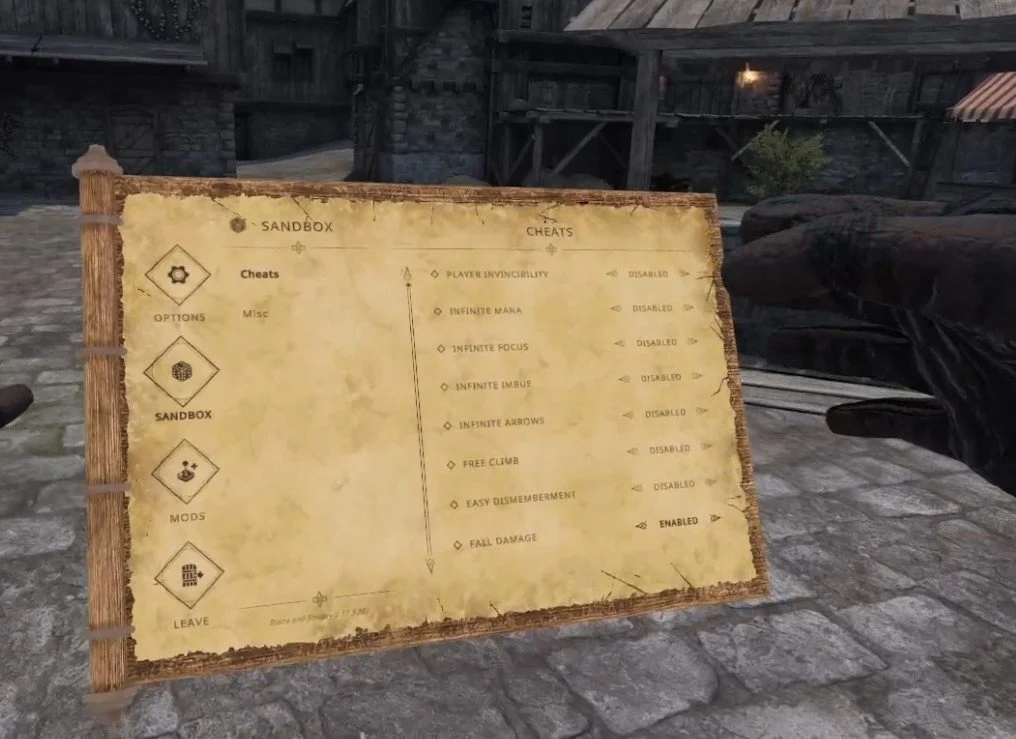
The Cheat Menu in Blade and Sorcery
There’s a ton of great stuff here. Invincibility is very cool, though it gets boring very quickly.
A more interesting cheat to use is infinite focus. Focus in Blade and Sorcery is what lets you use your slow motion ability.
Being able to use slow motion indefinitely is really awesome, and leads to some truly epic slow mo fights that you just couldn’t have without cheats.
Infinite mana is also a very good time, using gravity, lightning, or fire as much as you want against a horde of enemies is a ton of fun.
As for the rest of the Blade and Sorcery cheats you can use here, feel free to play around with them. Blade and Sorcery and its Oculus Quest counterpart Blade and Sorcery: Nomad are all about experimenting with what is fun in the sandbox, and these cheats let you make your fun any way you want to.
That’s all on how to use Blade and Sorcery cheats. Hopefully this lets you enjoy your time in Blade and Sorcery even more. Enjoy!

The 5 Best Magic VR Games and Wizard VR Games for Meta Quest and PC
So, you want to be a Wizard in VR? Ready to cast some spells in Virtual Reality? Well you’ve come to the right place. Whether you’re playing on the Meta Quest or on PCVR there are a ton of great Magic VR Games for you to choose from. Of course, you won’t want to waste your time and money on any that are boring or just plain bad.
So to make sure you get your money and time’s worth out of your desire to become a spellcasting, magic using wizard of ultimate power in Virtual Reality, we’ve put together a list of the 5 Best Magic and Wizard VR Games that will have you throwing fireballs and flinging thunderbolts in no time. Not to mention, you’ll have a blast doing it in any of these immersive VR games.
So, you want to be a Wizard in VR? Ready to cast some spells in Virtual Reality? Well you’ve come to the right place. Whether you’re playing on the Meta Quest or on PCVR there are a ton of great Magic VR Games for you to choose from. Of course, you won’t want to waste your time and money on any that are boring or just plain bad.
So to make sure you get your money and time’s worth out of your desire to become a spellcasting, magic using wizard of ultimate power in Virtual Reality, we’ve put together a list of the 5 Best Magic and Wizard VR Games that will have you throwing fireballs and flinging thunderbolts in no time. Not to mention, you’ll have a blast doing it in any of these immersive VR games.
So let’s start from the top of the list. Here are the 5 Best Magic VR Games and Wizard VR Games on the Oculus Quest and PC.
Blade and Sorcery - Best Magic VR Games and Wizard VR Games

The Blade and Sorcery Logo
If you’ve been paying attention to VR gaming at all for the past few years then you probably figured that Blade & Sorcery would be on this list of Magic VR Games. Why wouldn’t it be? It’s extremely popular for good reasons, and even has the word “Sorcery” in the name!
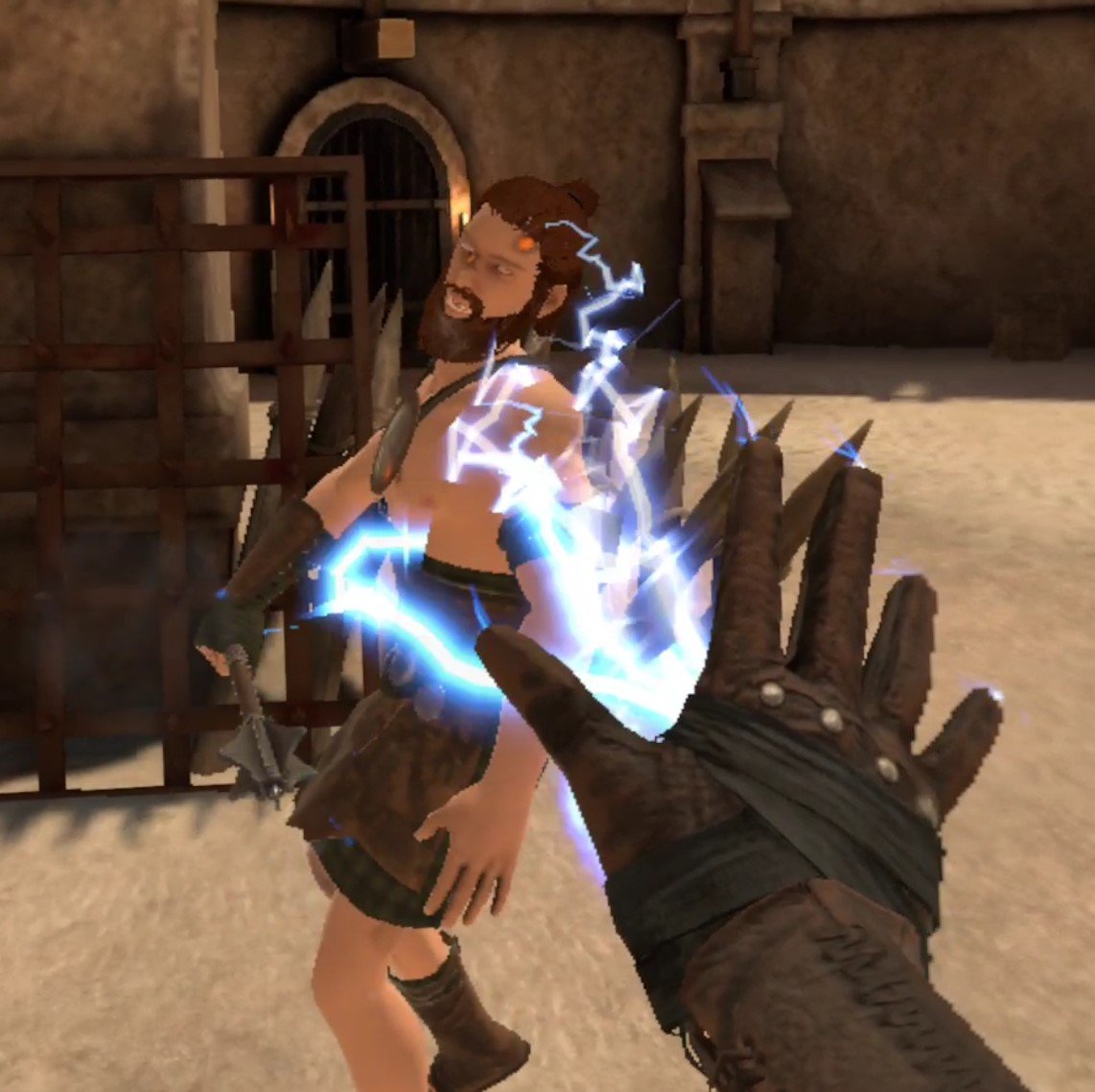
Using Lightning magic in Blade & Sorcery
While also featuring blades and fighting very prominently, maybe too prominently depending on your tastes, there are some great spells and magical abilities for you to use in Blade and Sorcery, and its Meta Quest counterpart Blade and Sorcery: Nomad.
At the moment Blade and Sorcery is mostly a sandbox experience where you enter an arena, choose your weapons, and then spawn in enemies to attack you. There is also a dungeon mode on a single map currently, and a “Crystal Hunt” mode that is promised to be more in depth and progression oriented in the future.
For now though, Blade and Sorcery is a sandbox melee combat focused experience. It gets updates very consistently, but hasn’t strayed too far away from being more of a “make your own fun” kind of game. You can cast spells with either of your hands if they’re free of items. Specifically fire, lightning, and gravity magic.
There are a ton of cool things you can do with the magic in Blade and Sorcery, but it’s not a game that is purely focused on magic. Though you can always add more magic abilities with mods.

Casting a massive fireball in Blade and Sorcery
If this sounds great and you want a more fantastical alternative, you might also want to look into Battle Talent, which recently got a full release, and features a vibrant modding community as well.
Of course in both of these games you’re less of a wizard and more of a battlemage who uses melee combat as much as magic, and they fit more firmly into the category of VR fighting games than VR Wizard Games, but there’s still a lot of magic in the air and spells to sling.
Waltz Of The Wizard - Best Magic VR Games and Wizard VR Games

The Waltz Of The Wizard Logo
Waltz Of The Wizard is a far less combat focused experience than the other VR games on this list, and is really more of a puzzle game that relies heavily on magic to be fun, exciting, wonderful, and interesting.
Waltz Of The Wizard has also been around for a long time and has seen a lot of huge updates over the years to add more spells, and more interesting creatures and events.
In Waltz Of The Wizard you are a wizard hanging around in their wizard tower (as wizards tend to do) and experiment. This is the most magic you’ll probably find in a magic VR game. Everything you see in your tower can be interacted with, and you can do amazing things to them with your wizardly spells and abilities.
First though, you need to unlock some spells to play around with. For that you’ve got a cauldron and a ton of ingredients. Mix and match them in your cauldron to unlock new spells for your hands, like the ability to turn anything you touch into a butterfly with Transmute!

Unlocking the Transmute spell in Waltz Of The Wizard
That’s where the fun of Waltz Of the Wizard comes from. You’re a wizard and you experiment with magic and spells on the various items of your tower, explore around, and discover all of the interesting interactions that you can do with your magic.
There’s a lot of wonderment in exploring your tower and discovering what you can do and what every object does. Not to mention the game looks great and has excellent sound design. You can spend a lot of time discovering new things. While this is a less combat focused game, later updates did add new areas where you can fight magical golems with your spells and explore dungeons.
Waltz Of the Wizard has become one of the most versatile VR Wizard Games out there through its updates, and has an extremely fantastical and immersive world. If you want a more slow paced and laid back wizarding experience where you mostly mess around, then check this game out.
Also honorable mention to Elixir, which is similar to to the tower in Waltz Of The Wizard, but is much shorter. Still, Elixir is free for the Oculus Quest so check it out to see if you might like this sort of Magic VR Game.
Wands - Best Magic VR Games and Wizard VR Games

The Wands Logo
So you want to be a wizard, but maybe you want more of a Wizard dueling focused experience. Ever watch a Harry Potter movie and think about how awesome it would be to have your very own wand and take part in a Wizard duel? Well now you don’t have to wonder, you can do it in Wands.
This Virtual Reality magic game is all about player versus player magical combat, and wow does it execute it well. As you might have expected from the title, the game is centered around wand based magical combat. You can hold four on your wand at a time, and wow there are a lot to choose from!
There are a ton of different combinations to try, from shields to traps to offensive magic of all sorts. Whatever you choose you then enter an arena with multiple other people, each equipped with their own wands, and duel to see who comes out on top.
Each time you duel you get dust, which you can use to buy awesome new wands or player skins to really nail the sort of Wizard vibe you want to go for. Oh, and you unlock new spells over time, giving you more options and strategies as you progress. Though at the same time the game doesn’t overwhelm you with too many spells right off of the bat.
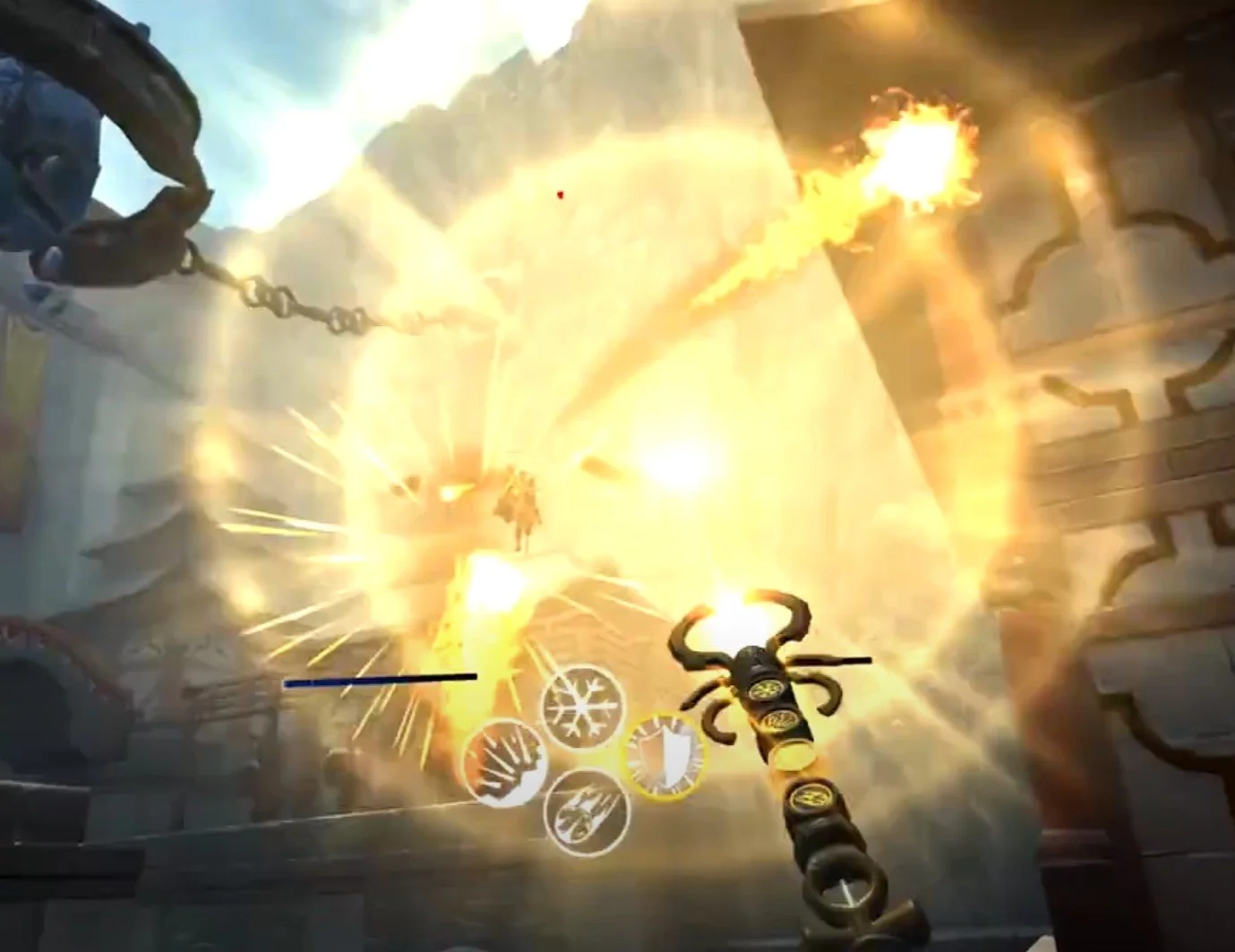
A magical battle in Wands
If you want a magical VR game that also involves player versus player magic duels, then Wands is the only game in town for that, and it does it very well. With a solid progression system, a ton of great maps, and a ton of spells to choose from for your wand, there is a ton of great wizarding to sink your teeth into here.
The Wizards - Best Magic VR Games and Wizard VR Games

The Wizards Logo
If you want a more story focused VR spellcasting experience then we’ve got something great for you in The Wizards and its sequel The Wizards: Dark Times. Both of these games put you in a fantastical land where you have to fight through hordes of enemies with all of the magic you can muster. All the while you see a vibrant and fantastic world all around you.
The Wizards is noted primarily for its greatest innovation in VR spellcasting immersion, and that innovation is that all of its spells are focused around hand gestures. This is a very fun way to put the magic into VR magic games.
Instead of selecting your spells off of a menu or clicking a button to change them, you do magic with your actual hand gestures.
For instance, want to throw a little fireball? Then point your palm down, hold the grip, and flip your palm upwards. Bam, a fireball appears in your hands that you can throw. Now that’s magic, and that’s what is so amazing and fun about The Wizards.

Throwing a fireball in The Wizards
You use these spells to fight your way through all sorts of goblins and orcs and other sorts of enemies while you explore the beautiful and fantastical environments of The Wizards.
As you go from location to location you learn more about this crazy world and the troubles that have fallen over it, all the while fighting to keep it together.
It’s a fun and, while combat focused, wholesome experience. So if you’ve wanted a great hand based spellcasting system that really does make you feel like a wizard combined with a fantastic journey through a magical world, then give The Wizards a try.
The Mage’s Tale - Best Magic VR Games and Wizard VR Games
The Mage’s Tale Logo
First, a quick disclaimer, The Mage’s Tale is not available on the Oculus Quest 2 or other Quest standalone platforms like the other games on this list, which is a real shame. Hopefully a Quest port is in the works. Otherwise you’ll have to connect a Quest device to a PC with airlink or a link cable to play The Mage’s Tale.
If you’re looking for another VR magic game for the Meta Quest you might want to check out Runes: The Forgotten Path, which is the runner up here mostly because it is such a short game.
Anyway, on to The Mage’s Tale, which despite being limited to PCVR is a very fun VR game that once more puts you in the shoes of a sorcerer. Your master has been kidnapped, and you and your little goblin guide must find his kidnapper and get your wizard master back.

Throwing a lightning ball in The Mage’s Tale
You unlock a small group of spells in the early stages of the game, and learn how to use them on the many enemies that you will encounter.
There’s fire, lightning, wind, and ice. Each has specific uses in combat, which you’ll be doing a lot of in The Mage’s Tale, and have very interesting interactions with the different enemies you will encounter. In some situations some spells are more effective than others. You can even mix your spell effects together and make custom spells.
Beyond the magic spells you use are the magic items you gain. When you defeat enemies and gain EXP you get chances at customization each time you level up by picking which magical item you want to upgrade your character with. Generally this is a choice between more health or faster magical casting.
Still, it’s nice to have options in how your character progresses, and it’s also nice to have some breaks from combat, which The Mage’s Tale pulls of nicely with its great environments and puzzles. While some puzzles can be hard to solve, and you might have to go to a walkthrough to figure them out, you start to understand them better over time.
Also, like many other games on this list, The Mage’s Tale has well crafted and fantastical environments that will leave you slack jawed with wonder at what you’re seeing in immersive Virtual Reality. So in many ways this game is a lot like The Wizards without the motion based spellcasting, and some more options for character customization.
Though if you really want another VR wizard adventure to go on, then the spellcasting and sorcery of The Mage’s Tale will definitely scratch that itch. There’s many quirky things to find, spells to cast, and dungeons to delve in this spellcasting VR game.
That’s our list of the 5 Best Magic VR Games and Wizard VR Games on the Meta Quest and PC. Being a wizard in VR is a truly one of a kind experience that flatscreen games can’t quite replicate. Calling lightning out of your fingertips is much cooler when you actually see it coming from your fingertips after all. Whichever game on this list you decide is best for you, enjoy!

How To Sell Items In Into The Radius
So you’ve braved the Pechrosk Zone and found some great stuff, but some of it you’d rather sell than use. So what do you do? If you’re new to Into the Radius then you might be wondering just how exactly you’re supposed to sell your hard earned items so that you’ll have the cash to buy more items.
So you’ve braved the Pechrosk Zone and found some great stuff, but some of it you’d rather sell than use. So what do you do? If you’re new to Into the Radius then you might be wondering just how exactly you’re supposed to sell your hard earned items so that you’ll have the cash to buy more items.
Well we’ll tell you how to sell in Into the Radius here. It’s actually really easy.
How To Sell Stuff In Into The Radius
So first load up your backpack with everything that you’re going to sell. It’s easier if you do it all in a single trip. Also, it’s way more satisfying to sell everything at once and see that dollar number grow bigger.
Oh, and if you’re wondering how to get more artifacts to sell then check out our artifact hunting guide. Artifacts are a really good way to earn more cash in Into The Radius.
Make your way to the train car in your home base of Vanno. It’s in the big warehouse that your room is in, but in the way back. So if you walk into the warehouse through the entrance just keep going straight and you’ll run right into it.
Here’s a picture of the traincar entrance.

The Traincar Entrance
Go up to the door and it will automatically open. Head inside and turn to the right. You’ll see a big window on the wall with all of the items you can buy inside.
Underneath it is an open bin of sorts. That’s where you put items to sell them.
Just take whatever you’re going to sell and toss it into there. Keep throwing stuff into the receptacle until you have put everything you want to sell in there.

A Full Sell Bin
Once you’ve put in everything you’re planning on selling go over to the computer console right next to the sell bin.
You’ll see the usual category selection options on your left as always, but since you put some items into the bin you’ll also see a new “SELL” button on the right, with the total value of what you’re selling above it.

The Sell Screen Before Hitting The Button
Hit that big “SELL” button and then the screen will change.
Now you’ll be able to see everything that you’re trying to sell, and how much it sells for.
This is a great way to learn what sells for a lot and what sells for a little. Keep the prices of items in mind next time you’re out in the Radius and are wondering what to keep and what to leave behind.

The Sell Screen Showing You Item Values
You can go back to the previous screen by hitting the “RESET” button. You might have noticed that the lid went down over the bin when you hit the first “SELL” button. Hitting “RESET” will open the lid again and let you take items out.
So if you’re wondering if you are accidentally selling something important this is your last chance!
When you’re ready to sell your Into the Radius items, hit the second “SELL” button. The items in the bin will disappear and the money will go straight to your account.
Anyway that’s how to sell items in Into the Radius! If you want more guides on into the radius then check out our artifact hunting guide or our Into the Radius tips and tricks article.
We’ve written a lot about this fantastic game here on realityremake.com. So if you want to see every article about Into the Radius you can also check them out here.

NFL PRO ERA Review - A Decent Football Virtual Reality Game
Looking for a football Virtual Reality game? Wondering when Madden VR is finally going to come? Well if your standards for Virtual Reality football are low and very limited to being a quarterback then the football Virtual Reality game you want might already be here in NFL Pro Era VR.
Looking for a football Virtual Reality game? Wondering when Madden VR is finally going to come? Well if your standards for Virtual Reality football are low and very limited to being a quarterback then the football Virtual Reality game you want might already be here in NFL Pro Era VR.
Well NFL Pro Era VR isn’t a very deep or rewarding experience, even for lovers of football, and certainly isn’t the NFL VR game or Madden VR game you might be hoping for. Still, there are things worth enjoying in this Football Virtual Reality game. While this VR game falls short of its flatscreen counterparts, there is still good VR football fun to be had.
In this NFL Pro Era review we’ll talk about what this early attempt at an NFL VR game does right, but mostly where it falls short of what a fantastic football Virtual Reality game could be.
Oh, and this review will focus on the Meta Quest 2 (or Oculus Quest 2) version of the game, though NFL Pro Era on PC is the same, just better looking.
Your First Play - NFL Pro Era VR Review
So let’s say you start NFL Pro Era for the first time. Well at first you’ll probably be pleasantly surprised. The game does a good job of putting you right into the action and letting you run a few plays to get the hang of it.
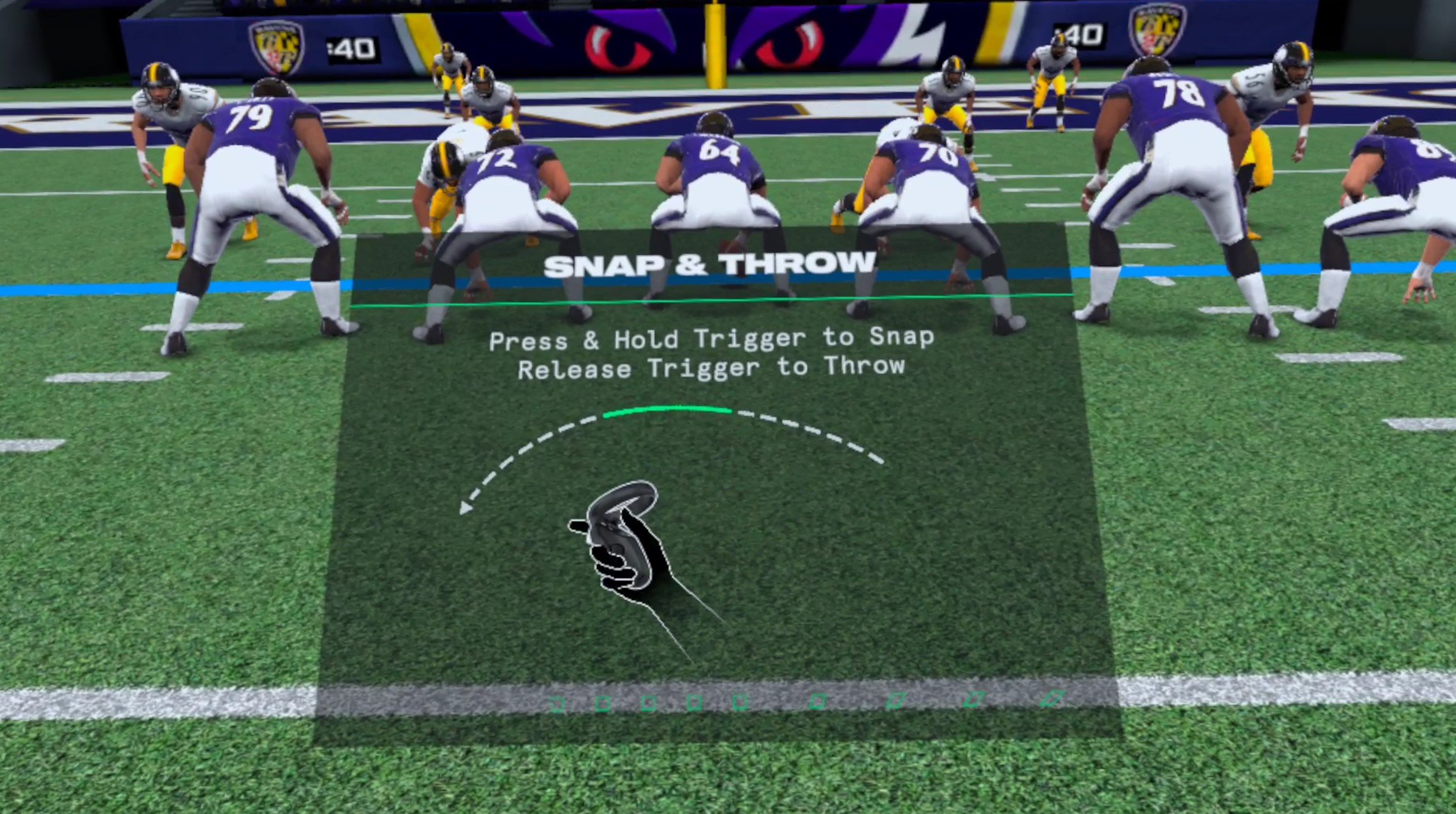
The first tutorial, which covers about 90% of the game
No lengthy intros that make you wait ten minutes before getting into some VR football, just a couple of setup menus and a quick bit of NFL style fanfare before you’re throwing your first touchdown.
It’s nice to get right into things, and the controls are pretty simple, and explained pretty quickly. Just hold down the trigger to hike the ball and start the play. You’ll see all your AI teammates run for the pass, and then you can toss the football.
You’ll quickly notice that well… it kind of feels like throwing a football. Though not as much as you’d think in a football Virtual Reality game. It feels a little off, because there’s an auto aim sort of feature enabled by default. Even if you throw off course from a receiver, the ball will still go to them more often than not.
It makes the throwing feel a little weird when compared to a real football, but it does feel better if you turn the auto aim off in the settings later. If you do the throwing feels pretty accurate and satisfying, but if you’d rather keep auto aim on and have a little help then that’s okay too.
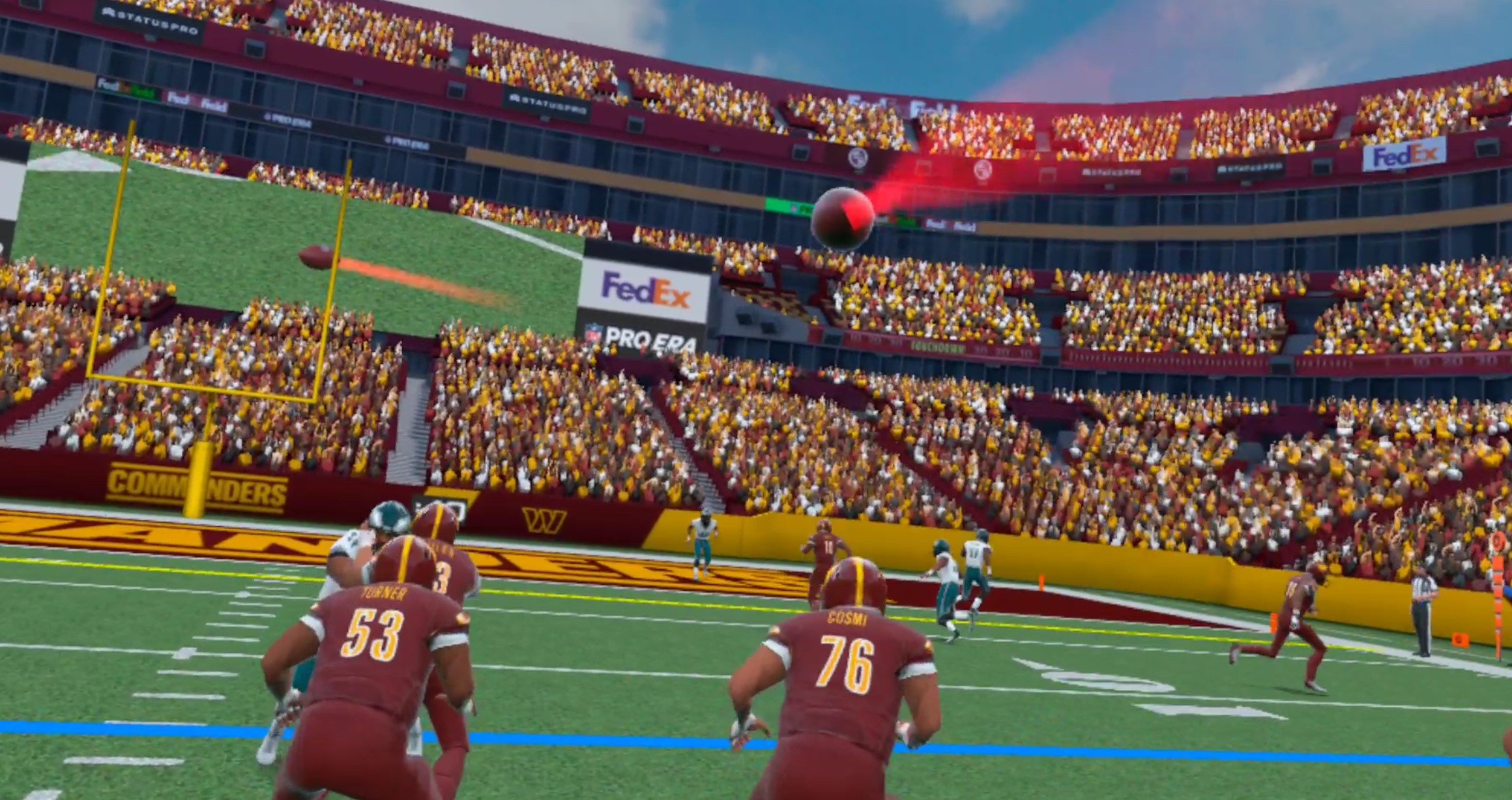
Throwing a Touchdown
We’ll get more into the gameplay later, but for now we can definitely say that it’s a good thing that you can run a play within four minutes of starting NFL Pro Era.
Especially in VR it’s good to avoid standing around and just get into the action, and that’s something that this Virtual Reality football game does at first. Once you’ve made your first touchdown it’s off to the locker room to choose your name, number, and look.
Oh, and most importantly, choose your team.

Character creation is pretty great in NFL Pro Era VR
Creating Your Player - NFL Pro Era VR Review
Yep, you can play as or against any NFL team in this NFL VR game, which is really cool. So if you’re a big football fan looking for some Virtual Reality football action then you can play as your favorite team.
There are also a ton of personalization options that are fun to play around with, like choosing what gloves you want to use, and you can always go back and change them later. You can even change your team later on if you change your mind.
What’s an NFL VR game without playing as an NFL team? All of the player models, jerseys, and gloves, even on the Meta Quest version of the game, also look really good no matter what team you pick.

The Running Back getting tackled
Going To The Practice Field - NFL Pro Era VR Review
After you make your character to your liking you’re off to the practice field. Once again it’s nice to get right into the football in this football Virtual Reality game.
So now you get another chance to throw some passes and learn more about NFL Pro Era. The basic flow of the game is revealed to you pretty quickly, and like we’ve already said it’s no Madden VR.
You look at your wrist before a play to see the play being called by your coach as your team is gathered around you. Then you tap the “break” button to break the huddle and start the play.
You wait a bit for the “hut hut” and then you pull the trigger to have the ball hiked back to you.
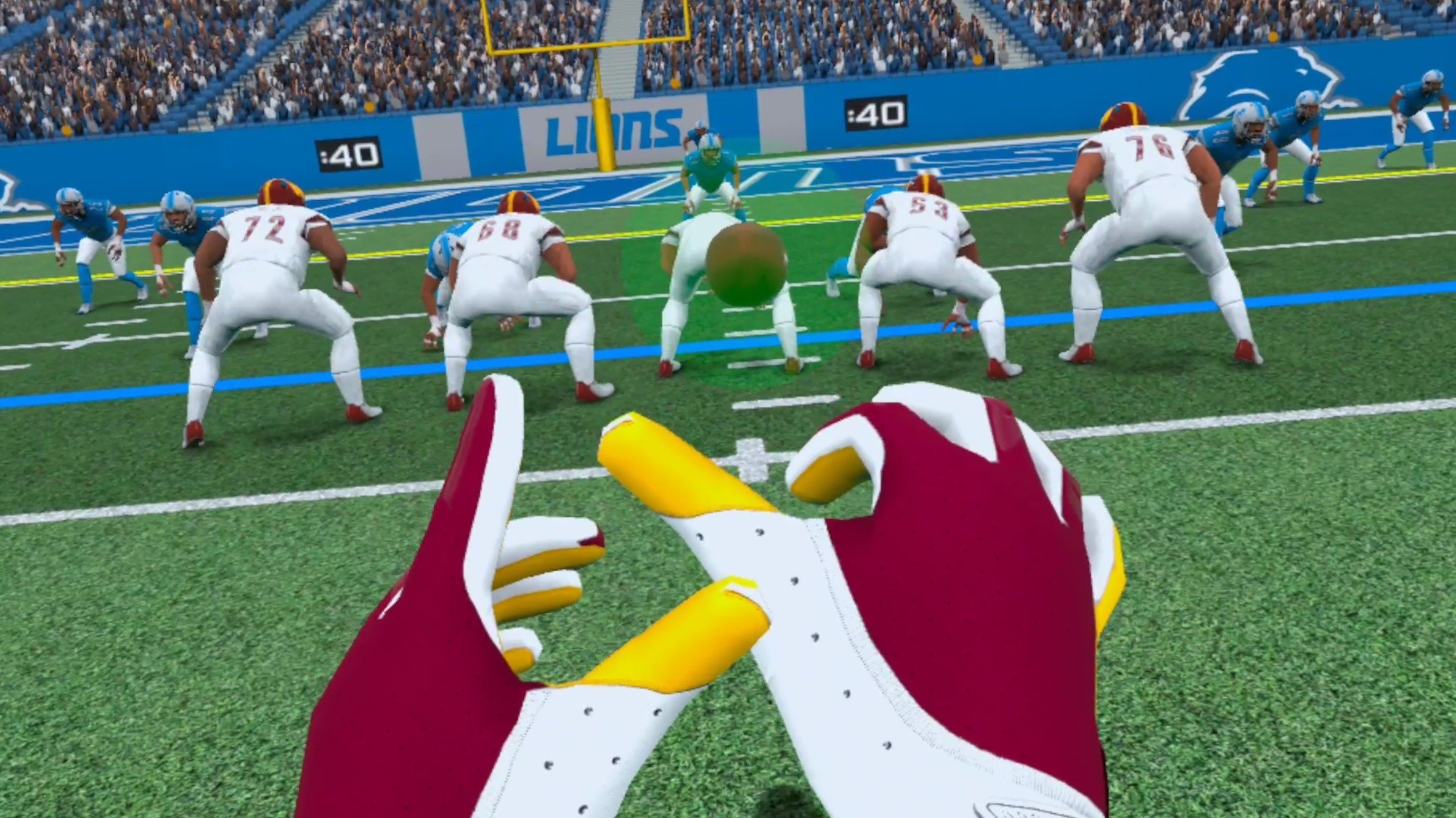
The ball being hiked to the player
Your AI teammates play out the play, almost flawlessly most of the time, and then you either throw the ball, pass it off, or run with it until you get sacked. Really they play too flawlessly, stupidly flawlessly, and we’ll talk about the AI more in a minute.
You go down, new play, rinse and repeat. So you learn the whole loop of this football VR game within the first thirty minutes of playing it, and it quickly becomes obvious that this is more of a quarterback VR game than a football VR game.
You only play the position of Quarterback, though you can run the ball yourself and ignore the Running Back if you like.
So that’s basically the entire game. In NFL Pro Era VR you’re the Quarterback and mostly throw the ball.
A Very Limited Football Virtual Reality Game - NFL Pro Era VR Review

Tossing the ball before getting sacked
So that’s the game. Sure, it’s a football Virtual Reality game, but you’d be right in thinking that this doesn’t sound like a VR experience that really encompasses the sport of football.
NFL Pro Era is certainly fun for what it is and does the job of simulating being a Quarterback well enough, but it really lacks the depth of strategy, planning, and customizability that you would expect from a Madden VR game, if that’s what NFL Pro Era is trying to be.
Sure it has great visuals, even on the Meta Quest, but there’s no team management, and it isn’t even obvious how to select a play to you. The excitement of being on an actual football field and playing an actual football game fades quickly when it isn’t matched with having options to affect whether you win or lose.
There’s not much more to say without being cruel to the game. NFL Pro Era is a quarterback simulator. When you do Season Games against other teams you’ll have absolutely no control over the defense. Oh, and you’ll have to watch every punt and kick from the sidelines. You’ll watch a lot of kicks when playing this football game.

Another kick
You can watch your defense go up against the enemy offense too, but it’s all largely uninteresting, because unlike a normal game of football this game is just bots against bots. On offense or defense they’re not terribly intelligent and are very boring to watch.
So you inevitably end up standing around and not doing much for a good portion of every game. Thankfully you can press a button on your handheld menu to skip all of the opposing offence’s plays, but you’ll still have to watch every kick and punt. So you still end up spending a substantial amount of time watching bots run around.
It’s boring, it would be better if you could get into the action a little faster, but it’s not a game stopper by any means, just a constant annoyance.
You’ll also start to notice the limitations of the AI when you’re throwing passes as well. There will always be at least one receiver who is wide open no matter the play, and you usually have plenty of time before getting sacked. So if you’re expecting NFL level pressure and difficulty in this NFL VR game, you might be disappointed.
Even with the hardest throwing difficulty it isn’t very hard to throw a pass even for someone who isn’t great at throwing an actual football. Though this can be a good thing depending on how you look at it, it would be nice if there was more to aspire to.
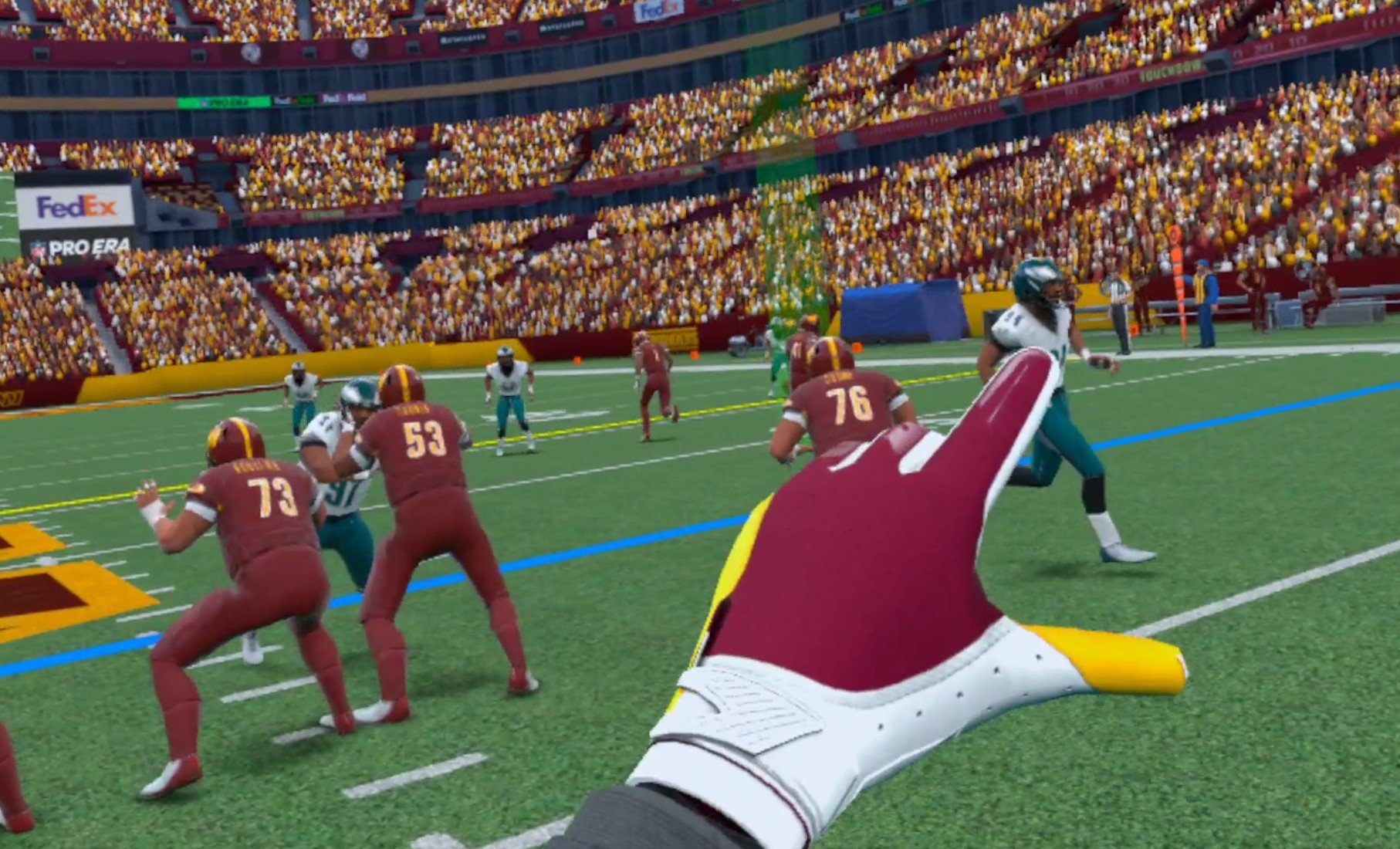
Moments before a successful pass
Sure there’s a trophy room you can fill up by beating enemy teams and getting achievements. Sure you can go through a whole season of Football as your chosen team and destroy each enemy team, but the victory is pretty hollow because it’s just too easy.
Football is a hard sport, and the AI in NFL Pro Era make it far too easy. So if you want an NFL level of difficulty in this official NFL title, you’ll be disappointed.
The Multiplayer - NFL Pro Era VR Review
Well the AI isn’t the greatest and the game is both limited in what you can do and how hard it is to master. It doesn’t sound like NFL Pro Era is the VR football title that you’ll be sinking hundreds of hours into so far, but what about the multiplayer?
Well you might already be looking ahead and wondering if you’ll have to watch every play that your opponent does while you wait for your defense to try to stop them, and that they’ll have to wait for your offense to finish.
After all you have no control over how your defense performs on the field, which always makes it feel like you’re not really in control of your fate during a game.
Luckily there won’t be a bunch of waiting in the NFL Pro Era multiplayer, because in this VR football game’s multiplayer you don’t play games of football. You run drills and play catch.

Multiplayer is lackluster
So even if you were willing to wait for another player to finish their drive before you get a chance to play again, you won’t get that option. NFL Pro Era’s multiplayer is purely hanging out on a football field and doing various football throwing minigames.
It’s really a letdown. So if you wanted a Madden like multiplayer experience in VR football you won’t find it here. Really the ‘multiplayer’ in NFL Pro Era being just a glorified practice session outlines just what is so disappointing about this game.
Though if you’re still looking for that Multiplayer football experience NFL Pro Era 2 has promised to deliver the Quarterback VS Quarterback multiplayer system that you could be looking for.
It Just Falls Short - NFL Pro Era VR Review
When you first start NFL Pro Era it is amazing. The visuals are awesome, the experience of being in the middle of a stadium and scoring a touchdown makes you feel like you’re actually a Quarterback in the NFL. The immersion of Virtual Reality really makes it feel like you’re there, and it feels so great.
Then once the initial rush wears off and you get used to things you quickly learn just how shallow of an experience NFL Pro Era is. The realization that what is marketed as the official football Virtual Reality game on the Meta Quest is really just a glorified Quarterback simulator.
Yea it looks good, but that can’t overcome the disappointment that comes time and time again when you realize just how little value NFL Pro Era gives you as a football fan or even a casual gamer who thought playing football in VR sounds fun.
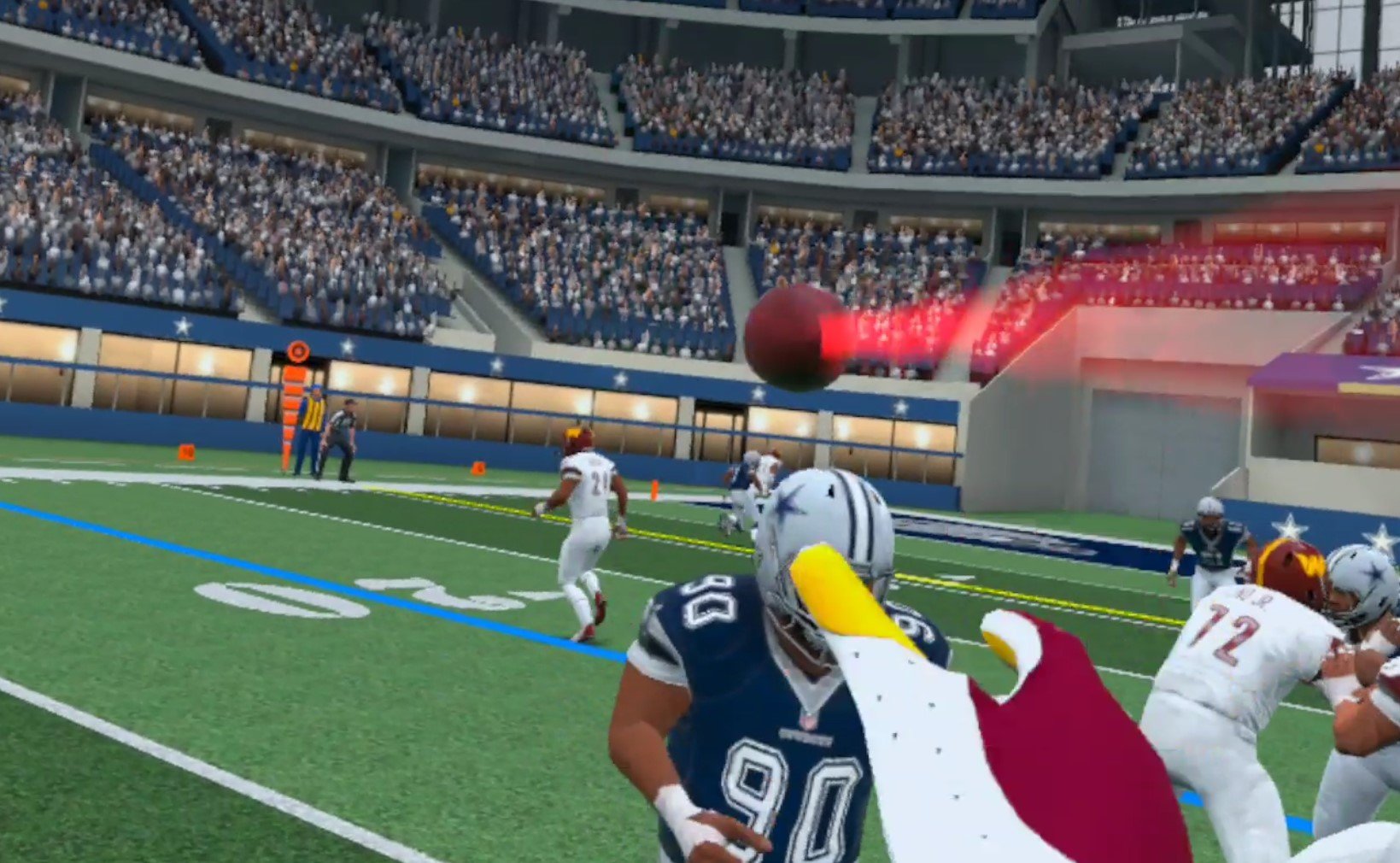
An Easy Pass before getting sacked
You think “Oh wow a football Virtual Reality game!” Then realize that all you can do is be a quarterback, and you have no control outside of what the quarterback does. You have no control over the rest of your team or the game.
You think “Oh wow multiplayer, now I can outthrow my friends and beat them!” Then realize that you can only outthrow them in abstracted minigames where your goal is to hit a target with the ball, not a game of Virtual Reality football.
It’s easy to look at NFL Pro Era and quickly assume that it will be more than it is, but it really isn’t much. Still, the price tag is low at 14.99$ on the Meta/Oculus Quest store. If you’re a football fan and think that a quarterback simulator sounds fun and worth it for that price, then NFL Pro Era VR is a fantastic game for you.
If you’re expecting Madden VR, then unfortunately the conclusion of this NFL Pro Era Review is that this Virtual Reality football experience is not complete, and you’ll have to wait longer for a more full football game in VR.