

How To Wall Run In Gorilla Tag
Want to learn how to wall run in Gorilla Tag? Well that’s a great idea! Wall running is important in Gorilla Tag to quickly move around the edges of the map while up high on a wall and get away from someone trying to tag you.
Want to learn how to wall run in Gorilla Tag? Well that’s a great idea! Wall running is important in Gorilla Tag to quickly move around the edges of the map while up high on a wall and get away from someone trying to tag you.
Also, if someone else can wall run and you can’t then you’re going to have a hard time catching them, so wall running is a vital skill to have in Gorilla Tag. You’ve come to the right place to learn. Here’s how to wall run in Gorilla Tag.
Getting Up The Wall - How To Wall Run In Gorilla Tag
The best places to wall run are all up high on the map at the top of the walls. Of course they are, the whole point of wall running is that you stay up high on the wall. While in this guide we’ll practice wall running closer to the ground, it’s always better to wall run while you’re really high up.
Why? Well because getting high up is hard, and the only way to move while you’re up there is by wall running. So in Gorilla Tag wall running is a much more useful skill when you use it high up on a wall where anyone who might be chasing you will have to know it to catch you easily.
So if you’re a complete beginner and want to know how to get high up in the first place, you should take a look at our guide article on how to wall climb in Gorilla Tag first, so you know the easiest way to get up a wall when you’re at the bottom of it.
Otherwise you can also start wall running in certain parts of maps where you have a platform you can jump off of to a section of wall. A good example of this is the top of the tree house in the forest map.

The top of the treehouse (aka Hollow Tree) in Gorilla Tag
This is a great place to wall run in Gorilla Tag, but if you’re just learning how to wall run in Gorilla Tag, it’s easier to learn the basics closer to the ground so that when you fail and fall you can get back up on the wall a lot faster.
So if you’re just getting started wall climbing or wall running, check out our wall climbing guide first, and then come back here for the more advanced wall running technique.
Running Along The Wall - How To Wall Run In Gorilla Tag
This should be especially straightforward if you already know how to wall climb. Just like with wall climbing, wall running depends a lot on your ability to stick to the wall when you hold your hand up to it.
First find a pretty straight section of the wall, bumps that come out of the wall will make this a lot harder, but a section of wall that curves inwards is actually a little easier, so let’s begin with a straight, medium difficulty piece of wall to get you started.

A good piece of wall to practice wall running. It’ll be hard though
Now that you’ve got your section of wall, we’ll start practicing sticking to it in the way you’ll need to for wall running.
Bring your monke hand up parallel to the wall so that your palm is facing down to the ground, and press down on the grip and trigger buttons so that your hand makes a fist.
We’ll have our hand in a fist to wall run, so now put your fist up to the wall, still parallel with your palm facing downwards. Just like if your palm was open you’ll see that your hand sticks to the wall.
Try moving yourself up and down a little on the wall while your arm is sticking in it.
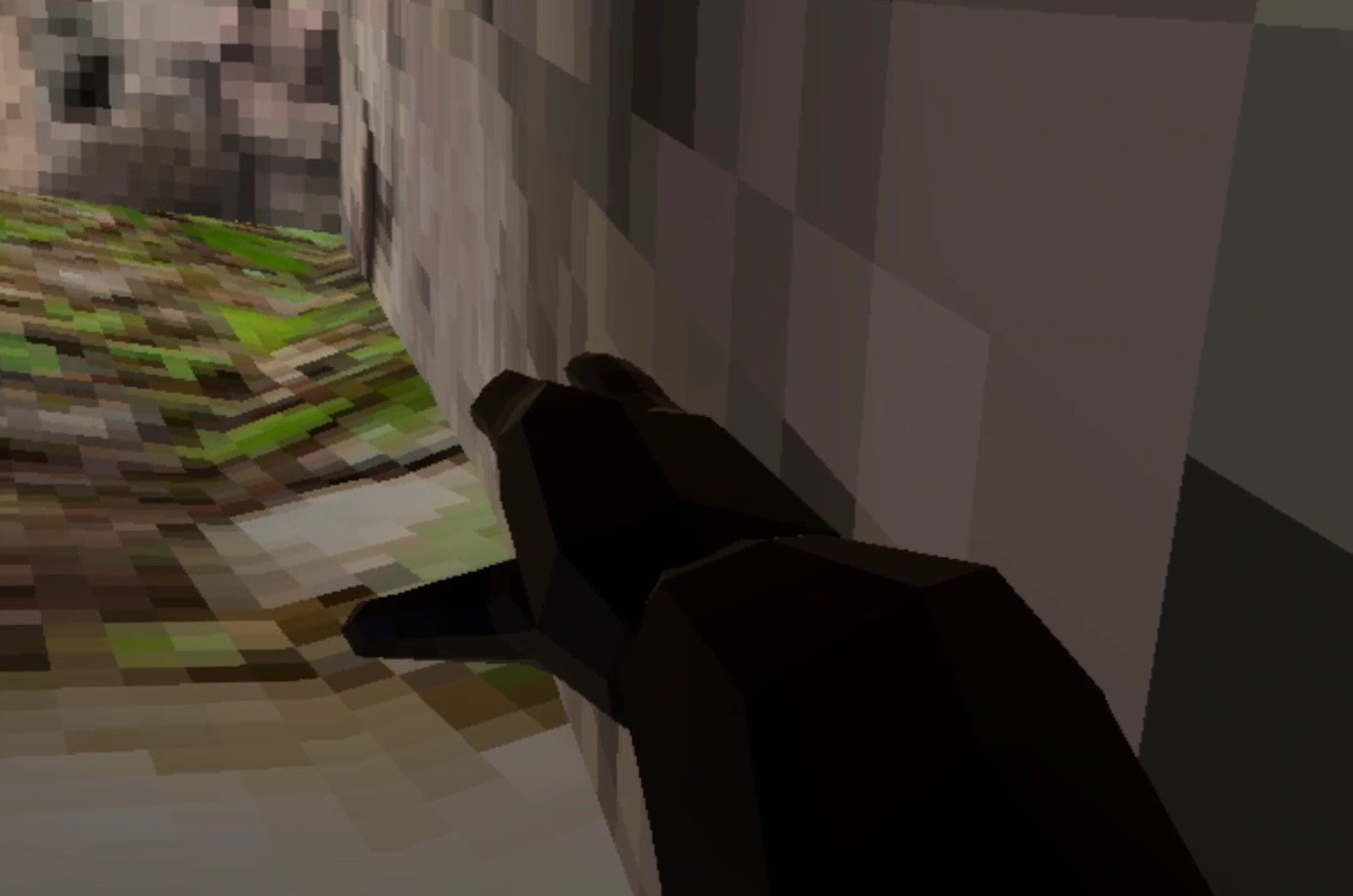
Your palm should face downwards when you wall run in Gorilla Tag
You’ll notice that trying to pull yourself into the wall will unstick you, and pushing away will too. You need to move your hand perfectly downwards to move yourself up the wall.
Now on the ground this doesn’t seem like much, but when you’re up high in the air this is the key to keeping you up on the wall and not falling down.
The secret is moving your hand directly downwards a little bit at a time. Whenever you fell comfortable with it launch yourself up on the wall with your other hand and try to keep yourself up on the wall by moving your fist down just like you’ve been practicing.
Use little motions at first and don’t move your hand down too fast. Once you have the basics down you might have an easier time doing the movement rapidly and often or slowly and less often. Experiment with what works better for you and feels right.
The hard part is not pushing yourself off of the wall by moving your hand perfectly downwards without trying to pull yourself in or push yourself off.
Don’t try to push yourself forwards or backwards either, just try to stay up on the wall.

Wall running in Gorilla Tag
If you get the hang of keeping yourself up on the wall without hitting the ground you’ll notice that you start moving forward on the wall the longer you do this.
If you did that, congratulations! You’re wall running in Gorilla Tag. Even just a little high off of the ground this is hard to pull off and maintain.
So the key is practice, since this can take a really long time to achieve consistently. Even going a little way forwards is a big achievement.
If you’re having a hard time or are getting bored or frustrated, you can always go down to the caves or canyons and practice this on slanted sections of wall. It’s a lot easier and more forgiving if you don’t do it right.
You can also try sections of walls that curve inwards, like the part near the treehouse on the forest map. Avoid wall sections that bump out though.

Wall running on a slanted wall in the Canyon map
Mastering The Wall Run - How To Wall Run In Gorilla Tag
So when you can wall run a little bit close to the ground with your monkey, what’s next?
Well now you can do some harder wall running. Whether you’ve practiced in the caves or in the forest, the next best place to wall run really high up is the curved section of wall at the top of the tree house in the forest map.
If you’ve seen someone wall run in Gorilla Tag, then you’ve probably seen them do it here. Doing it up there is the final test to see if you know how to wall run in Gorilla Tag.
To get up to the top of the treehouse focus on the branches that come out of it and circle upwards. Jump from branch to branch until you can jump to the top. You can also get to the highest branch from the platforms in the smaller trees next to it.
Once you’re at the top there’s two spots you might want to try. You can jump directly from the top of the tree and on to this dark piece of wall to do a left handed wall run.

The dark spot of the wall here is a good place to left handed wall run
Or you can jump off of this branch on to the piece of wall next to it for a right handed wall run.
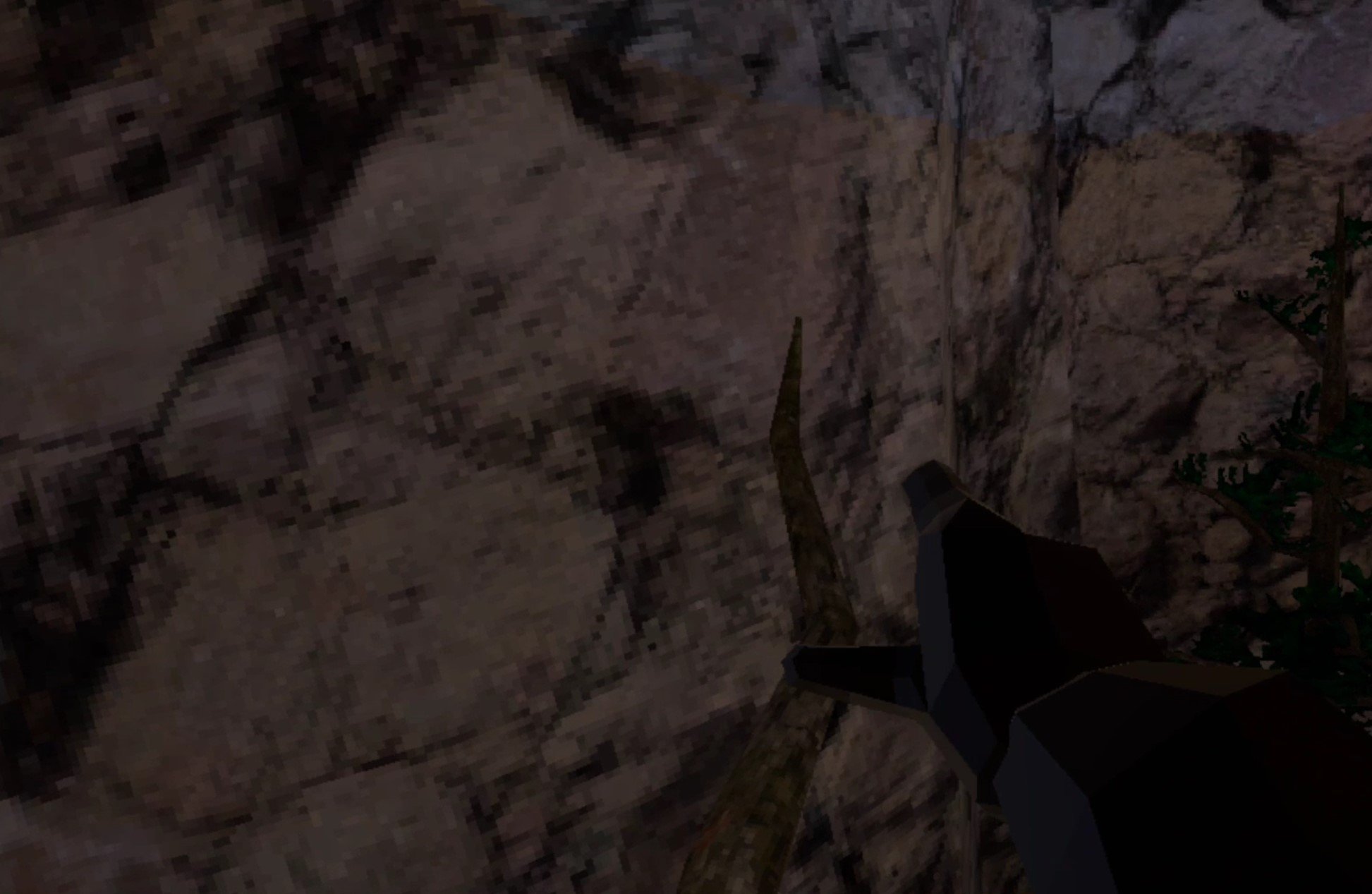
The curved section of wall by this branch is a good place to right handed wall run
Whichever hand you choose to wall run with, keep in mind that if you fall you’ll have to climb all the way back up the tree to try again.
So if you’re failing a lot make sure to get some more practice in. Like everything in Gorilla Tag, it all really comes down to practice once you know how to do it.
If you want to go back to the caves, or practice some more on the bottom of a wall, there’s nothing wrong with that. You can fail and learn a lot faster that way.
Don’t be too hard on yourself and go at your own pace. Some take more time than others to learn how to wall run in Gorilla Tag, and some figure it out pretty quickly.
After you wall run once successfully you just have to do it over and over and your muscle memory will eventually take over and make it really easy.

Wall running high up on the forest map
Well that’s how to wall run in Gorilla Tag. Good luck learning this important skill in this fantastic game. You’ll get the hang of it if you keep trying, and once you do learn enjoy it!
Oh, and if you liked this article you might enjoy some of our other Gorilla Tag articles here on Reality Remake, like:

The 3 Best VR Boxing Games On The Oculus Quest 2 and PCVR
Want to box but without all of the head injuries that come with it? Well then you’re probably going to love a VR Boxing game, and lucky for you you’ve found this article with the 3 Best VR boxing games on the Meta Quest 2 and PCVR.
Each of these fantastic VR boxing games is available on the Quest 2 and PCVR, so no matter whether you’re using standalone VR or connecting to a PC, you’re good to go no matter what headset you’re using. These VR boxing games are all different, but all give you plenty of opportunities to punch, block, and dodge just like you are an actual boxer in the ring.
Want to box but without all of the head injuries that come with it? Well then you’re probably going to love a VR Boxing game, and lucky for you you’ve found this article with the 3 Best VR boxing games on the Meta Quest 2 and PCVR.
Each of these fantastic VR boxing games is available on the Quest 2 and PCVR, so no matter whether you’re using standalone VR or connecting to a PC, you’re good to go no matter what headset you’re using. These VR boxing games are all different, but all give you plenty of opportunities to punch, block, and dodge just like you are an actual boxer in the ring.
Nothing beats VR for immersiveness when it comes to fighting, and especially boxing. Since instead of just clicking buttons your virtual hands go exactly where your actual hands are. If that sounds like fun then check out any of these 3 best VR boxing games on the Oculus Quest 2 and PCVR.
Thrill Of The Fight - The Best VR Boxing Games for Quest and PCVR

The Thrill Of The Fight Logo
When it comes to Oculus Quest 2 boxing games, there’s no experience that simulates the sport of boxing better in Virtual Reality than Thrill Of The Fight.
Originally made by a solo developer, Thrill Of The Fight is a Meta Quest and PCVR boxing game that does its best to make you feel like you’re actually boxing.
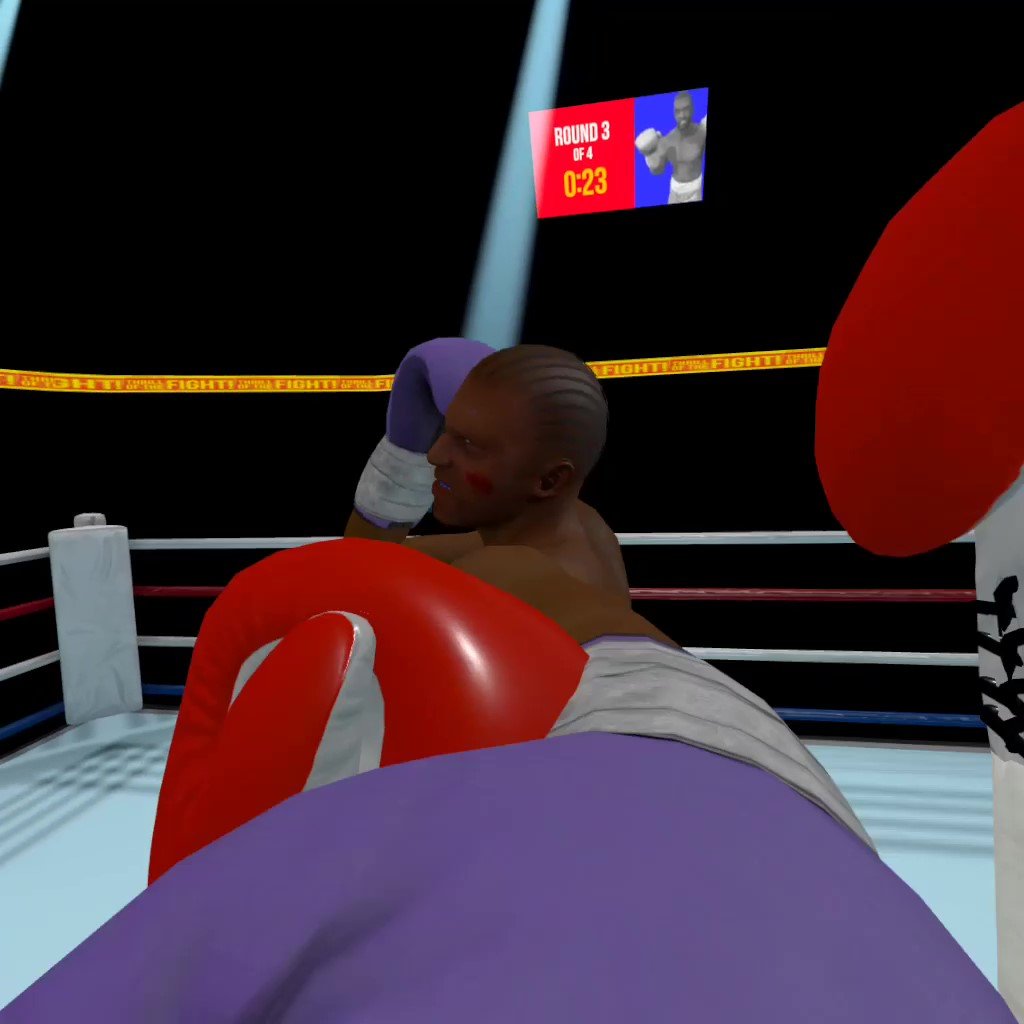
Getting hit in the face in the VR Boxing game Thrill Of The Fight
In Thrill Of The Fight you face off against a variety of opponents in varying difficulty modes that can even be tweaked and customized to your liking. Each opponent fights differently, and you’ll need to not only use your boxing skills, but boxing strategy to defeat them.
Your punches do more damage when you hit weak points on your enemies, like the sides of their head or chin, and your enemies won’t be idle either. They will dodge and counterattack quickly. So you will have to block and dodge yourself to stay standing and have a shot at winning.
Thrill Of The Fight has stood for years as the most authentic VR boxing game on the Oculus Quest 2 and PCVR platforms.

Knocking out an opponent in Thrill Of The Fight
Of all VR boxing games this is the one that you should come to if you want the truest to life VR boxing simulation available.
The downsides of Thrill Of The Fight when compared to these other two games is that Thrill Of The Fight offers no multiplayer mode, though it’s sequel Thrill Of The Fight 2 does promise an addition of a multiplayer mode on release.
Moreover the focus on a simulation of boxing rather than a more gamified VR boxing experience means that Thrill Of The Fight is a bit drier, and its strategy is more the strategy of real boxing than what you might expect out of a video game. To get better at Thrill Of The Fight involves a lot of focusing on fundamentals, speed, and strength.
This VR boxing game is difficult when you start climbing the difficulty levels, and it is pretty physically exhausting if you want to combine a love of VR boxing with a love of exercise. Either way, it’s a ton of fun to go a few rounds in the Thrill Of The Fight.
Creed: Rise to Glory - Championship Edition - The Best VR Boxing Games for Quest and PCVR

The Creed: Rise to Glory - Championship Edition Logo
Creed: Rise To Glory is a VR Boxing game inspired by the Rocky and following Creed movie franchises. In this VR boxing game you can even play as Rocky or Adonis Creed themselves.
Whether you’re a huge fan of those movies or not, Creed: Rise To Glory is definitely the best looking of these VR boxing games, even on the Quest 2. You can play through the Singleplayer campaign as Adonis Creed, and there’s even a story to the Singleplayer campaign fights, though not a terribly interesting one.
Still, there’s a lot to do in this Quest 2 fighting game. There’s a large roster of characters to fight against, or even as in this game’s Singleplayer matchups or player vs player modes.

Hitting an opponent in the face
That’s right, Creed: Rise To Glory has multiplayer, and it’s pretty good too. Though it does suffer from a lot of the same issues as the Singleplayer does.
The whole experience is a toned down sort of boxing experience. There’s some arcade elements added for sure, but there’s never really the need for a ton of physicality when compared to other boxing games on the Quest 2 and PCVR.
Punching harder is supposed to help, but no matter how hard you punch they all feel weak. There’s little feedback to you telling you if you hit hard or not, except for the occasional time your opponent is stunned, which is probably this game’s greatest weakness.
Sometimes you hit your opponents so hard that the game slows down time and you get to hit them as many times as you want to.

An opponent paused by a strike, waiting to be hit
Hitting someone that can’t defend themselves doesn’t seem very fun. Whether this is a feature or a drawback is up to you to decide, but Creed: Rise To Glory does have a hard time balancing the simulated with the arcade as much as it tries.
Still, it is by far the most polished and feature rich of any VR boxing game on the Meta Quest 2 or PCVR by a large margin.

Training before a fight in Creed: Rise to Glory
If you want a VR boxing game that has a ton of features and cool ideas (like having you train before a fight by doing a series of quick challenges) then give Creed: Rise To Glory a try by playing the free demo.
If the punching feels good and the gameplay feels smooth to you, then this Meta Quest 2 boxing game is definitely worth the price.
Virtual Fighting Championship - The Best VR Boxing Games for Quest and PCVR
The Virtual Fighting Championship Logo
Virtual Fighting Championship is still in active development, and is definitely the least polished experience out of all of the games on this list.
Still, out of the many in development VR Boxing games on the Meta Quest 2 and PCVR platforms, Virtual Fighting Championship stands above many of the unpolished and janky games out there as a potential future star of VR Boxing on the Oculus Quest 2 and PCVR.

Blocking an incoming attack
This VR game leans even further away from the simulation of Thrill Of The Fight towards being the most arcade like VR boxing experience there is on the Quest 2.
There’s health bars, floating damage text, the whole nine yards. Still, even for someone who likes a more simulated experience, there’s a lot of fun to be had with Virtual Boxing Championship.
It’s a boxing game that is much closer to a Mortal Kombat VR game than anything else. There are a few different characters you can pick from for each fight, and each character even has their own special combos and abilities.
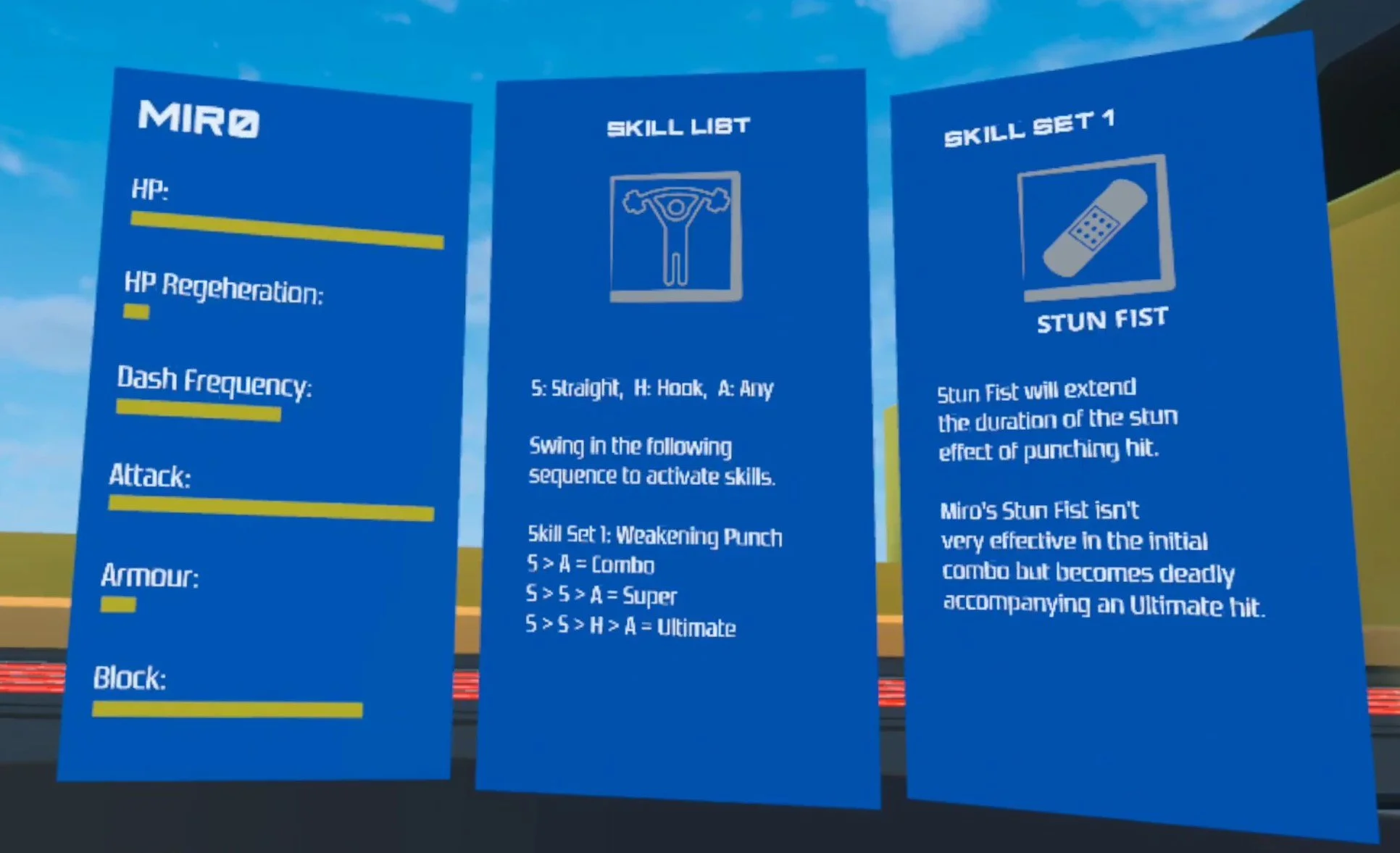
The abilities and stats of a character
Landing these combos lets you stun enemies, weaken them, and other status effects. So Virtual Fighting Championship is also a bit of a strategic experience. You want to hit enemies in a certain order, not just hit them any way that you can.
In that way it’s a lot like more traditional fighting games played with a controller and a TV screen. Oh, and Virtual Fighting Championship features a Multiplayer mode as well as a Singleplayer campaign.

Punching an opponent in the face
Still, Virtual Fighting Championship is even more buggy than most VR games, and definitely still has some rough edges to it. Characters need more combos, and the graphical fidelity is the lowest out of all of these boxing games on both the Oculus Quest 2 and PCVR.
So if you want a more traditional fighting game experience which still only involves your hands, then give this game a look. It’s currently on the App Lab for the Quest platform, and Steam for PCVR. Though you might want to wait out the development phase of this game and grab it when it’s more complete and feels smoother to play.
There you have it, the best VR Boxing games that you can play both on the Oculus Quest 2 and PCVR. There’s other boxing games in VR of course, but most are either too unpolished or far too boring to include on a list of the “best.” You can’t go wrong with these three, and whichever you pick, enjoy!

Paradox Of Hope Is Yet Another Indie Game Destroyed By A Copyright Claim
Unfortunately the fantastic indie survival shooter game Paradox Of Hope is no longer available for purchase, and will not be receiving updates from its singular developer anymore. Why? The usual reason, a copyright claim from a larger company.
Unfortunately the fantastic indie survival shooter game Paradox Of Hope is no longer available for purchase, and will not be receiving updates from its singular developer anymore. Why? The usual reason, a copyright claim from a larger company.
Here we’ll go over the details of this latest copyright claim, and talk a little about what this means for you and your access to games that you would enjoy.
The Paradox Of Hope Copyright Claim and Details
Let’s start with what we know about this. Most of what we know comes from this Discord post by the only developer working on Paradox of hope, NikZ.

NikZ breaking the news of Paradox Of Hope’s shutdown
The summary is that his game is being taken down due to a copyright claim and will not be available for purchase, or receive any more development updates. For a single developer working on a game with as much ambition as Paradox Of Hope, NikZ had been making great progress in a very short amount of time.
Paradox Of Hope featured not only a singleplayer campaign three chapters long, but an endless “Raid” mode that was also seeing constant changes and improvements. Recently NikZ added bandit enemies, new weapons, and a laundry list of improvements to this mode while he was adding campaign content.
The pace of development makes sense, as Paradox Of Hope was his full time job and only source of income. A project in the making of four years of his life, it’s hard to imagine what a disappointment losing that much time and effort must feel like.

Consistent updates by the Paradox Of Hope Developer
NikZ’s claim that Paradox Of Hope uses no specific assets or lore from another piece of copyright protected media is accurate. Anyone looking at this might draw the conclusion that, of course, the Metro series of games is clearly the copied IP here.
Paradox Of Hope does look a lot like a Metro game. It has a similar setting, similar enemies, and similar game mechanics to the first two Metro games, Metro 2033 and Metro: Last Light. It takes place in a post apocalyptic series of metro tunnels, and is set in Russia.
It’s likely that the copyright claimer holds the Metro series IP. Due to the similarities between Paradox Of Hope and the Metro games in setting and gameplay, you might think that there is some merit to this copyright claim.
Did Paradox Of Hope Copy Metro?
The thing is though… a setting and gameplay elements aren’t copyrightable. Paradox Of Hope does bear striking similarities, but in ways that aren’t subject to copyright protection.
Of course you can reasonably claim that the opposite is true and the claim is valid. Copyright law can be hard to interpret, especially as a non legally trained observer without access to any of the legal documents pertaining to this claim.
That’s what courts are for, to decide if the law in a specific case is validly being applied. Whether or not Paradox Of Hope is being shut down justifiably or not, that’s what is so sad here. This game and its developer will likely never see their day in court to get a more thorough ruling, why? The same reason as always, money.
Court cases are expensive, and NikZ is a single person that is not a lawyer. Fighting a copyright claim is expensive, and one person can’t match the resources that whatever large company is doing this claim has. So the only option is to fold.

Fighting a mutant spider in Paradox Of Hope
What this amounts to is bullying. It’s doubtful that an official Metro VR game is even being developed, but it’s easy for a larger entity with a lot of resources to shut down a small developer who might take a little bit of their fanbase away. Much easier than actually making a competing product to compete fairly in the market.
So that’s the repercussion for you, the gamer, the consumer. Copyright claims like this mean less independent developers that can make games for a living without being subjected to the whims of large publishers. This means less great independent games like Paradox Of Hope, which many will no longer be able to enjoy.
So, fewer passionate people making games, and fewer games you can buy and play if you like them. Especially in the VR gaming space, this hurts, as many of the greatest VR games are made by independent developers. Even if there is a Metro VR game in a few years, wouldn’t you rather have both Paradox Of Hope and an official Metro VR title?
Frivolous copyright claims that are tough for a small development organization to combat are a trend lately, just like with the noteable case of Nexon vs Ironmace, where ex Nexon employees who formed their own company were threatened with arrest by the much richer Nexon. Luckily Ironmace has so far beaten this claim and has released their game, Dark and Darker, in early access with great success.
There’s also the case of the GTA V VR mod being taken down by Take-Two Interactive that we covered here.
So that’s that, another game with great potential demolished in the name of squashing the competition while they’re still small. It seems that games featuring a Russian post apocalypse in underground metro tunnels with mutants are now illegal. Unless you have the resources to win a court case that is.

How To Install Blade And Sorcery Multiplayer - How To Install Adammantium’s Blade And Sorcery Multiplayer Mod
You might be wondering, does Blade and Sorcery have multiplayer? Well now it does! While there is no Blade and Sorcery Multiplayer native to the game, playing Blade and Sorcery in multiplayer is now possible with the Blade and Sorcery Multiplayer Mod.
You might be wondering, does Blade and Sorcery have multiplayer? Well now it does! While there is no Blade and Sorcery Multiplayer native to the game, playing Blade and Sorcery in multiplayer is now possible with the Blade and Sorcery Multiplayer Mod.
That’s right, you can now enjoy Blade and Sorcery with a friend, and have all the sword fights and magic duels your heart desires with someone else online. This is how to install and use the Blade and Sorcery Multiplayer mod.
Blade and Sorcery: Nomad Multiplayer
Though first, a note on multiplayer in the Meta Quest 2 standalone version of Blade and Sorcery, Blade and Sorcery: Nomad.
Unfortunately if you’re hoping to install the Blade and Sorcery multiplayer mod and have a great time with your friends on the Quest 2 standalone version of the game, Blade and Sorcery: Nomad, well the bad news is that Blade and Sorcery: Nomad multiplayer with Adammantium’s Multiplayer Mod is currently not supported on the Quest 2 standalone.

You can’t play Blade and Sorcery Multiplayer with Adammantium’s multiplayer mod with Blade and Sorcery: Nomad
If you have a Quest 2 and want to play Blade and Sorcery on PCVR then you could set up and use Oculus Airlink. Though Airlink can drop a ton of frames and be so choppy that you can’t play it comfortably if your internet connection to your PC is slow.
If you want to use Oculus Airlink then make sure that your PC is connected to your Router or Modem with an ethernet cable. Another roadblock is that if you own Blade and Sorcery on the Quest 2 then you don’t already own it for PCVR.
Unfortunately Blade and Sorcery: Nomad is considered a different game from Blade and Sorcery in the Oculus store, so if you want to play Blade and Sorcery via PCVR and use Blade and Sorcery Multiplayer you’ll have to buy it again through the the Oculus PC App.
If you can’t or don’t want to use Airlink then you’ll need to be able to connect your Quest 2 with a wired connection. This is possible with an Oculus Quest 2 using an Oculus Link Cable or comparable USB 3 cable. If you don’t have a link cable there are plenty online that are less expensive than the official Link Cable.
You can also install other Blade and Sorcery mods without a PC by following this guide, so there’s still plenty of other fun Blade and Sorcery mods you can try.
Downloading the Blade and Sorcery Multiplayer Mod
So if you’re playing the PCVR version of Blade and Sorcery, good news! Adammantium’s Multiplayer Mod for Blade and Sorcery is completely available and free to use.
To get started with installation go to the nexusmods.com page for the Blade and Sorcery multiplayer mod. Here is a direct link.

The Blade and Sorcery Multiplayer Mod page on nexusmods.com
Once you’re there click the “Files” tab. Once you’re there download the latest version under “Main Files” at the top using the “Manual Download” button.
You’ll be sent to the download screen, and if you haven’t already logged into your nexusmods.com account, then go ahead and login now. If you don’t have an account, don’t worry! Accounts on nexusmods.com are completely free, so go ahead and sign up for one.

The download page for Adammantium’s Blade and Sorcery mod
Once you’re signed in hit the “Slow Download” button and your multiplayer mod file will download to your computer’s downloads folder.
Installing the Blade and Sorcery Multiplayer Mod
Sweet, your .zip file with the multiplayer mod is now sitting comfortably in your Downloads folder. Time to install it and get you into some fun multiplayer action.
First go to your downloads folder and unzip the mod file you just downloaded. If you don’t know how then check out this helpful article.
Now that your mod folder is ready, we just need to put it into the right directory to put it into, but where is that? Well it depends on whether you’re running Blade and Sorcery through Steam or the Oculus PC app. Let’s start with Steam.
To find where Blade and Sorcery is installed on Steam go to your Steam Library and right click on the Blade and Sorcery game in your library. A little dropdown menu will appear, in there click on “Properties.”

Opening the Properties Window in Steam
Another menu will appear with all sorts of Properties for your Blade and Sorcery installation. In this new menu click on “Local Files” and then “Browse.” A new windows explorer window will appear in your Blade and Sorcery game folder.
Locating your Blade and Sorcery installation folder is largely the same on the Oculus platform. Open up the Oculus PC application and go to your library. Find Blade and Sorcery and click the three dots on the bottom right of the game. Then click the “Details” button at the bottom of the dropdown menu.

Opening the Details menu in the Oculus App
On the right of the Oculus app you’ll see a new section appear, click on the filepath next to “Location” to copy the filepath of your installation folder to your clipboard.
Then open up a windows explorer screen and paste the filepath in the search bar at the top.

Pasting the Oculus installation path into Windows Explorer
Now that we’re in the installation folder go to the “BladeAndSorcery_Data” folder, and once you’re there go to the “StreamingAssets” folder and finally the “Mods” folder. This is the folder where all Blade and Sorcery mods go.
Back to your unzipped Blade and Sorcery Multiplayer Mod folder. Inside is a folder named “MultiplayerMod” copy that and paste it into the Blade and Sorcery Mods folder we just found.
Using the Blade and Sorcery Multiplayer Mod
So first we need to make sure that the mod loads when you start the game. Luckily this is easy.
Just start Blade and Sorcery, and load into your home or one of the maps, like the Arena map. Once you load in a little window show appear in the bottom right corner of your screen. Make sure you’re looking on your computer screen for the window, not in your headset.

The Multiplayer Mod Ingame Menu
You’ve successfully installed the Blade and Sorcery Multiplayer mod! Congratulations, but how do you actually play with other people?
Unfortunately this is a bit harder than other multiplayer mods out there. You can use port forwarding, but that’s a real pain, so let’s use the easiest method. The Discord Bot!
Hosting and Joining a Server with the Blade and Sorcery Multiplayer Mod
The creator of this mod, Adammantium, has also created an awesome Discord bot that makes hosting and joining a Blade and Sorcery multiplayer server a lot easier than it used to be. It might get even easier soon, as a way to host a game through the ingame mod menu is in development for the Steam version of Blade and Sorcery, though for now the Discord Bot is the most reliable method.
Anyway to use the bot log into Discord on your PC. Then go to Adammantium’s Discord Server. Here’s the invitation link: https://discord.com/invite/TdMy59ccfC.
Once you’re in join the Hosting-Europe room if you’re in Europe, or the newer Hosting-USA room if you’re in the US. Joining a European server from the US will probably cause some lag, and vice versa. Once you’ve found the room you want to host in type in /host in the chat.
You’ll see a few options appear for the server you are hosting. Fill them in however you like, but make sure you get the version of your Blade and Sorcery Multiplayer Mod installation correct.

Hosting a server with the Discord Bot
Once you run the /host command you’ll see a server box appear in the chat. You have 5 minutes to connect to this server before it automatically shuts down. This keeps the load on the hosting servers light.
To connect to your new Blade and Sorcery multiplayer server open up Blade and Sorcery with your headset on. Remember that little window that was in the bottom right of the screen? Well go to the “Join” menu in that window.

Joining a game with the IP and Port
You can copy the “Address” and “Port” found in the server box that you made in the Discord server to the “IP” and “Port” fields in this window. You can also just hit the “Join Server” button in the Discord box.
Hitting the “Join Server” button will cause a webpage to appear with a huge “JOIN SERVER” button in the center. Make sure you see “MOD RUNNING” in the top right section of the webpage too, if not disable your adblocker and refresh.

Joining a Blade and Sorcery Multiplayer game through the Browser
Now you should see some server stats in that box in the bottom right corner. You can also join someone else’s server, or have someone join your server, by sending them the link you were directed to when you hit “Join Server”, or the “Address” and “Port” server info.
When someone else joins you’ll see them pop into your game. Though keep in mind that there might be some issues, especially with Magic and other mods. While Adammantium’s Blade and Sorcery Multiplayer Mod is improving all of the time, it still isn’t perfect.
You might see some things other players don’t, and they might see things that you don’t.
Once you’re done just close your game as usual and your server will shut down by itself.
Well that’s all you should need to do to run the Blade and Sorcery Multiplayer Mod! If you’re having trouble check out this Youtube video from the creator of the mod, Adammantium. Otherwise you can also ask in the Help-needed chat of the mod’s Discord Server. Have fun in Blade and Sorcery Multiplayer.
How To Get Free Shiny Rocks in Gorilla Tag And the Gorilla Tag City Map
If you want to know how to get free shiny rocks in Gorilla Tag then you’ve come to the right place. It’s really easy, but it takes a long time to get a lot of them. Here we’ll also talk about how to get shiny rocks in Gorilla Tag that aren’t free, and how to use those shiny rocks to get all sorts of Gorilla Tag cosmetics.
If you want to know how to get free shiny rocks in Gorilla Tag then you’ve come to the right place. It’s really easy, but it takes a long time to get a lot of them. Here we’ll also talk about how to get shiny rocks in Gorilla Tag that aren’t free, and how to use those shiny rocks to get all sorts of Gorilla Tag cosmetics.
Now you can also make your monkey look super cool with a sweet hat or pair of sunglasses by using your shiny rocks to buy a ton of great cosmetics in the Gorilla Tag city map. Here you’ll also find out how to get to the city and spend your shiny rocks in Gorilla Tag on all sorts of cosmetics.
How To Get Free Shiny Rocks In Gorilla Tag
First thing first, how do you get free shiny rocks in Gorilla Tag? Well you might not have realized it yet, but you’ve been getting free shiny rocks this whole time!
That’s right, by just logging in to Gorilla Tag once a day you get 100 shiny rocks. You don’t even need to go to the Gorilla Tag city map and hit a button anymore like you used to. Just playing the game often is how to get free shiny rocks in Gorilla Tag.
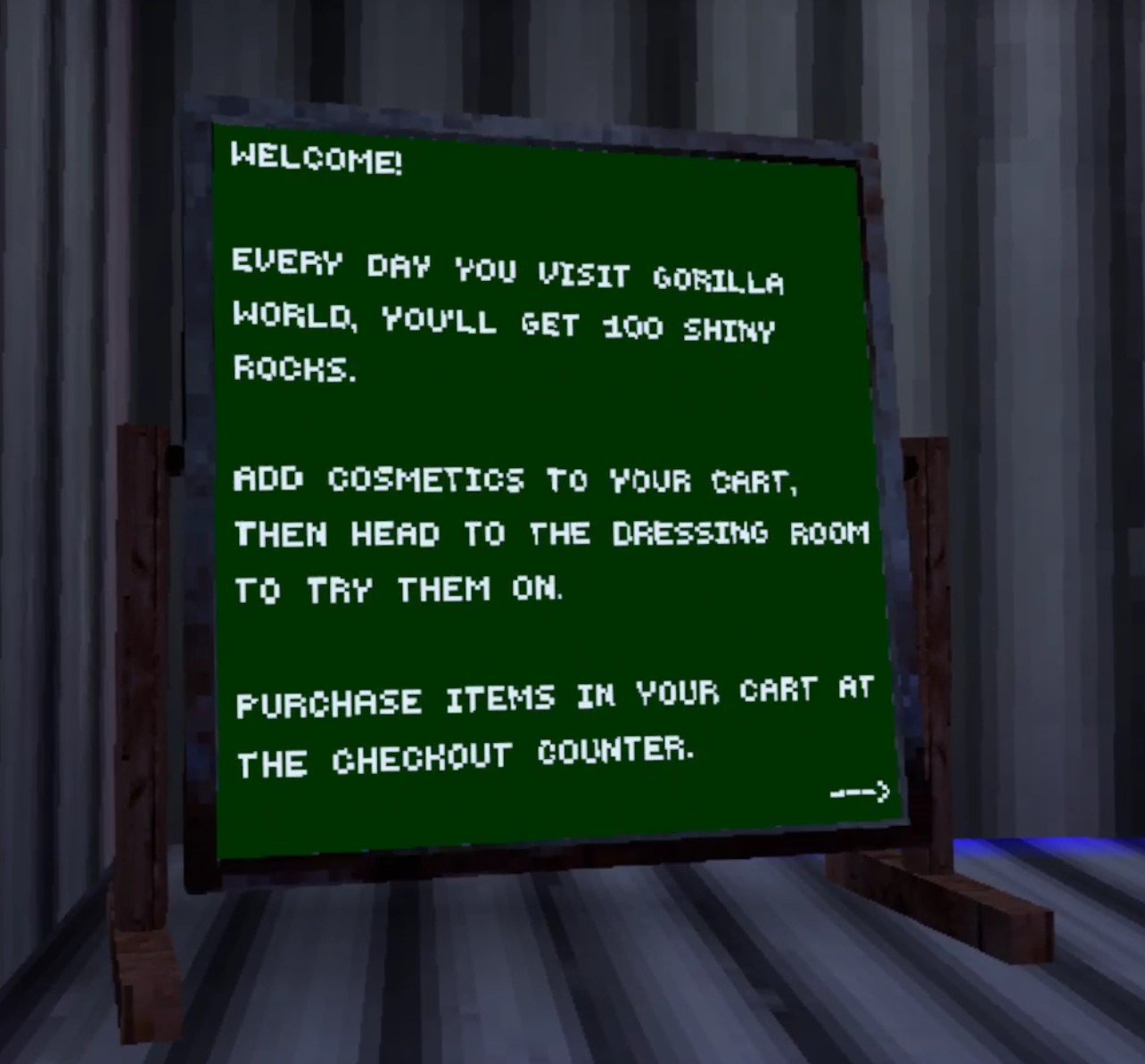
How To Get Free Shiny Rocks In Gorilla Tag
The timer for getting your free 100 shiny rocks by logging in is reset at 8PM EST every day (that’s the east coast of the United States). If you’re on the west coast of the United States then that’s 5PM.
So now you’re probably wondering, “Well how do I use these shiny rocks to buy all sorts of Gorilla Tag cosmetics?” Well just keep reading and find out.
The Gorilla Tag City Map
Now it’s time to go and spend all of your Gorilla Tag shiny rocks on all sorts of awesome cosmetics! Oh, and also to check your balance and find out how to get shiny rocks in Gorilla Tag if the 100 a day just isn’t enough for you. First though, let’s go to the city.

The Gorilla Tag City Map
When you put on your VR headset and start Gorilla Tag you will start in your treehouse as always. On your right is the way to the forest, left goes to the canyon map, and down goes to the crystal caverns. So how do you get to the city map?
Well, just turn around! There’s a concrete hallway right behind where you start the game, lit by some lightbulbs.

The Tunnel to the City
There’s even a sign there now pointing down the hallway that says “Store."

This way to the store
Head down the concrete hallway and on your right you’ll see the inside of another tree with some crazy holes in the ceiling and some wind going up one of them. That’s a way to get to the mountain map, which you definitely should do.
Just step under the hole with the wind string things leading upwards and you get blasted up into the snow map.
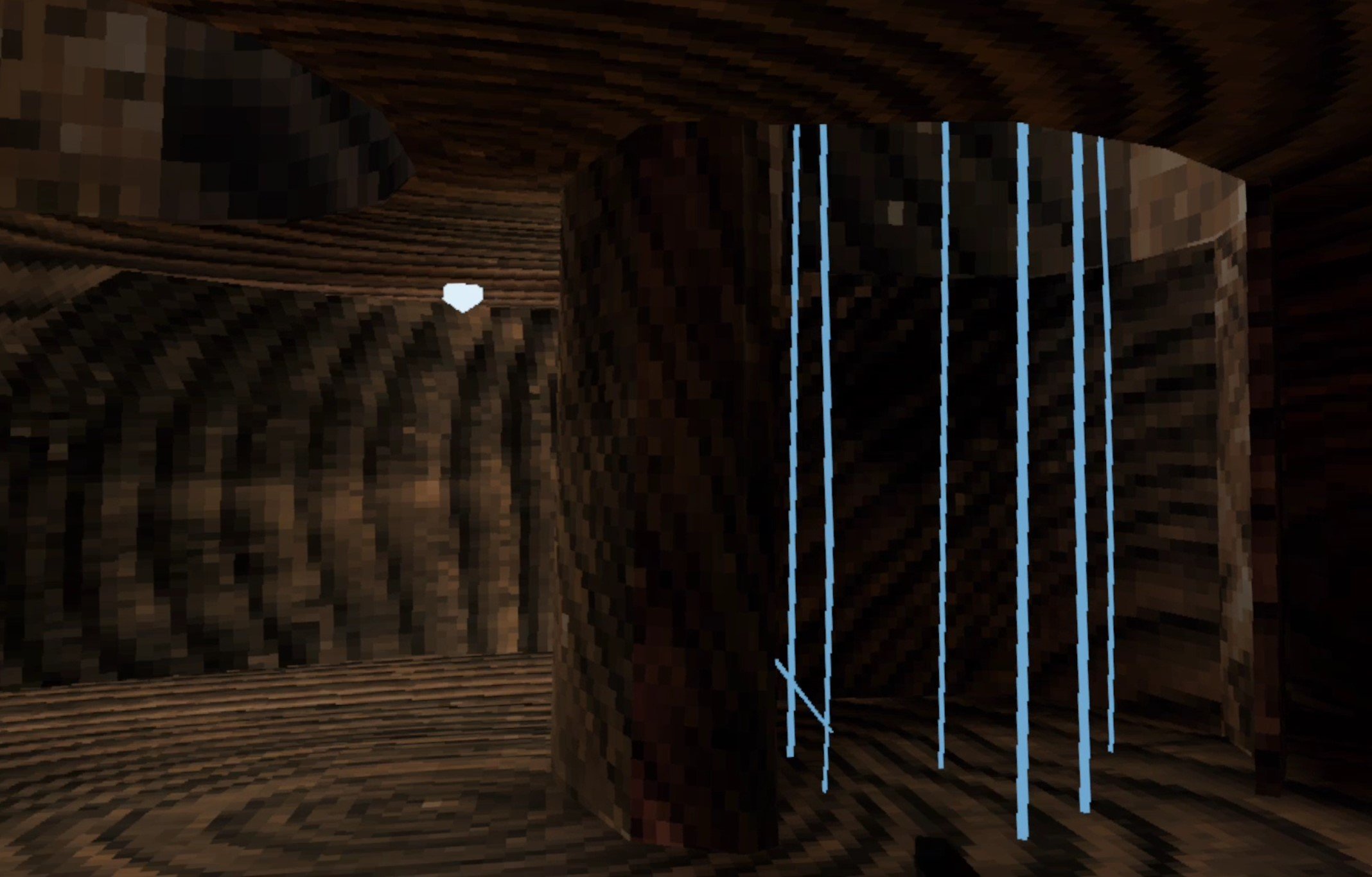
The Way Up to the Snow Map
Let’s not get distracted though, instead keep going and turn left up some stairs and you’ll see the neon lights of the city!
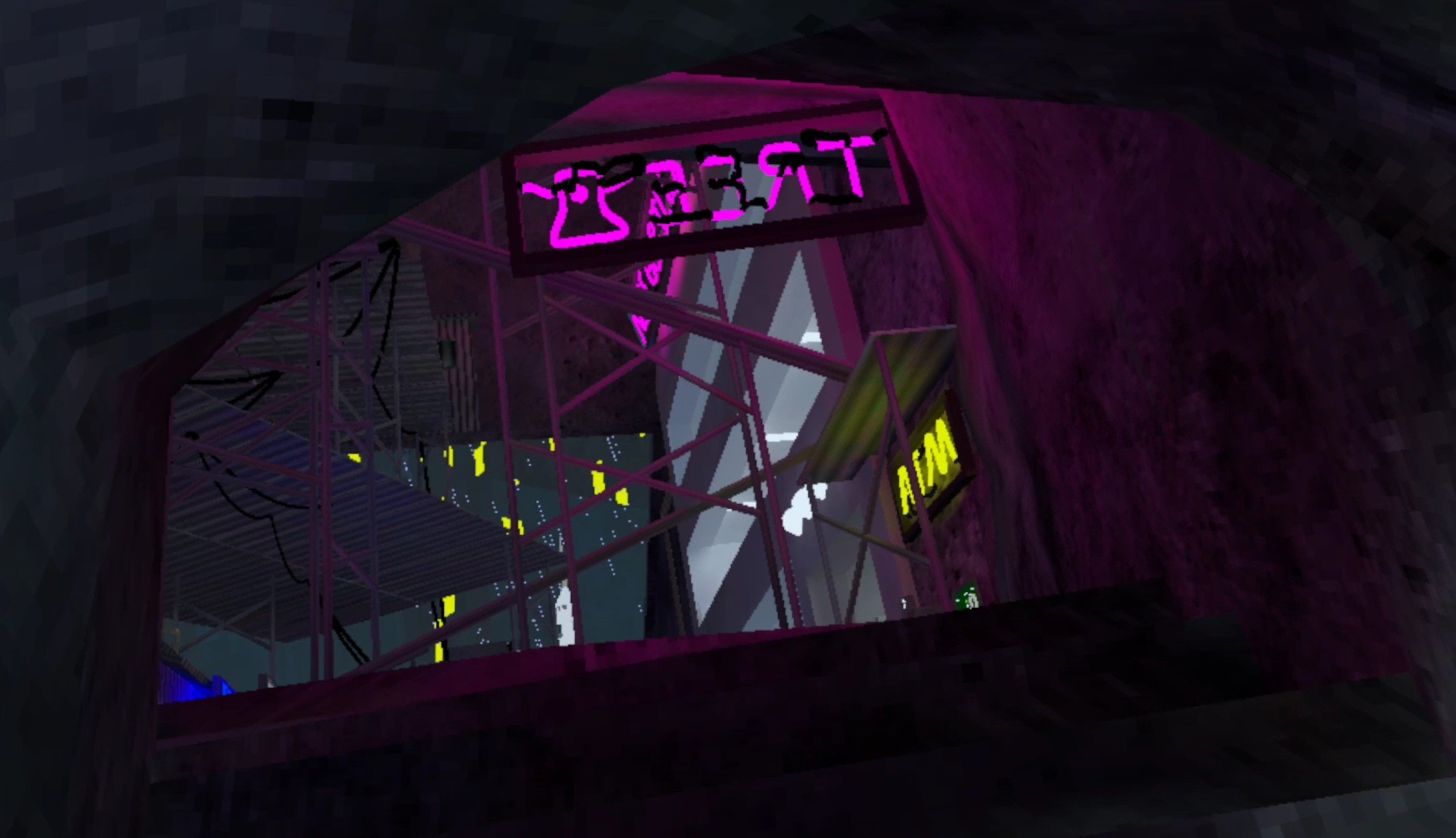
The Entrance to the City Map
How To Get Gorilla Tag Cosmetics in the Gorilla Tag City Map
Now that you’re in the city, time to get some cosmetics. The best place to start getting them is the huge store on the right.
Just head on in, you’ll see all of the cosmetics you can buy on the tables inside. Oh, and you can see how many shiny rocks you have, and how long it is until you get more free shiny rocks by looking at the huge message board just to the right of the entrance.
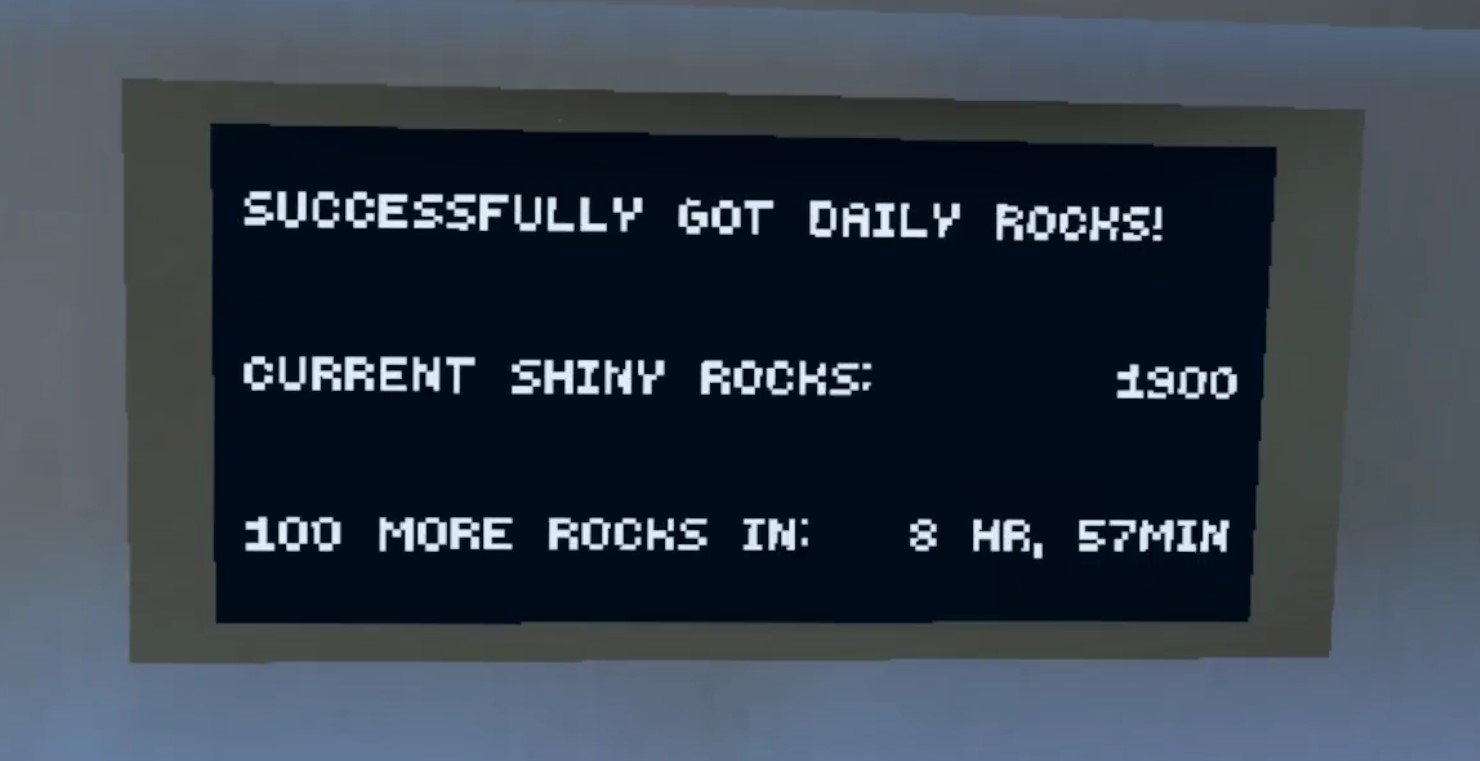
This board shows you how long until you get your next 100 free shiny rocks in Gorilla Tag
There’s even a huge mirror that you can use to try on cosmetics and see how they go with your monke’s color, and whatever other Gorilla Tag cosmetics you might be wearing.
Trying on different hats, glasses, badges, vests, whatever, is a ton of fun.
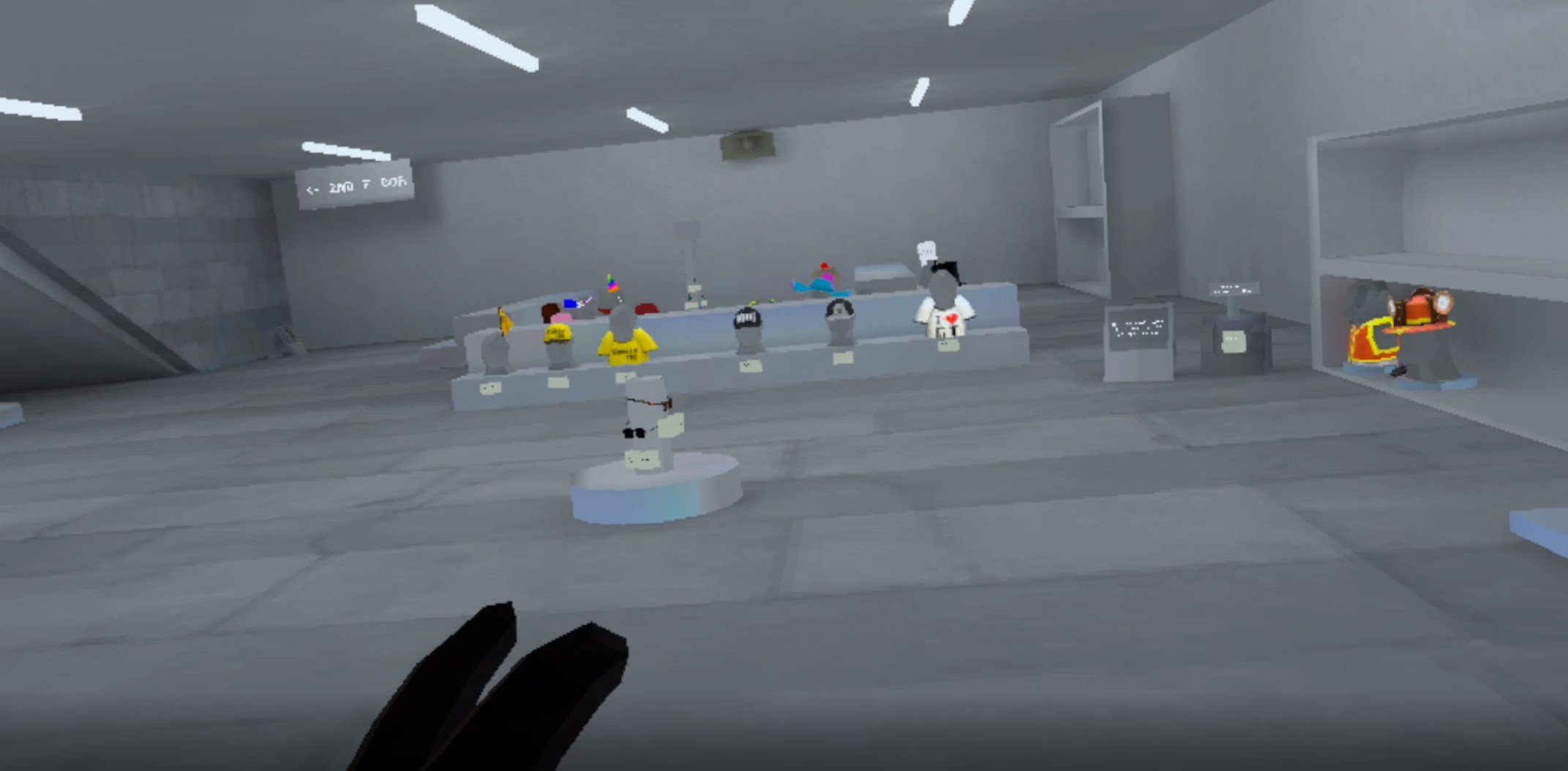
The Store Full of Gorilla Tag Cosmetics. There are More Outside in the Stalls.
Anyway once you’ve picked out whatever you want, go to the cash register to check out. You can put a whole bunch of items in your cart, but when you check out you can buy them one at a time.
Just like in your treehouse there’s a cosmetics station in the first hut outside of the store, so you can switch around your new look however you want.
Once you’ve had a chance to look around though… you might realize you don’t have enough shiny rocks to get what you really want. So you might be wondering how to get shiny rocks in Gorilla Tag beyond the 100 you get for free every day by logging in.
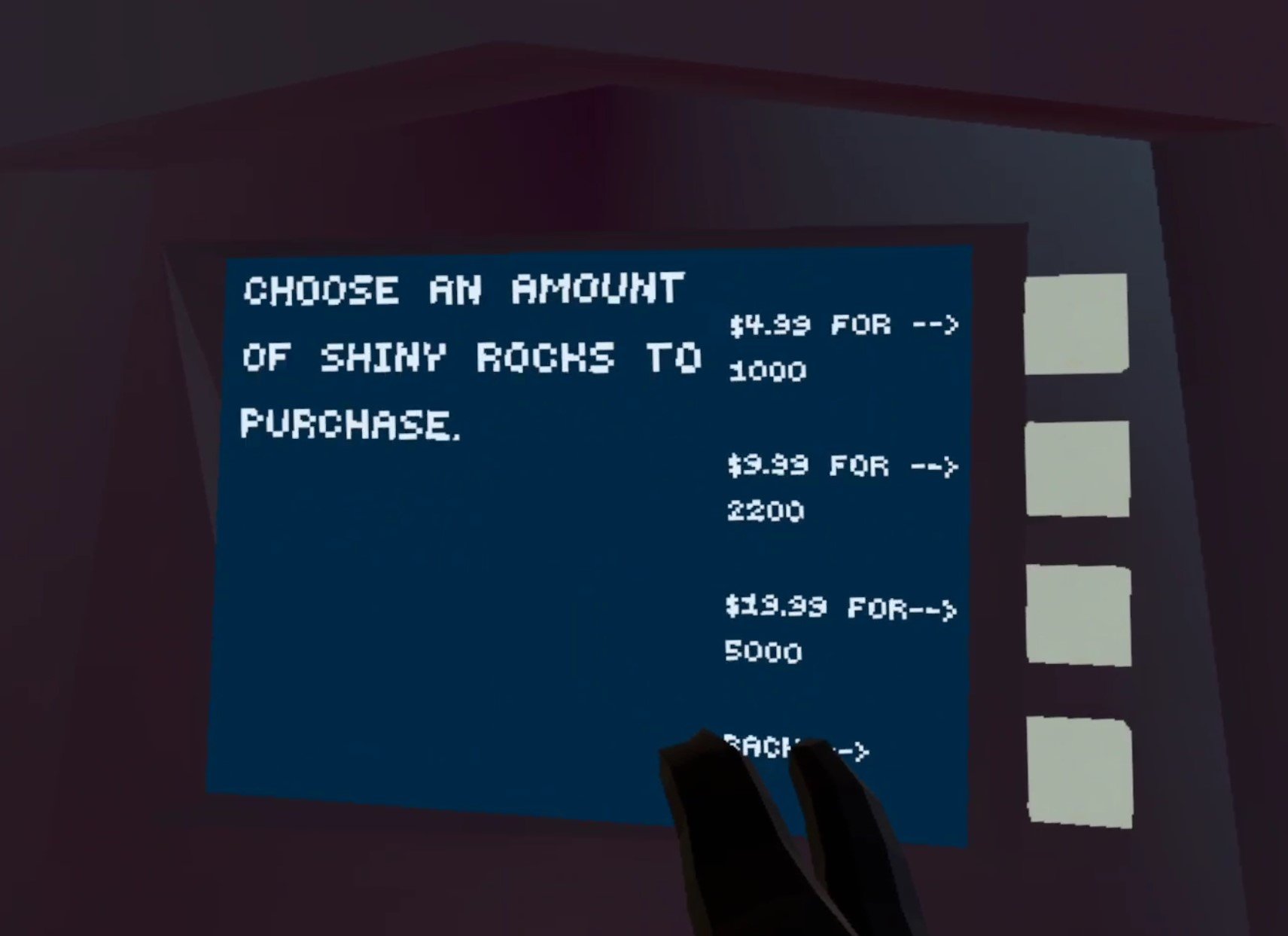
How To Get Shiny Rocks In Gorilla Tag: If you don’t want to wait, then buy them from the ATM
Well if you want more it’s going to cost real money. Sometimes there are bundles for sale that you can find in the store which include shiny rocks when you buy them, but otherwise you’ll have to go to the ATM next to the big store and buy them there.
Welp, that’s all, have fun with your free shiny rocks you get every day you log in, and have fun trying out new cosmetics in the city map! Oh, and if you want to change your gorilla’s color to match those sweet new cosmetics, then check out our list of awesome Gorilla Tag color codes.
Maybe you want to get better at Gorilla Tag, then you should check out our Gorilla Tag Tips and Tricks. Enjoy!