


The Green Hell VR Complete Weapon List and How to Craft Them - Meta Quest 2
Green Hell VR takes place in the extremely hostile Jungles of the Amazon. All sorts of deadly enemies lurk within the bushes, trees, and waters of the Green Hell. A lot of those enemies are faster than you, so that means no running from them, just fighting. If you’re going to fight beasts that are way bigger than you are then you’ll need some weapons. So here’s the complete list of all of them, and how to get them.
Green Hell VR takes place in the extremely hostile Jungles of the Amazon. All sorts of deadly enemies lurk within the bushes, trees, and waters of the Green Hell. A lot of those enemies are faster than you, so that means no running from them, just fighting. If you’re going to fight beasts that are way bigger than you are then you’ll need some weapons. So here’s the complete list of all of them, and how to get them.

Spears
Ah, spears, the ultimate survivor’s weapon. It can do a lot of damage while keeping you a safe distance away from whatever you want to do damage to. Great for smashing spiders, scorpions, and rattlesnakes. Used properly a spear can stop a Puma in its tracks… at least for a moment. You may not think much of spears outside of the jungle, but in the jungle it is a hard weapon to beat.
There are a whopping five types of spears in Green Hell VR, and all of them start with a very simple craft. A long stick of wood or bamboo, and a sharp piece of stone. You can get a sharp piece of stone by bashing two rocks together. You can sharpen a length of wood or bamboo by holding the sharp stone and the wood while holding both triggers, and then running the sharp stone over the highlighted area. This goes for anything sharp enough, a machete will also do in a pinch.

Unless you’re really desperate you probably won’t end up using a bamboo spear. It’s a little shorter than other spears, does hardly any damage, and most importantly you can’t put a spear tip on it. While with a wooden spear you can add a spear tip to make it really strong.
Wrapping a rope around the stone you used to carve the spear gives you a spear tip that you can add to the spear by holding it and the spear while holding both triggers. Just mashing the spear tip on to the spear will create a strong stone spear. You can’t go wrong with a stone spear. It is durable and does good damage.

You can do the exact same process with a rope wrapped piece of bone (aka a bone knife, more on that in the knives section) or a piece of obsidian. Obsidian is pretty rare, and so makes the best spears. Really sharp and really durable, go for obsidian if you have some.
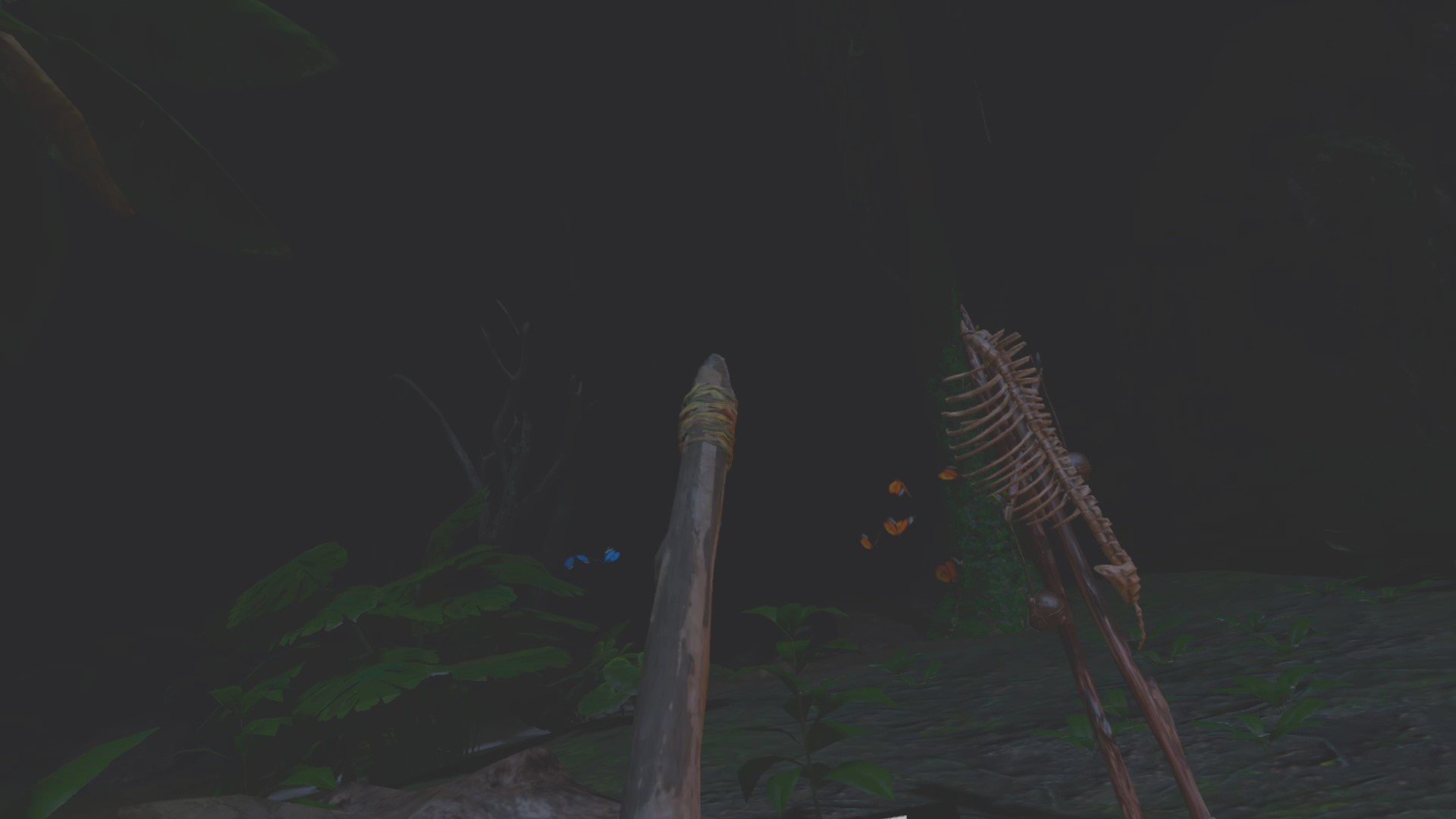
The last, longest and strongest type of spear cannot be made by your hands. Instead you can only get it by defeating a Waraha warrior who is wielding it. The local tribespeople have all of the best equipment.
Knives
Ah, knives. You may find them less useful because you need to get in really close in order to use them. This also invites danger to get close to you. Knives may not be extremely useful against a Jaguar or a Caiman, who will use the opportunity to bite you in half before you can get a few good shanks off. Against people they are actually arguably the best weapons if you know how to use them.
A spear require some pause in between blows because you need to pull it back again and put some force into the next stab. With a knife you can easily stab many times quickly. Tribal warriors, unlike large predatory animals, are no more dangerous when they are right in front of you than when they are at a spears length away. So the ability to do more damage more quickly from up close is great against them.

There are four knives in the game. They are essentially the piece that you make before you add them to a wooden spear to make a better spear. A piece of broken bone wrapped with rope, a piece of sharp stone wrapped with rope, or a piece of obsidian wrapped with rope.

Just like with the spears you will need to defeat Waraha tribal warriors in order to get the best knife, the custom obsidian tipped knife of the tribe. This knife is the most durable and does the most damage. Otherwise you can’t go wrong with a bone knife or self made obsidian knife.
Bows and Arrows
Ah, bows. Really the only truly long ranged option in Green Hell VR. They are great if you are too slow or squeamish to do well in an up close battle. Though regardless they are essentially useless against fast enemies like the Puma or Jaguar, who will close the distance to you very quickly. They are also very strong against the Caiman. Three arrows into a Caiman’s skull will kill it as they ponder over toward you. A bow is essential to fight a Caimain, without one you will almost definitely become lunch.

Bows are also the best weapons for hunting. Otherwise with either spear or knife the only reliable way to catch most prey is to corner them. With a bow you simply have to get a good headshot off before your prey notices you and runs away.
There are two types of bows in Green Hell VR. The first is the one you make yourself. Make a wooden spear with no spear tip, and then instead of adding the spear tip, get a rope to act as your bow string. Then hold the spear in one hand and the rope in the other. Then hold down both triggers. You’ll have to wrap the rope around either end of the wooden spear, and boom, you’ve got a bow.

As for the second type of bow, you guessed it, it can only be obtained from tribal warriors. Kill one that has a bow, and they will drop their bow. There’s not too much of a difference between the two bows, but the tribal bow looks more professional and sleek.
Arrows are easier to make, but the ingredients for them are more rare. First you need a small stick, which you can make by hitting a big stick with an axe or rock until it breaks into smaller sticks. The rare thing you need is a bird feather. One bird feather makes one arrow, and they can be hard to come across.
Sometimes you’ll find feathers laying in the forest near bird nests or trees. Otherwise you can find one of the birds out in the wild and kill it, but you’ll have a lot of trouble spearing or stabbing one. If you need more arrows your best bet is probably shooting one of the birds. Hope you’re a good shot. Luckily if you miss arrows are retrievable in Green Hell VR. So just make sure you note where your missed shots land.
To make an arrow just hold the stick in one hand and the feather in the other. Hold down both triggers and mash the feather into the bottom of the stick. Then boom, arrow.

Axes and Machetes
The axe is the most basic tool in Green Hell VR. When you are first thrust into the jungle it is the first thing the game teaches you how to make. Just shove a stone from the ground into a stick, also found on the ground. The axe can be used to chop down trees and do many other things. However as a weapon it is not the finest. Like knives, axes have the drawback of needing you to be very close in order to deal any damage. Unlike knives axes do terrible damage, and don’t give you the ability to strike quickly like a knife.
Axes are best left as a tool instead of a weapon, keep a spear, knife, or bow on hand instead. Though you should know that you can make an axe stronger by wrapping a rope around it. This means you can chop more trees with it before it falls apart.
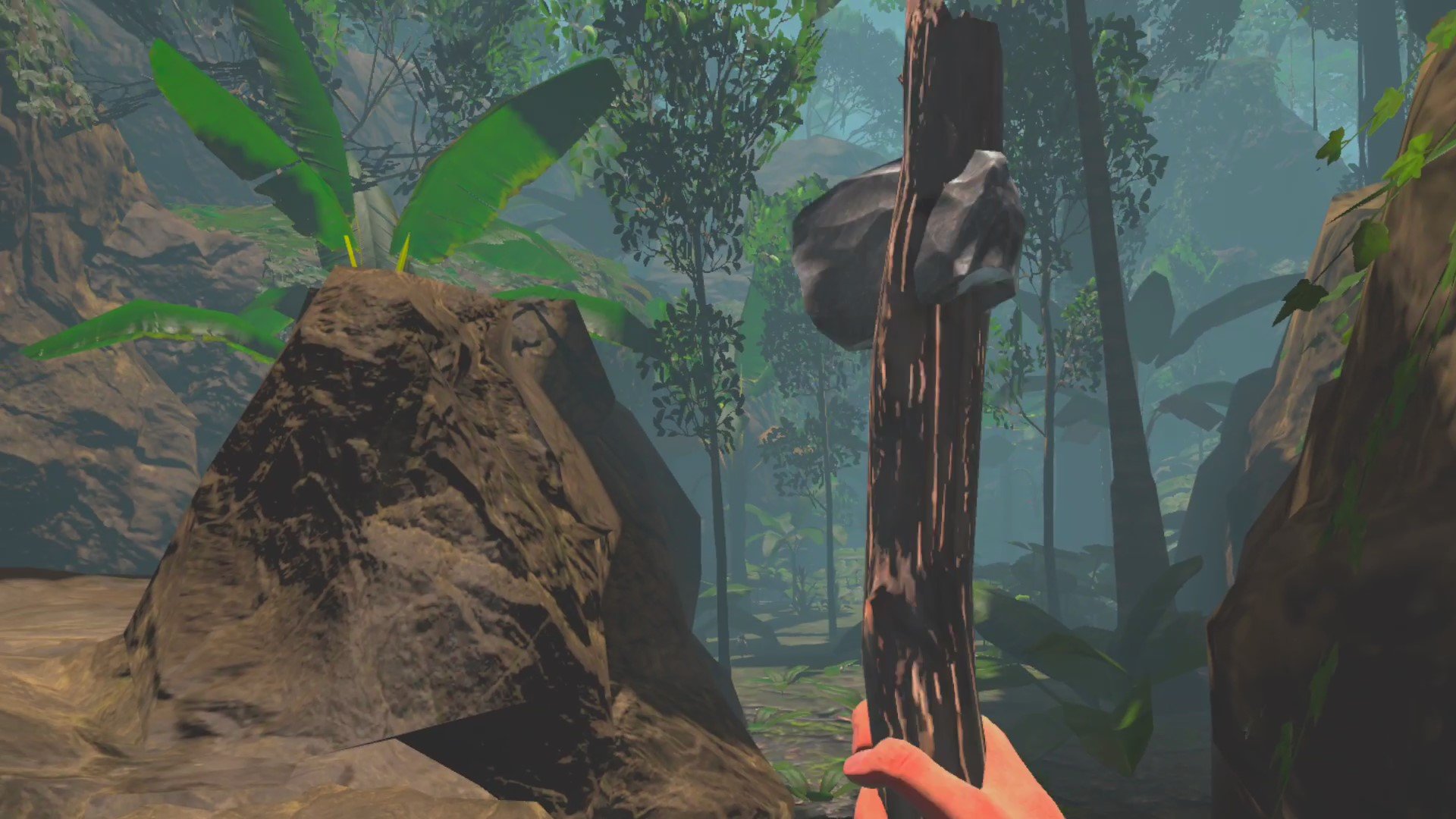
As for machetes they fall into the same category as axes. Modern tools are great tools that take a long time to fall apart, but still aren’t the best for use as weaponry. You’re better off with a piece of bone wrapped with vines than the best machete fresh off of the assembly line. While an unrusted machete is decent in a fight, there are much better and less rare options available.

Well there you have it, all of the weapons in Green Hell VR. Thanks for reading. Green Hell VR is a fantastic example of a Survival Game in Virtual Reality. I heartily recommend it for survival game or VR buffs. It can be purchased for 29.99$ on the Oculus Store. Green Hell VR will also be coming to Steam for PCVR in the near future. Happy hunting, and good luck in the jungle.
Having trouble sweating through your headset’s face cover? Try out new ones from VR Cover that repel sweat and are easy to swap in.

7 Best VR Games for Sniping on the Meta Quest 2
Sniping has long been a sacred art among those who enjoy first person shooters. Sniping well takes skill, speed, patience, and great map knowledge to do well. Being a sniper also requires precision in singleplayer and multiplayer games. For an enthusiast of Virtual Reality gaming or the Meta Quest 2, you may be wondering, what games give you a great sniping experience? Well here they are, broken down from not so good, to the best on the platform for an aspiring sharpshooter. Staring with number 7.
Sniping has long been a sacred art among those who enjoy first person shooters. Sniping well takes skill, speed, patience, and great map knowledge to do well. Being a sniper also requires precision in singleplayer and multiplayer games. For an enthusiast of Virtual Reality gaming or the Meta Quest 2, you may be wondering, what games give you a great sniping experience? Well here they are, broken down from not so good, to the best on the platform for an aspiring sharpshooter. Staring with number 7.
You Might Also Enjoy:
The 3 Greatest VR Real Time Strategy (RTS) Games on the Oculus Quest 2
11 Best Shooting Games for the Oculus Quest 2 | Shooters for the Quest 2
7. Resident Evil 4 VR

You may not think of Resident Evil 4 VR as a sniping game, and you’d largely be right. It is full of tight corridors, twisting hallways, and a bunch of Ganados very intent on getting in close and eating your face. On the other hand a bolt action, and later semi automatic, sniper rifle is available in this game. They are very powerful, and very satisfying to get headshots with. As a Ganados’s head will explode when it takes such massive damage.

There are a few sections in Resident Evil 4 VR where the combat arena is large and the enemies are far enough away that you can use the sniper rifle effectively. These areas come often enough to give Resident Evil VR a slot on this list, since the Meta Quest 2 has a limited selection of games involving sniper rifles (for now). Mostly, however, the sniper rifles work great here as improvised one shot kill shotguns instead of long range weapons.
6. The Walking Dead: Saints and Sinners

Ah, The Walking Dead: Saints and Sinners is such a great VR game that shows what Virtual Reality games can be. It has a large number of guns, but only one that seems like it could be considered a sniper rifle. That would be the Bolt Action Rifle, which can be unlocked a few levels into the game, or found in the ruins of New Orleans if you know where to look. Like in most games this rifle is hard hitting and difficult to load. Especially difficult in this case, as the bolt is extremely janky and not very well implemented, which is a thing not often said about The Walking Dead: Saints and Sinners.
Overall there are not many sections that seem much like sniping sections, with the exception of one level in the Aftershocks free DLC that gives the player a view of a battlefield through a window, and a free rifle just sitting there. Hunting season for sure, and very satisfying for sniping. Otherwise there isn’t even a scope for the bolt action rifle, or for any other firearms in the game.
Still, we’ll count The Walking Dead: Saints and Sinners as a sniping game, mostly because the AI, human or zombie, needs to get really close to actually notice you. This gives plenty of chances for hiding, shooting, and scooting even from close range. A scope isn’t really needed, and the gameplay can still scratch a sniper’s itch.
5. Population: One
Population: One is the Fortnite of VR, though it is smaller in scope and, luckily, nobody is capable of building an entire apartment complex in the span of 5 seconds. Just like Fortnite there are plenty of sniper rifles in Population: One.
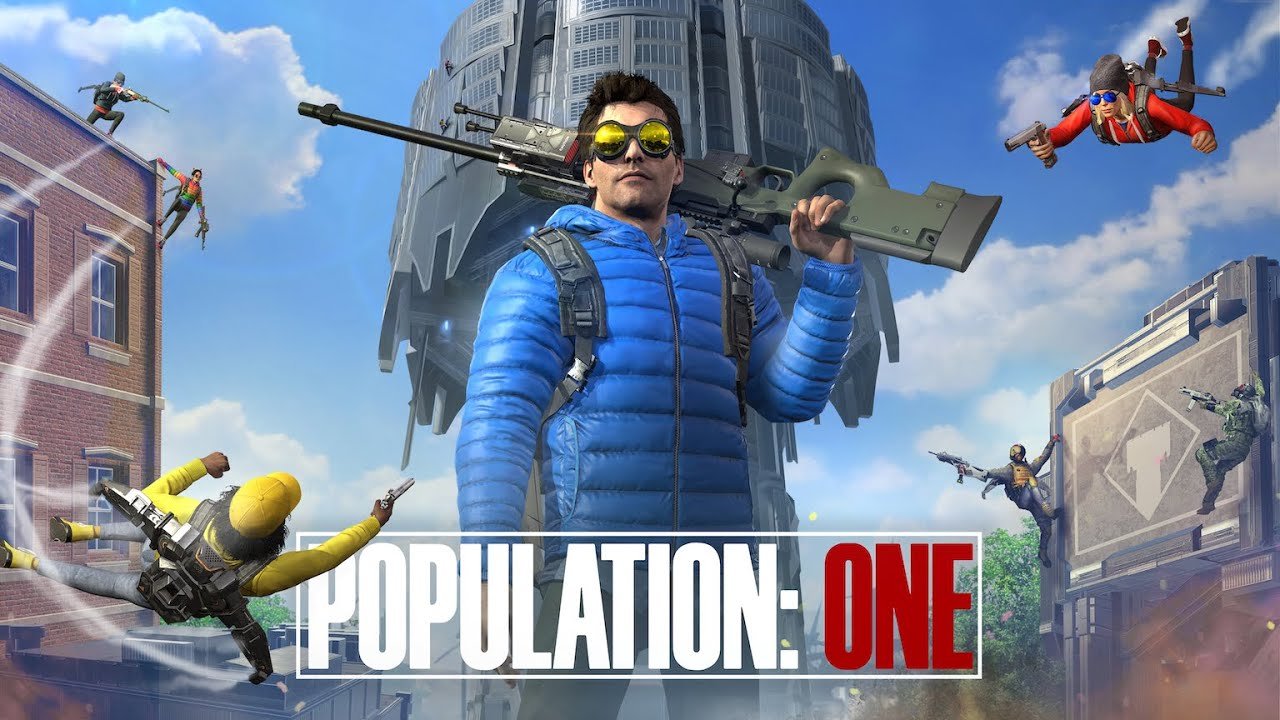
Just like in Fortnite they are far from the best weapons in the game, and in fact aren’t used very often due to their lack of power when compared to other weapons. An assault rifle can hit a target from medium range and do damage much more quickly than a sniper rifle, because the sniper needs to have its bolt cycled after every shot. So assault rifles and SMGs tend to get a lot more love than sniper rifles do in Population: One.
That all being said sniper rifles are the only long range option, and their bullets can be accurate pretty far away. Still, unless an enemy player is already at dangerously low health, it’s not a one shot kill. Also, they are notoriously difficult to aim when compared to sniper rifles in other games. Looking down the scope of a sniper rifle in Population: One is particularly hard, and until you get a lot of practice it can feel like you are aiming at something properly and missing it for no reason.
4. Medal of Honor: Above and Beyond

Now we are getting into the territory of proper sniping games. Though in Medal of Honor: Above and Beyond only expect to find sniper rifles in the singleplayer. It would be a mystery why you would still be playing the multiplayer of this game at all, but if you do don’t expect to get any sniper kills. The singleplayer of Medal of Honor: Above and Beyond features a couple of different sniper rifles, and due to its World War 2 setting, all are bolt action.
Cycling the bolts on those weapons is pretty smooth, and so is looking down their scopes. The impact of the rifle doesn’t feel, with most enemies later on in the game just shrugging those rounds off and continuing to run around. Though sometimes you can still get a very satisfying looking headshot. Also, the sim-like faces of the enemies aren’t super fun to stare at through an optic.
Most combat in Medal of Honor: Above and Beyond is done up close or at medium range. Though there are a few segments where sniping is practically the only option, or is heavily encouraged. These segments are great if you love sniping, like one memorable part where you defend a French village from atop a bombed out church. Still, if sniping is all you’re after then Medal of Honor: Above and Beyond will leave you wanting more.
The same can be said for just about every other category you could put on a World War 2 shooter. In all aspects Medal of Honor: Above and Beyond only delivers a little of what you desire.
3. Contractors

Contractors is a multiplayer shooter that is fast paced and encourages quick fights with fast respawn times and objectives. It is the Call of Duty of Virtual Reality. Just like in Call of Duty the sniping is pretty good, but not the best. The game is pretty fast paced, and so you’ll get enemy players sneaking up behind you a lot, so you need to move constantly just like they will. So you can’t really hold down one spot for long. That could be a good or bad thing depending on who you ask.
As for the weaponry there is a huge variety of guns you can attach long range scopes to. Even Assault rifles have optics that reach two or four times magnification. Weapons intended for sniping, like the M1A, pack a lot of punch and are very accurate. The scopes themselves are intuitive to use and don’t have that annoying quality of constantly floating in and out of your vision like those in Population: One.

That all being said the maps of Contractors do not have many areas that encourage sniping, because they tend to be closed in and favor short or medium range combat. There are a few spots on some maps that are great for sniping on, but those are not common.
2. Onward

If you’re looking for a multiplayer Virtual Reality game to become an expert sniper in, Onward is it. Where Contractors is the Call of Duty of Virtual Reality, Onward is the more thoughtful and slower cousin. It’s sort of like Ready or Not or Squad, or even Counter Strike: Global Offensive. Each team is small and each player is taken down very easily with only a few hits. With a sniper rifle even a single hit is easily fatal, and wow are the sniper rifles good.
They’re modern, and have a wide variety of addons and scopes to choose from. If you want to have a 4x optic for sniping, but a small collimator on the side for up close conflict, that’s possible. As with all weapons in Onward the sniper rifles have great detail, and feel responsive and intuitive to use. There’s even a bipod for some rifles.

Landing a shot gives immediate results. Sniper rifles are powerful, and landing a hit is very satisfying. Due to the slow pace of the game there are many opportunities to set up in a position, or change positions after firing off a few rounds. Communication with your teammates via your shoulder radio can also give you good opportunities to find out where your opponents are hiding.
On top of that most Onward maps feature multiple open areas, where a single sniper can easily take out enemy team members as they try to pass through. Unlike other games Onward gives a sniper many opportunities to take long shots and make full use of their chosen rifle.
With great weapon variety and choices, great weapon feel, and a great selection of maps to choose from, Onward is the best multiplayer experience for sniping.
Sniper Elite VR
Unlike all of these other games, Sniper Elite VR, like the name says, is focused on sniping. That is really what makes it a sniper’s paradise in Virtual Reality. The vast majority of weapons are sniper rifles, and the vast majority of areas are geared toward sniping. Enemies are far away and there are ample spots to shoot from. Areas are very often wide open and encourage the use of a scoped weapon.
Sure there are SMGs and Pistols to use as well in Sniper Elite VR, but here they are the weapons that are only used occasionally, as the sniper rifle is in all of these other games. Very often sniping will be the main objective of a map, and sniping is always the way to get the most points and to dispatch enemies the quickest. A soldier that might take an entire burst from an SMG to kill can easily be taken down with a single sniper bullet.
For more on the game in general, check out our review. Though if you like sniping you certainly won’t be disappointed in Sniper Elite VR. The only drawback is that sometimes the rifles feel a little floaty, and move too easily with a slight twitch of your hand. Otherwise they handle beautifully, and the scopes feel realistic and straightforward to look through and aim with.

For a singleplayer sniper experience, Sniper Elite VR cannot be beaten. For an experience focused on snipers, sniping, and sniper rifles in VR, there is nothing else like it.
You Might Also Enjoy:

Cities VR Does Not Need to be in VR
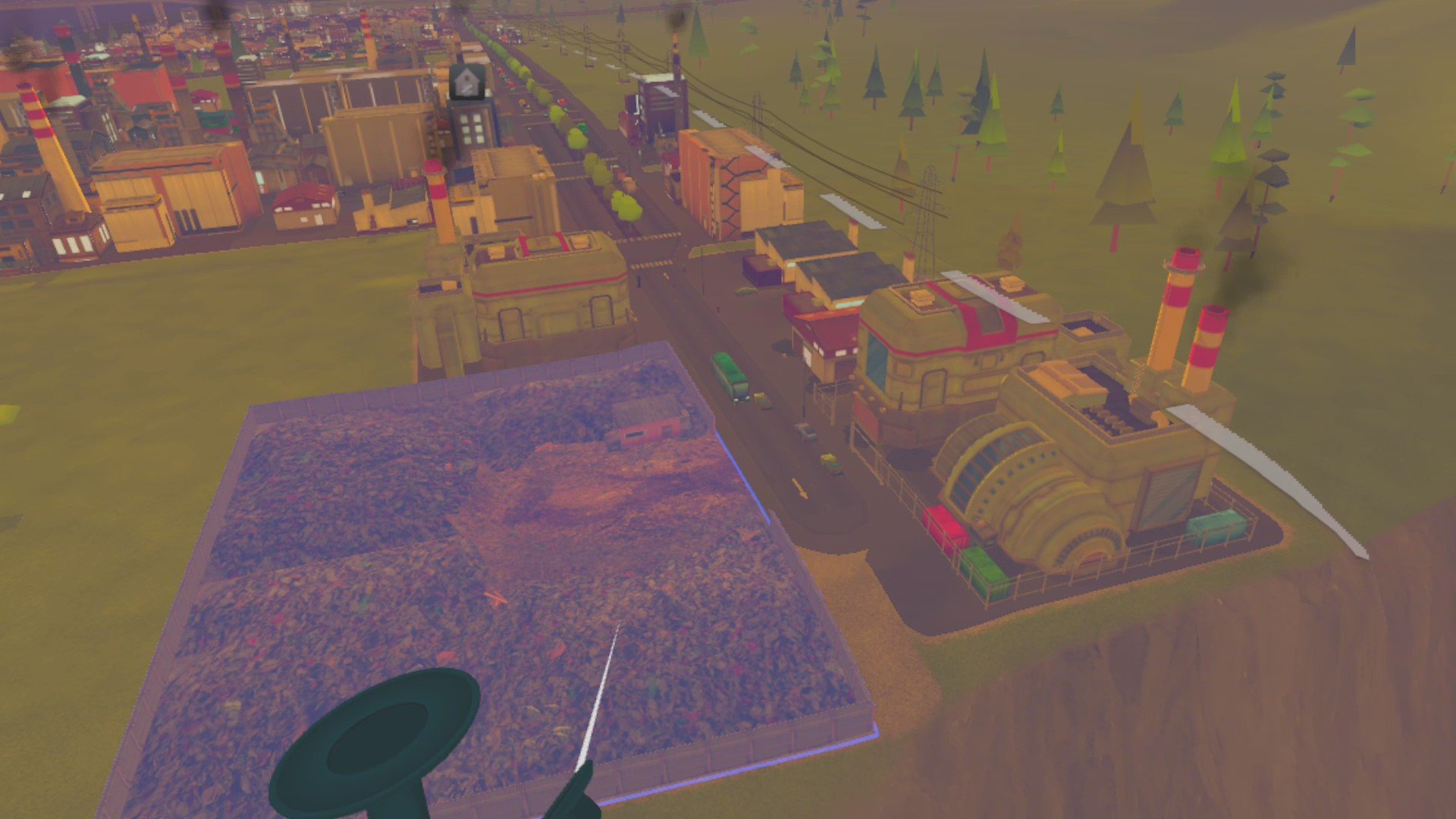
Cities VR, the Virtual Reality version of Cities: Skylines, is out shortly after being announced in the 2022 Meta Quest Gaming Showcase. This means that I finally have a City Builder to talk about and do shenanigans with on my Youtube channel, but it also means that a whole new genre is available on the Meta Quest 2.
However this comes with some questions, the most important of all being... does Virtual Reality add anything to the Cities: Skylines experience?

Cities VR, the Virtual Reality version of Cities: Skylines, is out shortly after being announced in the 2022 Meta Quest Gaming Showcase. This means that I finally have a City Builder to talk about and do shenanigans with on my Youtube channel, but it also means that a whole new genre is available on the Meta Quest 2.
However this comes with some questions, the most important of all being... does Virtual Reality add anything to the Cities: Skylines experience?

Not Intended for Virtual Reality
Now I'd like to start this by saying that I love to see VR come to new genres, and regardless of whether or not traditional City Builders benefit from VR, I love to see new experiences in Virtual Reality. At the end of the day, even if something doesn't work out we will all still learn and grow as players and as developers. That being said, I don't think there's necessarily a ton to learn here. I have a lot of the same gripes with Cities VR as I had with Eternal Starlight, and now they’re even worse.
For the vast majority who have never heard of Eternal Starlight, it is to the RTS genre as Cities VR is to the City Builder genre on the Meta Quest 2. Eternal Starlight is the only RTS on the Quest 2. Now those gripes that I mentioned were basically this: Eternal Starlight takes a genre built for flatscreen gaming and moves it to VR, but doesn't add enough to make it work better in VR than it could on a flat screen.
Still, Eternal Starlight had the benefit of utilizing 3D space effectively in its combat and controls, and being a game originally made for Virtual Reality. Due to this it would actually utilize hand controls extensively in its basic interactions.
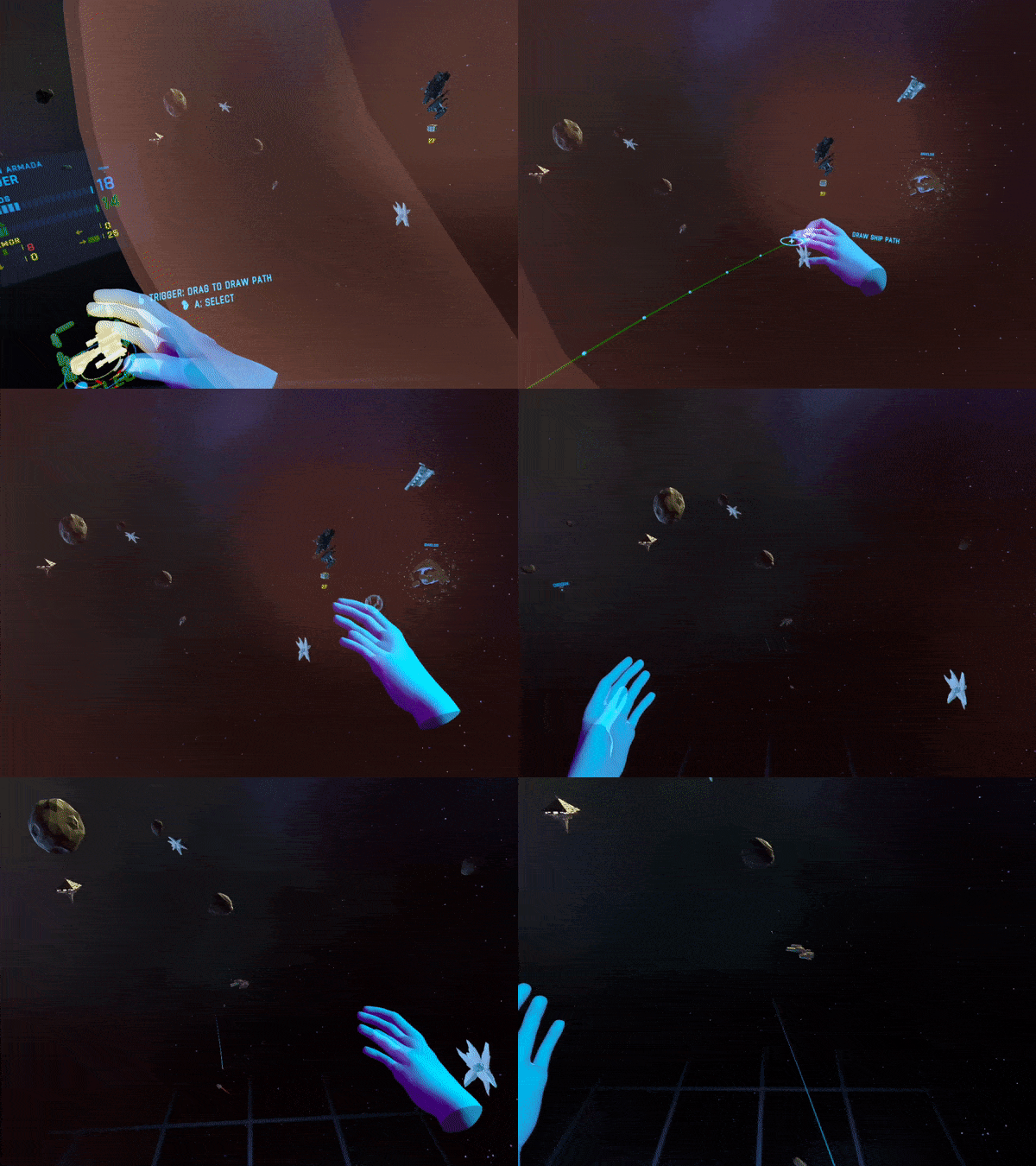
Cities VR does not benefit from that as it is a direct port of an experience built for flatscreen to Virtual Reality. There are plenty of games that are also ports without much change to gameplay, but are still fantastic. Take Doom3Quest by Dr Beef and Co. for instance. It is a direct port of Doom 3, an early 2000s horror shooter, but it is also a fantastic game on the Quest 2. The difference between Doom3Quest and Cities VR is a difference of genre.
Doom 3 is a first person shooter, and the genre conventions of first person shooters translate very well to Virtual Reality. After all VR is the ultimate form of First Person. There is as little as possible between the player and the virtual experience, not even the edges of a screen to distance what they are experiencing from their senses. Pointing a weapon is very natural to do with your physical arms and so is made even more intuitive in VR when compared to pointing that same weapon with a mouse.

The Genre Question
The City Building genre is actually more constrained by Virtual Reality. On a normal screen spreadsheets, menus, and options for building and managing can be compressed into side bars and expanded into their own windows. There is a lot of real estate to cover on a monitor in Virtual Reality a player can only be expected to handle a single menu in their face at a single time.
All selections must be done using a much more limited control scheme with no full keyboard available to use. Selections must be done more slowly with selection wheels and a limited number of buttons. This effectively means that the player can view less information and access that information less efficiently. Meaning that managing their city is more difficult overall than it would be on a flat screen.

So if a City Builder is made harder by being in VR, is it at least made more beautiful?
Is it Better Looking?
Well, the answer will be up to your opinion. To someone like myself who loves Virtual Reality as a way to become closer to experiences that otherwise would be either impossible to access or, in the case of flatscreen gaming, less immersive, it still has some charm.

Zooming through my city like a bird, I can see the people go to work. I can see ambulances and other emergency service vehicles go to their destinations and assist my citizens. By craning my neck I can see my living city from the same perspective as some omnipotent god.
However I am not an omnipotent god. If there is any role to play in Cities VR it is that of a Mayor or other Public Servant. Beholden to keep your people happy because the rules of the game, as set in the original Cities: Skylines, incentivize you to. So this view does not take me closer to the experience that the game attempts to replicate. Rather it is a gimmick.

It gives the opportunity for some cool visuals, and building is a little more fun in VR. Overall the view is much the same on a headset as it is on a screen. The only difference is that the controls are not as good. Not to mention, most computers have the ability to play the same game at a higher level of visual fidelity. It is sometimes painfully obvious how limited the hardware of the Meta Quest 2 is in displaying this game.
So Why Does Cities VR Exist?
From my limited knowledge of the business of games, a PCVR version of Cities: Skylines could have been added on to the original game for those who own it. Just as similar games such as The Forest have done. That would have let true VR fanatics take advantage of it. Instead it was decided that a separate port and release on to the more accessible Meta Quest 2 should be undertaken. No doubt Meta themselves desired this, as they are clearly pushing to have new quality titles released on their standalone platform.
Though at the same time Cities VR does not seem to be a lot for thirty dollars. It is a straightforward port of a game in a genre that does not benefit from being in Virtual Reality. For these reasons I can answer the original question stated in this article with certainty.
No, Cities: Skylines is not enhanced by being in Virtual Reality. VR is a gimmick to this game, as it was not originally made or intended for VR, and no new mechanics or provisions have been made to enhance it as a VR experience. Maybe one day there will be a city builder, which was built specifically for VR, that is better for being a Virtual Reality experience. That day is not today, and that game will need a lot of work and thought to be achieved.
If you really want to experience a city builder in VR then Cities VR is available only on the Meta/Oculus Quest 2 for 29.99$.
Easily Install Battle Talent VR Mods Directly on Your Quest 2
Want to wield a lightsaber or the Assault Rifle from Halo in Battle Talent VR? Well then look no further, because I’ve got an easy solution for you to install mods in Battle Talent. If you are using an Oculus/Meta Quest then you won’t need a computer or an overpriced cable. You won’t need to browse through your headset’s files or do anything but click a few buttons. The Mods will be installed directly on your headset without any hassle.

Want to wield a lightsaber or the Assault Rifle from Halo in Battle Talent VR? Well then look no further, because I’ve got an easy solution for you to install mods in Battle Talent. If you are using an Oculus/Meta Quest then you won’t need a computer or an overpriced cable. You won’t need to browse through your headset’s files or do anything but click a few buttons. The Mods will be installed directly on your headset without any hassle.
But How?
The first thing you need to do is enable the Cheat Menu in Battle Talent VR. I’ve got another article that shows you how here. While that article gives an in depth explanation and also tells you everything that you can do in the Cheat Menu, here is the abridged version to get you installing mods quickly. Simply load into one of the levels available at the board in the Talent Temple (I.E. The Arena Levels, Tomb Mazes, or Sandbox.) Once you’re in the level look at your right wrist and press the glowing orb there, just as you would open the main menu on your left wrist. Then bam, look at all those cheats!

If you want more details then check out the other article.

Alright so now you’ve got your Cheat Menu open, here comes to easy part. See the button in the right corner that says “Mod.io” with the huge gear? Point at that and press trigger.
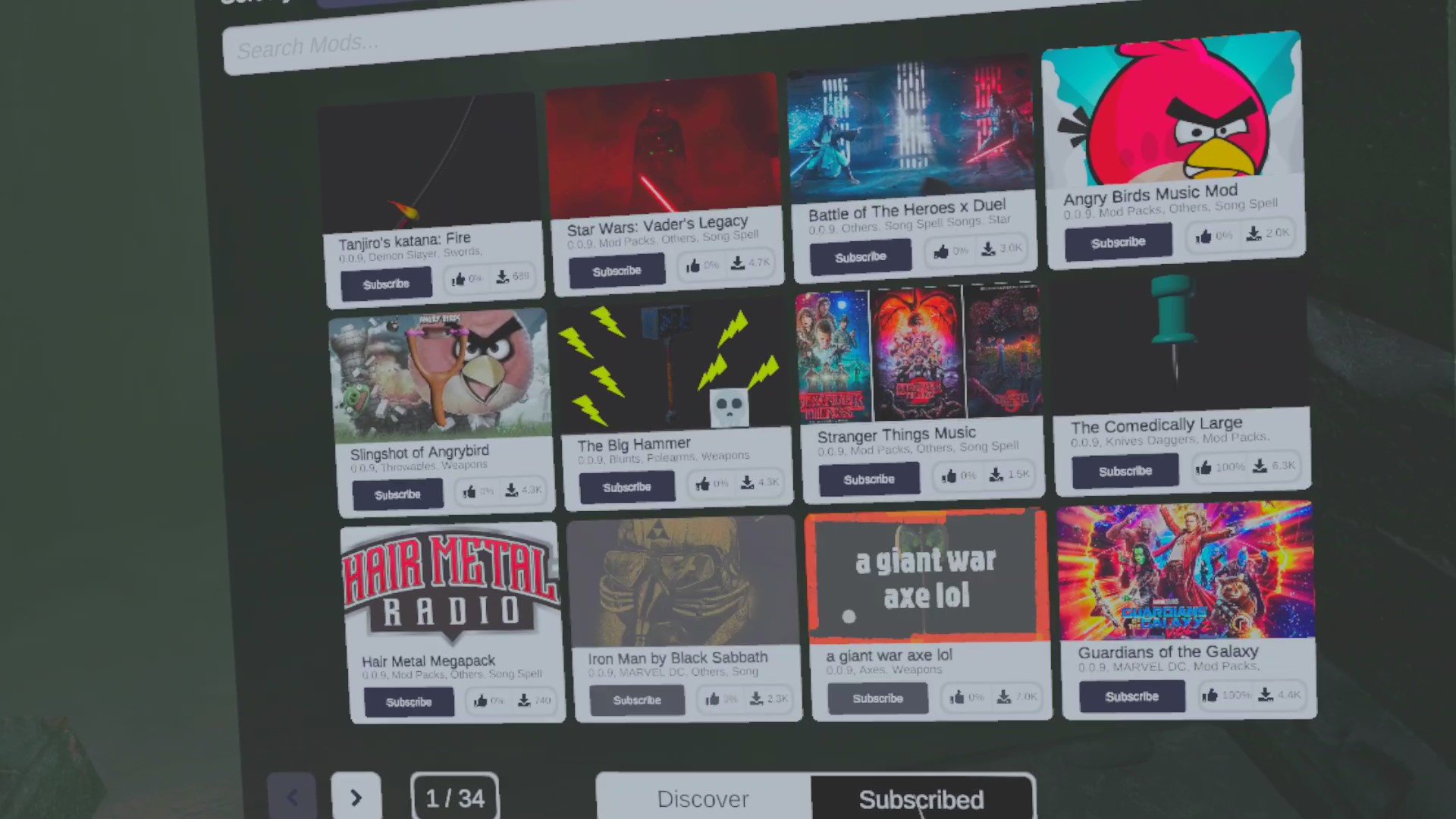
Now the Mod menu will open. Here you can browse mods in the mod search bar or the discover menu. There are a ton of choose from, and more coming out all of the time from dedicated modders. Clicking the Subscribe button under one of the mods will automatically download the mod files to your headset.
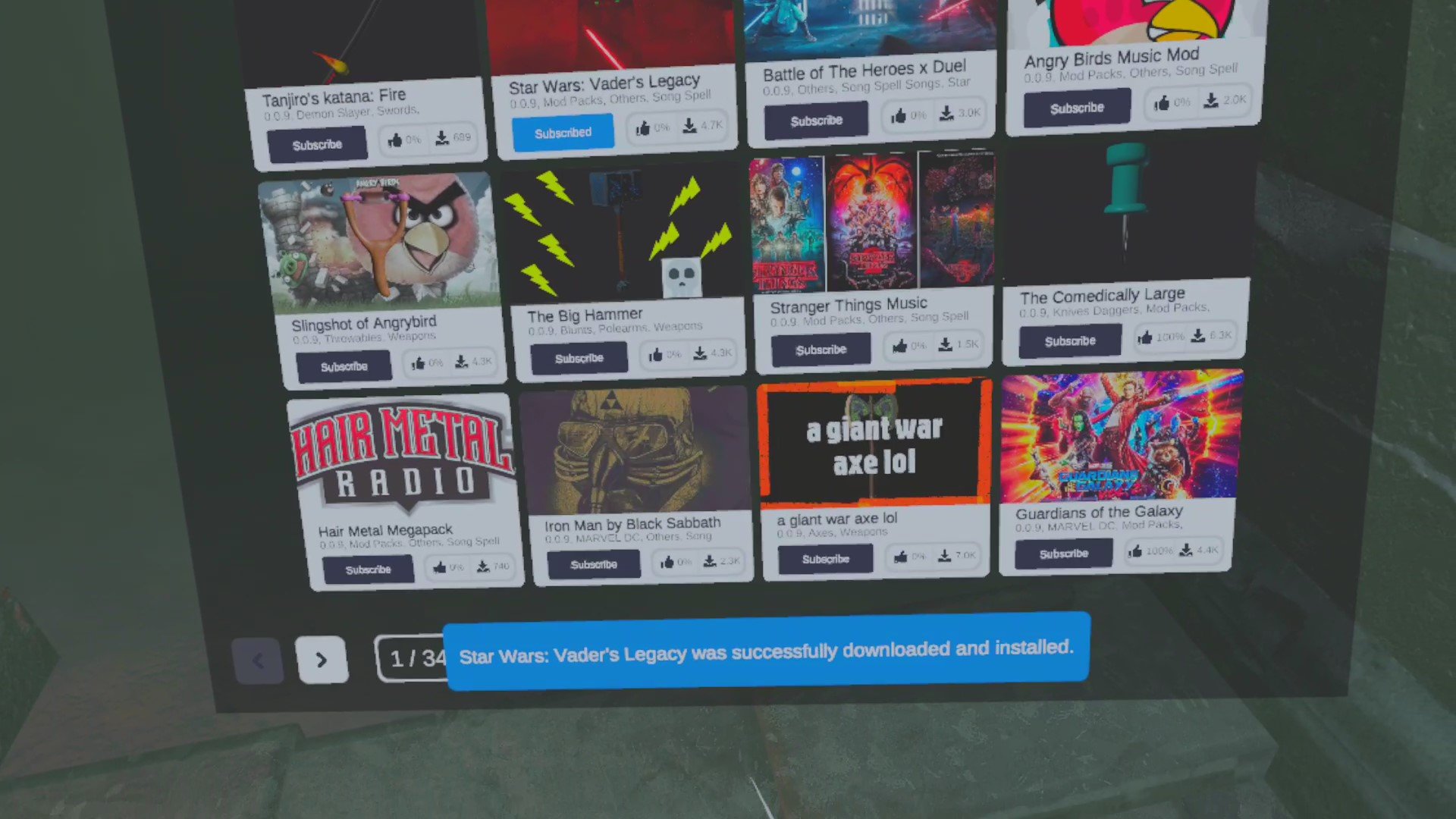
Now to enable the parts of the mod you go back to the tower menu and purchase the pieces of the mod like you would a weapon or spell from the base game. Some mods (like mods that add a weapon) only have a single piece to buy, some have many pieces. Mods can also be disabled or reenabled here like the base game items.
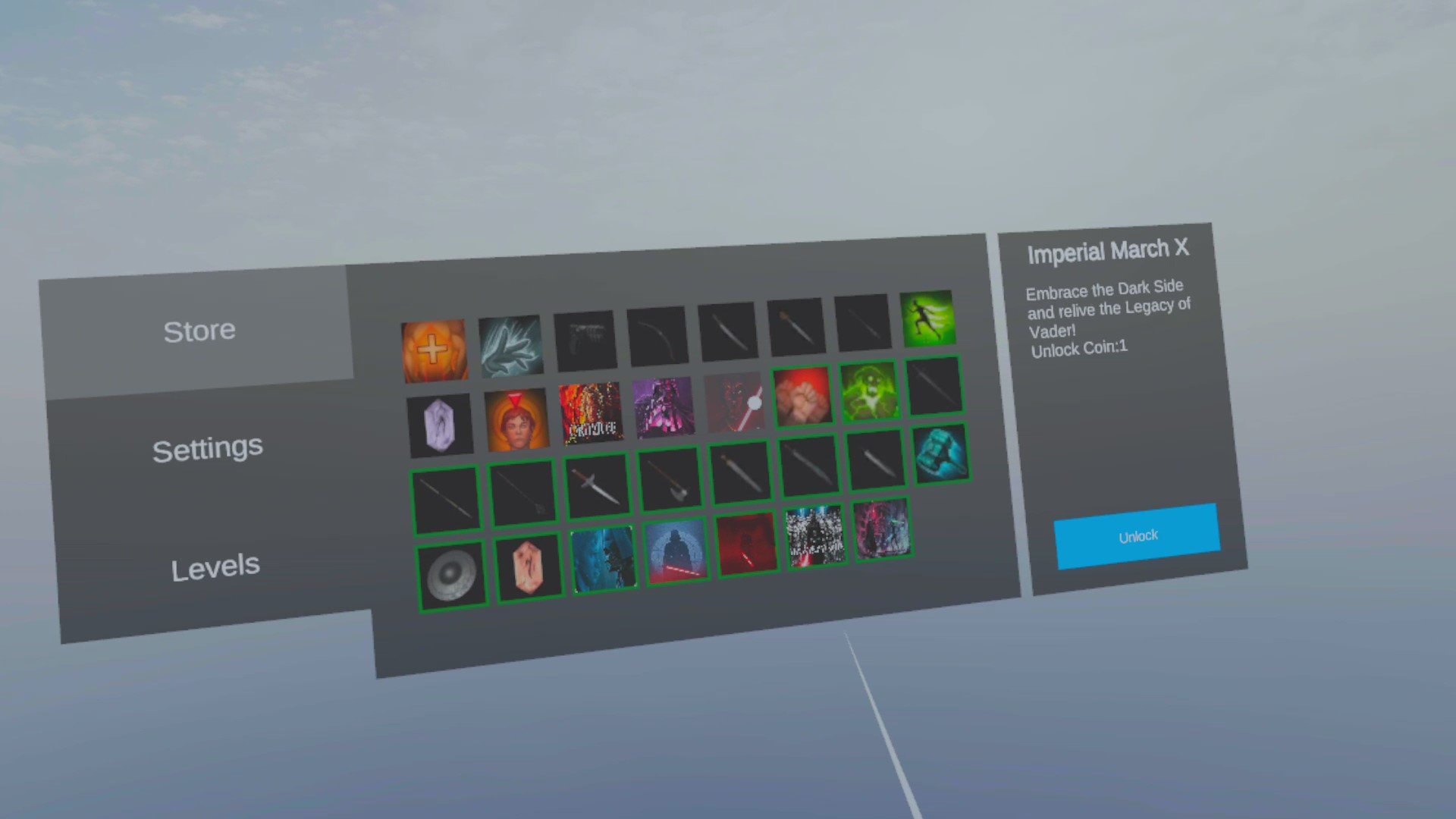
There you go! Now you can mod Battle Talent VR to your heart’s delight.
What Kind of Mods Are There?
Tons! New mods are also being added all of the time. Some add new music or weapons. The weapon mods are among the most fun to play around with. The best way to get to know the mod scene in Battle Talent VR is to follow this guide and check it out, this is a pretty fast an easy process that should only take you five minutes or so at most anyway.
As with mod scenes in all games, what mods are available in Battle Talent changes all of the time. So don’t be shy and check them out!
Battle Talent is a great VR Fantasy Action Game, or whatever you want to call it, but it’s not done yet. It has and is still receiving updates. Also, it’s not only on the Meta/Oculus Quest 2. I tend to emphasize the Quest 2 because I just like not having wires hang from my face, but call me crazy. You can find the demo on Steam as well, also for Free. There are even mods in development for the game. The Developer of Battle Talent is on Twitter as well if you want to hear more about the game.
As always thanks for reading Reality Remake, and have fun in Virtual Reality.

How to Use the Useful Battle Talent VR Cheat Menu
Battle Talent VR is a very fun game with a lot of unique weapons and abilities to unlock. As we’ve covered here before it is the best free VR Hack and Slash Action Game out there. Still… what if you don’t want to grind through arenas and mazes to get the gold you need to unlock all of the weapons, spells, and abilities in Battle Talent VR? Sometimes you just want to fling a goblin across the arena with one hand while shooting a dark elf in the face with your other without having to work for it. Well, that’s what the cheat menu is for.
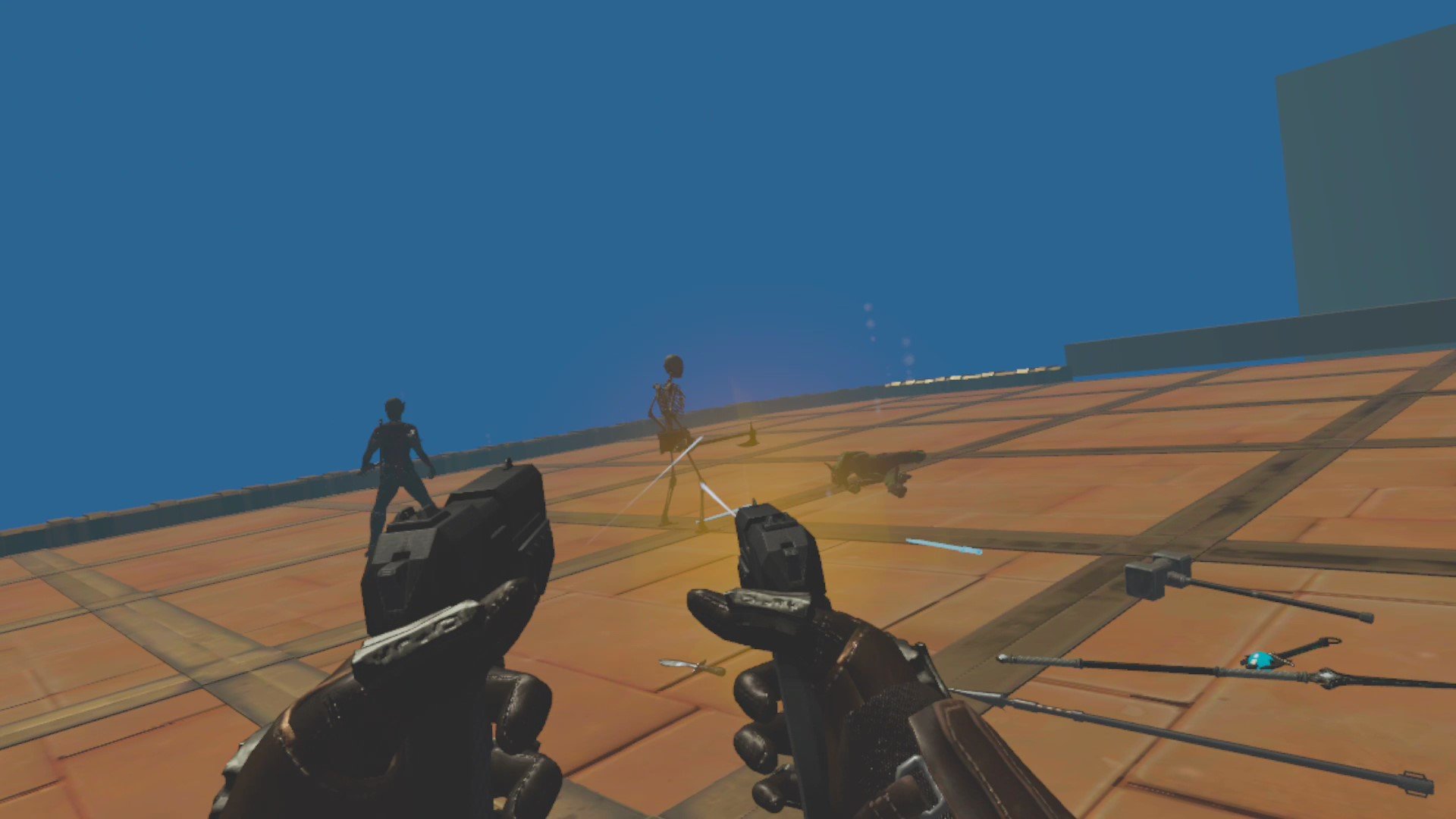
Battle Talent VR is a very fun game with a lot of unique weapons and abilities to unlock. As we’ve covered here before it is the best free VR Hack and Slash Action Game out there. Still… what if you don’t want to grind through arenas and mazes to get the gold you need to unlock all of the weapons, spells, and abilities in Battle Talent VR?
Sometimes you just want to fling a goblin across the arena with one hand while shooting a dark elf in the face with your other without having to work for it. Well, that’s what the Cheat Menu is for. Use it directly on your Meta Quest 2, no PC needed.
Oh, and you’ll need the Battle Talent Cheat Menu to use mods. After completing this guide check out our other article on how to install and use mods.
The Battle Talent VR Cheat Menu - The New Way

An old image of the cheat menu button, it looks different now
To get the Battle Talent Cheat Menu start the game as usual, and when you’re in the hub area go to the platform that leads out into empty space and jump off of it.
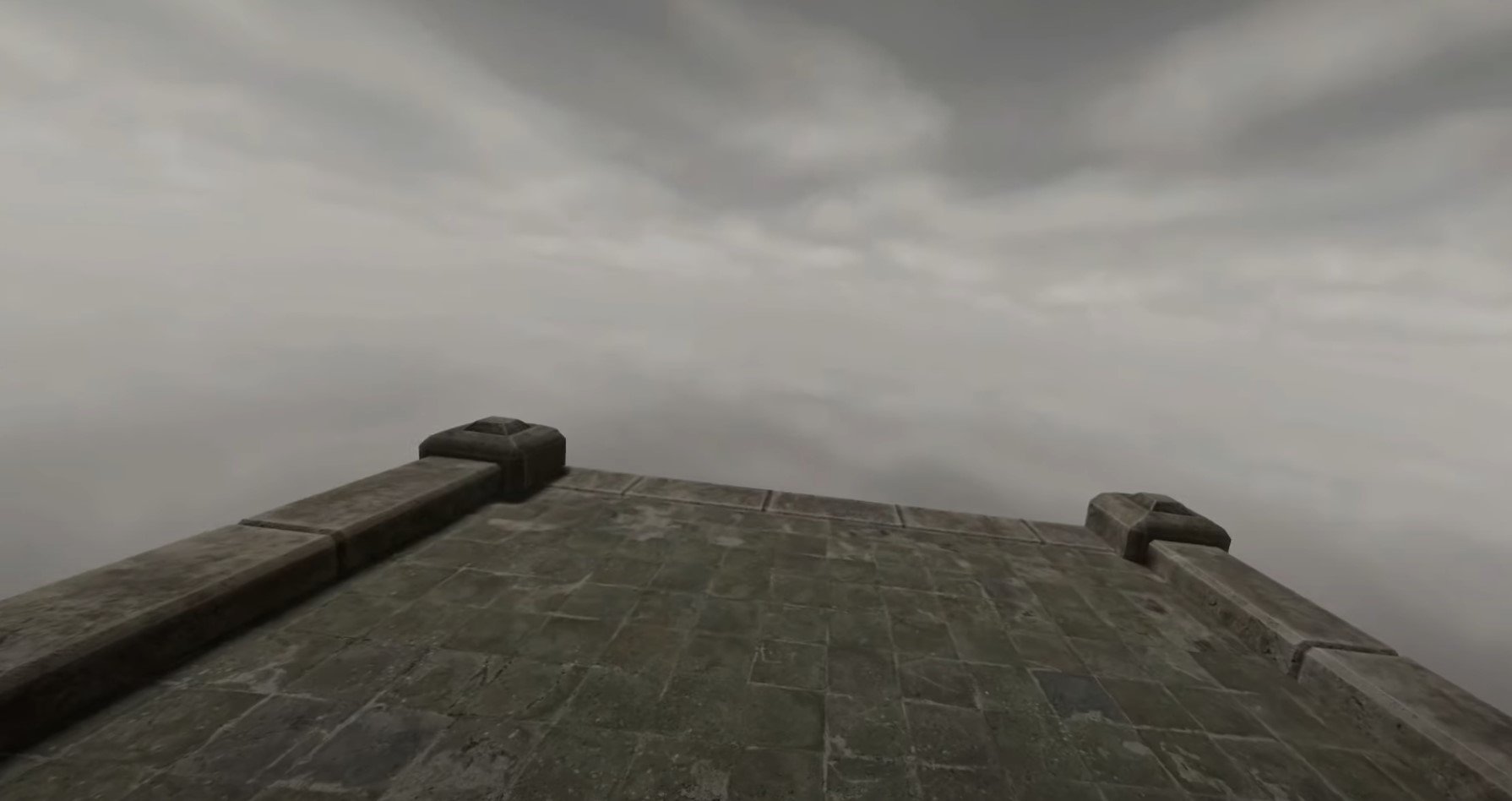
The ledge you need to throw things off to unlock the Battle Talent cheat menu
You’ll hear a bark, and a message will appear onscreen.

Something useful turns out to be pointed weapons
So throw something off of the ledge and into the abyss. You can spawn items from the big item menu in the hub area. Anything will do, and you’ll see another message telling you to throw something pointy, so throw something pointy! A pointed sword or spear will do, though you’ll have to throw several. Keep throwing off various swords and spears, anything with a point on it, until you see this message.
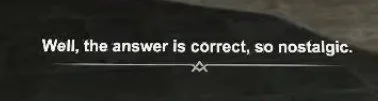
Throw pointy stuff until you get this
Seems you’ve satisfied the strange barking voice, but it still wants something else. You’ll see another message pop up.
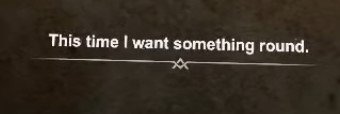
The round object is a shield
So, something round, like a shield? Unlock a round shield and throw it off of the ledge. To unlock items play the arena or maze gamemodes to get gold, and then go to the spawning menu in the hub to unlock new items. Then you’ll receive yet another message with an accompanying bark.
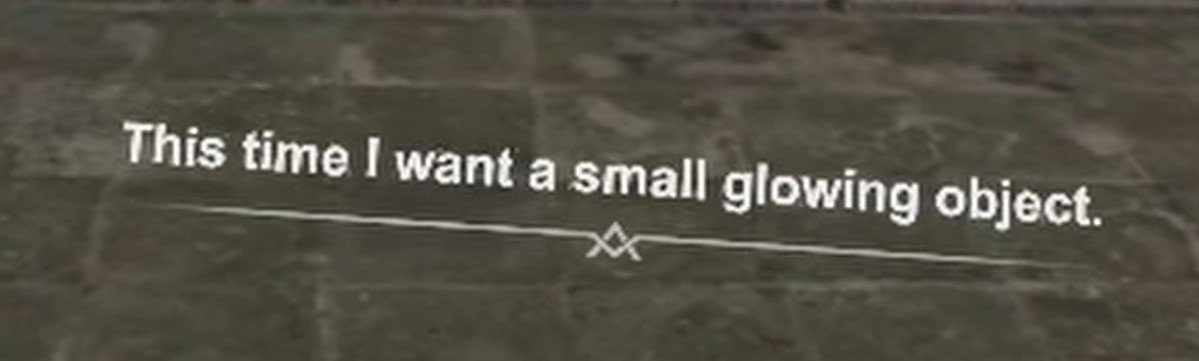
The small glowing object is a fire gem
A small glowing object, huh, well that can only be a spell, because the spell gems glow. So you’ll need to also unlock the fire gem. So once you unlock it throw it off of the ledge like all the other items. You’ll see another message.

The fire gem works
So what do you throw next? Well the barking voice doesn’t specify, so throw anything, and you’ll get another message that’s more helpful.
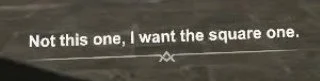
What’s the square one?
The square one, huh? Well there’s only one thing that’s square in the hub, even though it’s a rectangle, the message board! Yep, you can actually take it off of the wall, so pick it up with both hands and throw it off of the ledge.
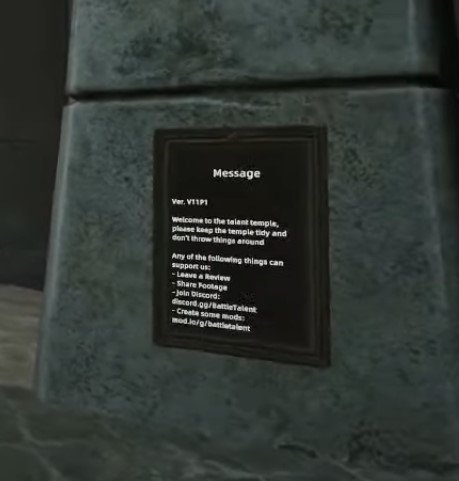
The message board to throw
You’ve finally thrown the last item you need to throw off of the ledge! You’re so close to unlocking the Battle Talent cheat menu. There’s one more message before you find the source of them.

Finally
Come over where? Well, under the ledge of course. That’s where your mysterious instructor is. So go to the right side of the ledge and jump down, there will be a bit of rock jutting out that you can land on. There, underneath the platform that leads into the abyss, is a golden dog statue.
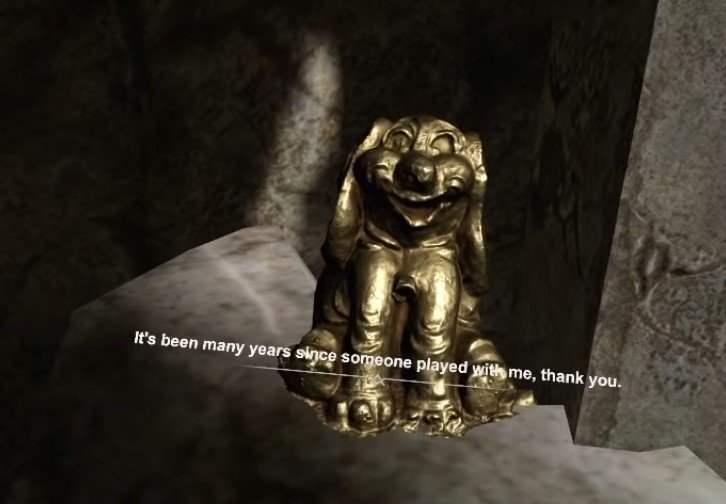
The source of the messages, a golden dog
So that’s why there was always a bark with each message! The dog will thank you, and promptly blow up. Now you can look at your right wrist and press the golden button with your left hand to display the Battle Talent cheat menu!

The button that opens the cheat menu
The cheat menu is very useful and a ton of fun, especially in Sandbox. You can make yourself invincible, give yourself money, clear the level of enemies, and a ton of other things.
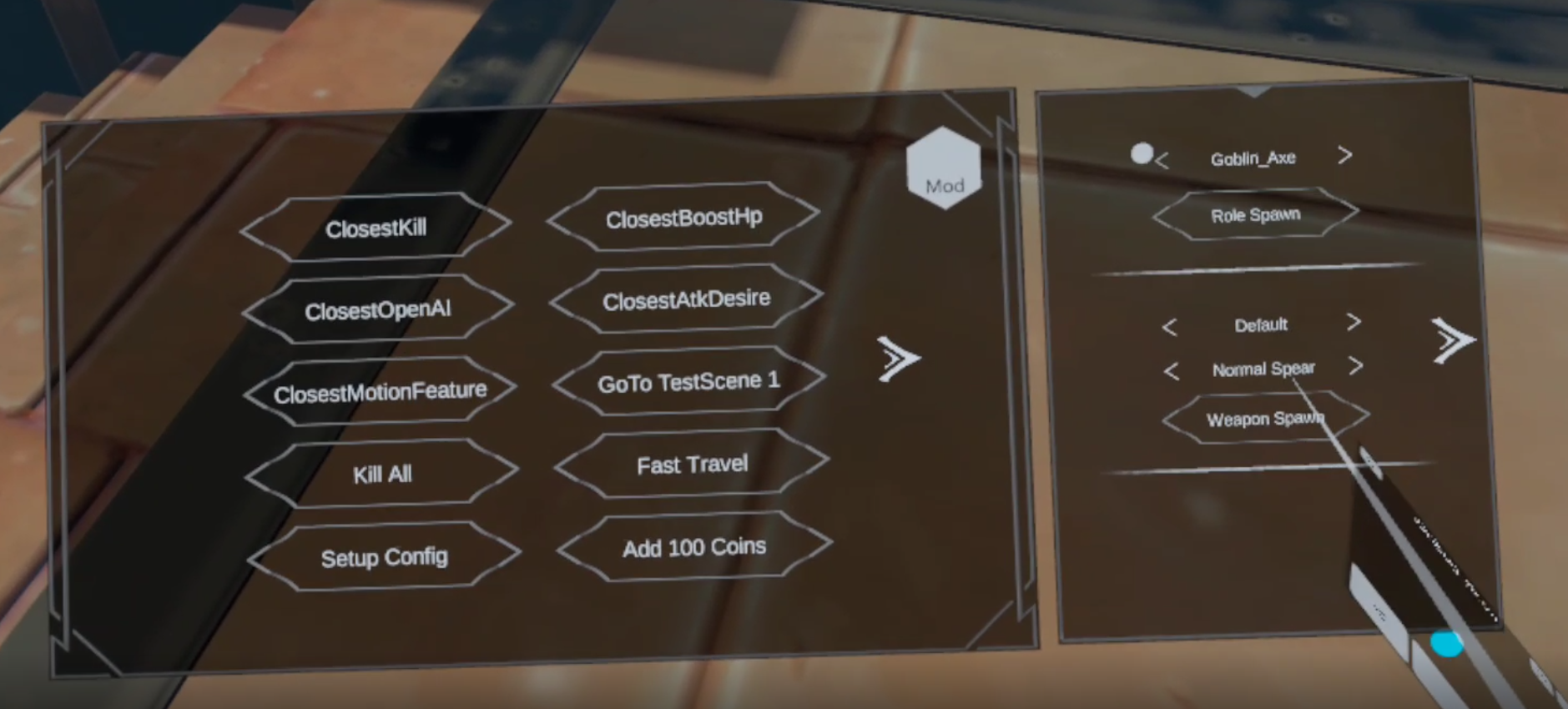
The Battle Talent Cheat Menu
You can also use this useful Battle Talent cheat menu to install mods! Check out our guide on how here. Enjoy!
The Battle Talent VR Cheat Menu - The New Way
How to Access the Cheat Menu
The Cheat Menu is actually very easy to access in Battle Talent VR. All you need to do is start the game so that you are in the main menu tower amidst the clouds. Then step out on to the bridge that juts out of the tower into the sky, you know the one where you can buy upgrades and select levels. Instead of doing those things, just walk right off the bridge.
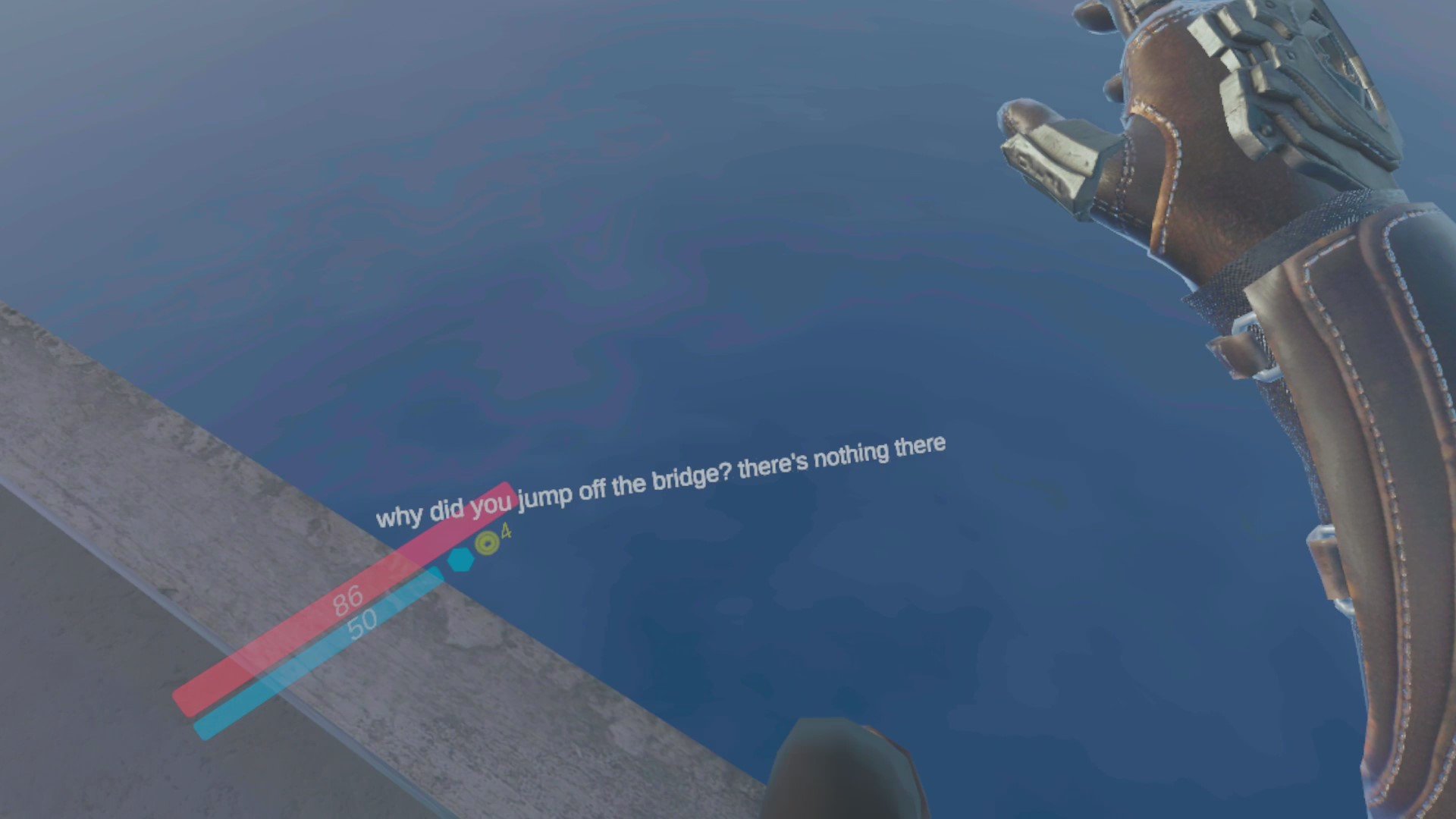
Each time you will reappear in the tower with a message on your screen: “why did you jump off the bridge? there’s nothing there”. The first five times that you do this. On the sixth time, however, there will be a new message. “all right, the cheat menu is unlocked”. Now you can turn your right forearm towards your face and tap it with your left finger to open the Cheat Menu.
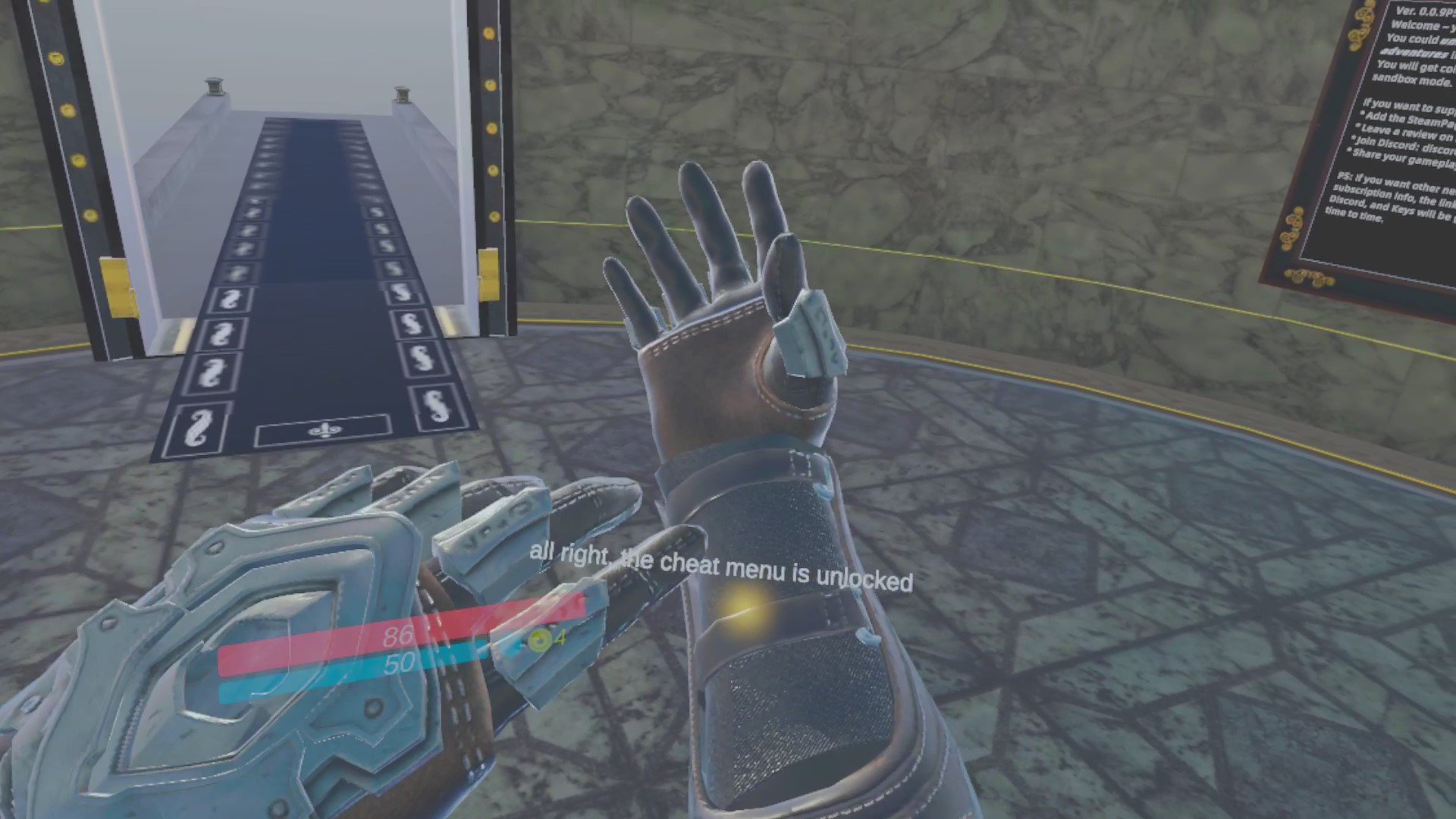
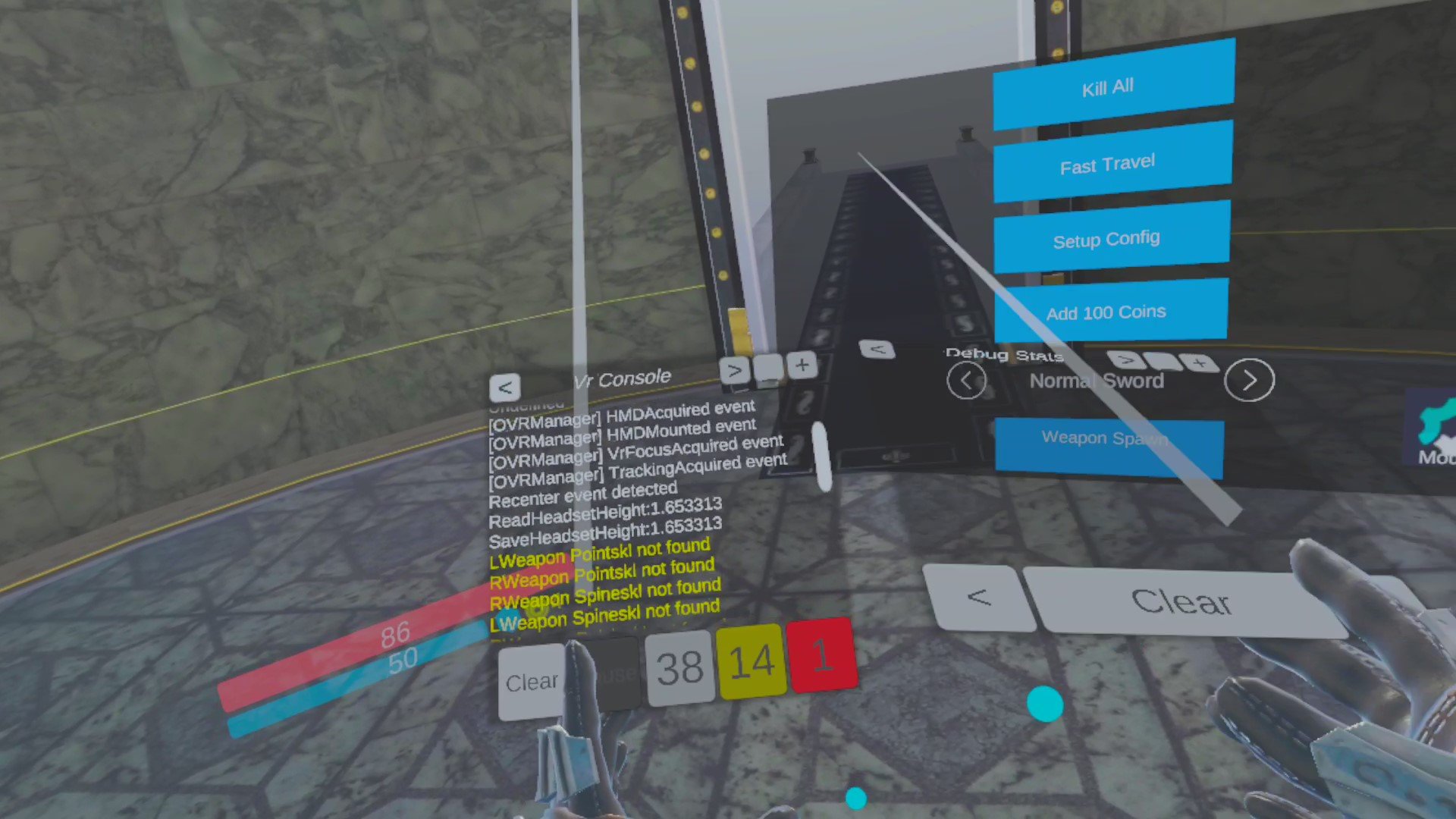
Your left hand will have a VR Console on it and your right hand has a Debug Log. You can use either pointer and the trigger on your controllers to select buttons on the Cheat Menu itself.
How to Use the Cheat Menu
You can do a lot of sweet stuff in the Cheat Menu. You can see on the first page that the Add 100 Coins button gives you quick access to unlimited cash to spend on upgrades in the upgrade menu. Also, now you can spawn whatever weapon you want, wherever you want by using the arrows to scroll through the weapons and then hit Weapon Spawn to spawn whichever you currently have selected. This works anywhere, the tower, arenas, mazes, you name it.
Kill All is basically an instant win button. It will disappear every spawned enemy currently in the game world with you. In an Arena game mode this will end up being all of the enemies, so pressing Kill All effectively ends the level.

Fast Travel only seems to do anything in Maze levels, where it teleports you deeper into the maze at a semi-random point, usually a combat arena.
Pressing the arrow on the right side of the menu shows you a selection of godmode powers that you can cheat with.
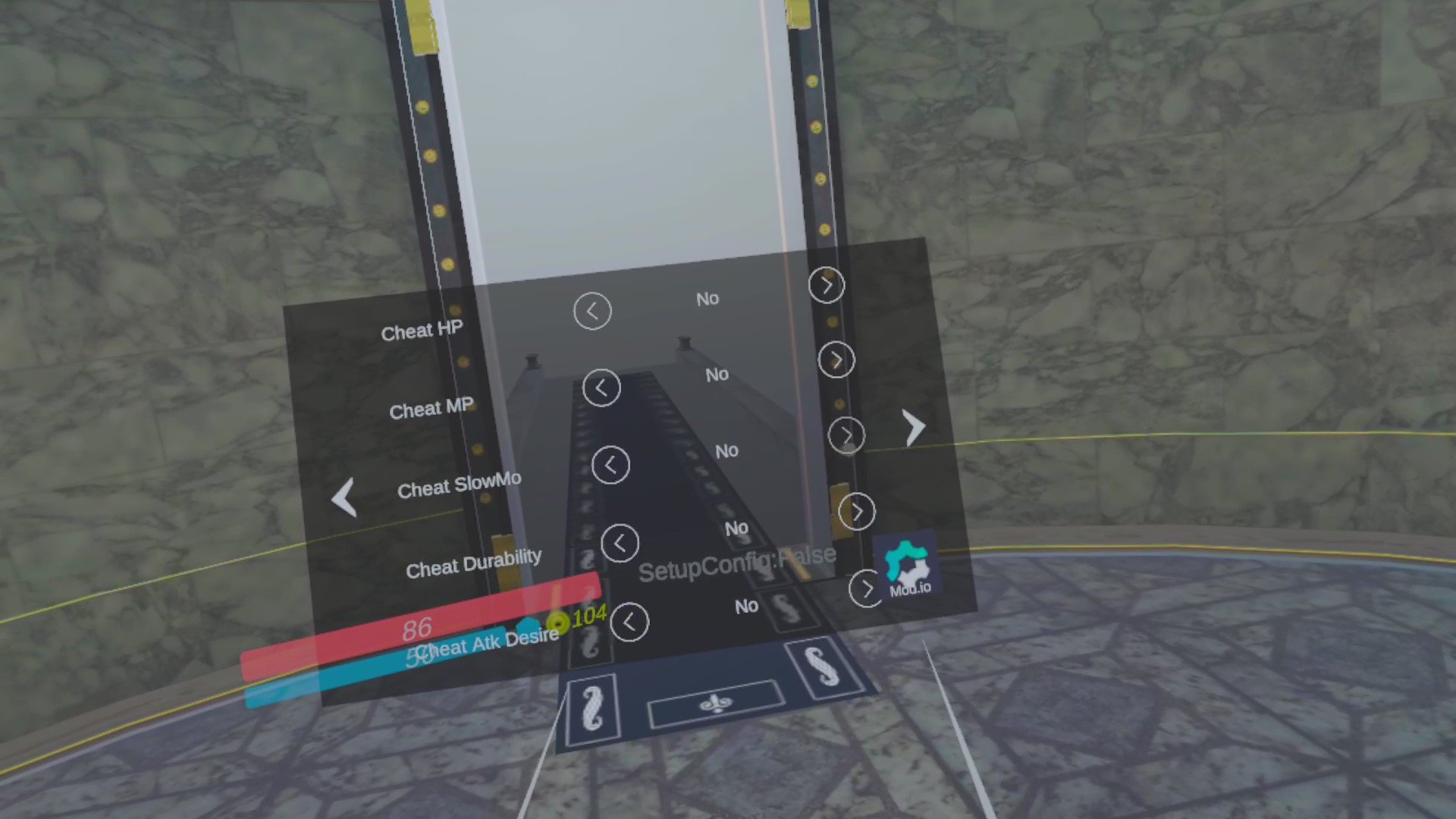
Cheat HP and Cheat MP gives you infinite HP and MP respectively. Great if you want to turn Battle Talent VR into a shooter by spawning two storm pistols and abusing the infinite MP. You can also give yourself infinite Slow Motion with Cheat SlowMo. Cheat Durability gives all weapons that you use infinite durability, and Cheat Atk Desire makes enemies not want to attack you anymore.
Press the right arrow again to go to the final page of the Cheat Menu.

Here ClosestKill kills whatever enemy is closest to you. ClosestBoostHp gives the nearest enemy to you a LOT of HP. ClosestOpenAI resets the AI on that enemy in case you messed with their AtkDesire with ClosestAtkDesire, which makes the closest enemy not attack you. ClosestMotionFeature… well I’ll be honest that one is a mystery. If you’ve figured out what it does please leave a comment to this article.
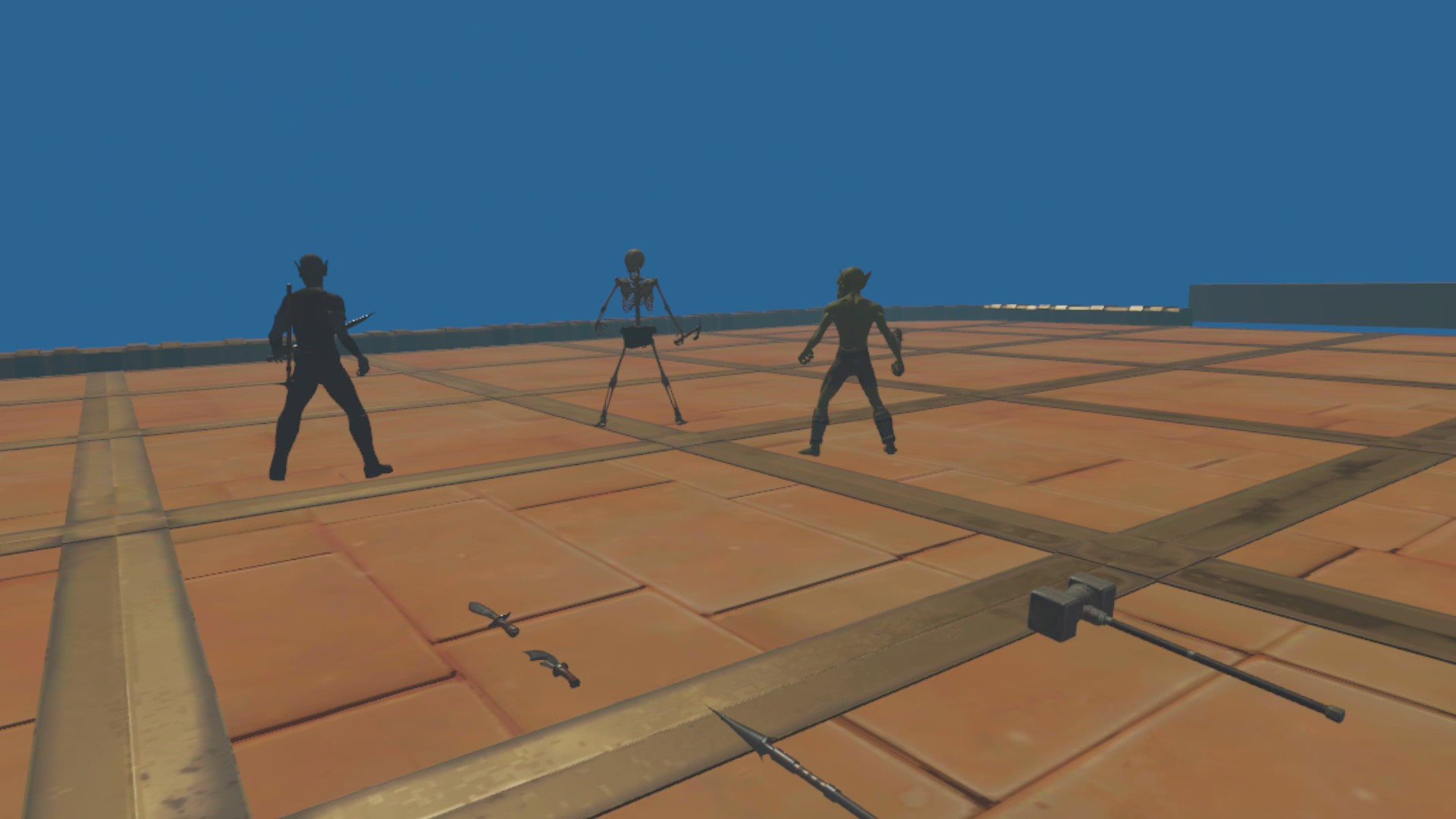
GoTo TestScene1 is a great final cheat option here. TestScene1 is basically the Developer Room for Battle Talent VR. In there is one of every weapon in the game, and a basic Skeleton, Goblin, and Dark Elf for you to beat up. All of them have infinite health, and have their AtkDesire turned off so they won’t fight back. This room is a fun way to test out weapons, or just to infinitely beat up those invincible enemies. You can even make them attack you by using ClosestOpenAI to reset their AI.
There you go, there’s all of the amazing things that you can do in Battle Talent through the Cheat Menu, and how to unlock it.
Battle Talent is a great VR Fantasy Action Game, or whatever you want to call it, but it’s not done yet. It has and is still receiving updates. Also, it’s not only on the Meta/Oculus Quest 2. I tend to emphasize the Quest 2 because I just like not having wires hang from my face, but call me crazy. You can find the demo on Steam as well, also for Free. There are even mods in development for the game. The Developer of Battle Talent is on Twitter as well if you want to hear more about the game.
As always thanks for reading Reality Remake, and have fun in Virtual Reality.