

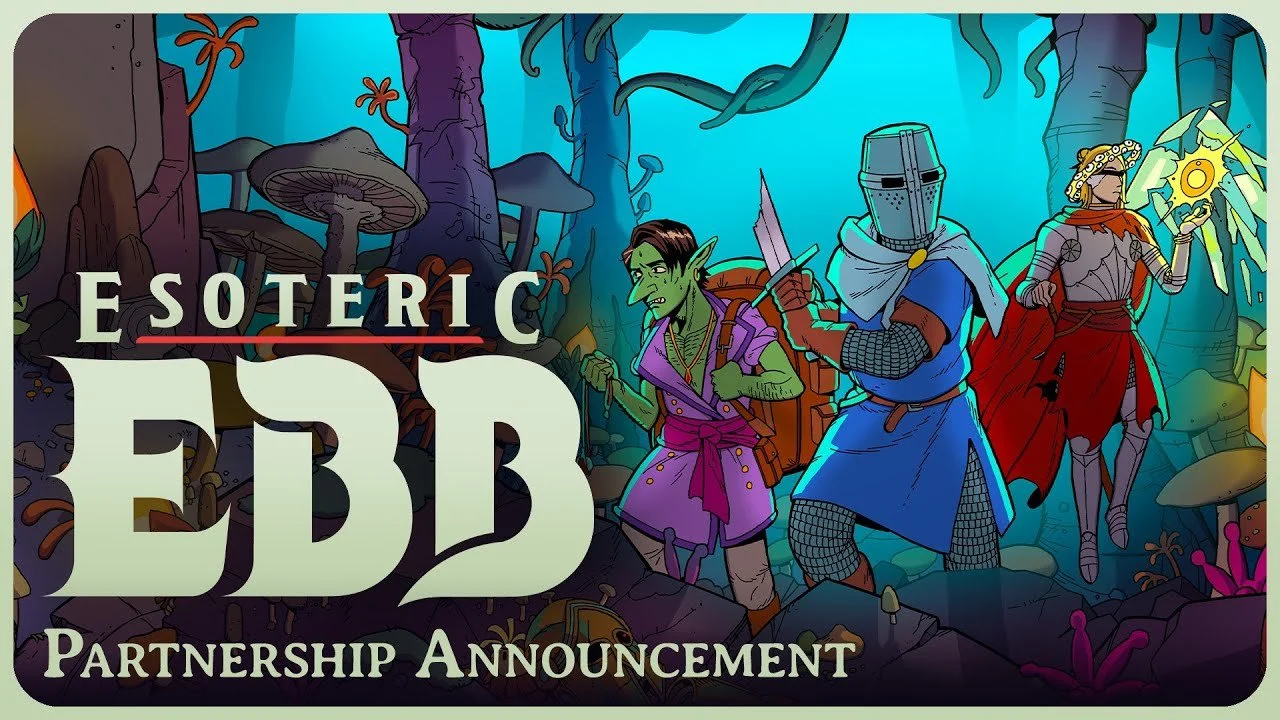
Esoteric Ebb — "An Easy Riddle" (The Sphinx/Olzis Quest): Complete Guide
Solve the Sphinx riddle in Esoteric Ebb the easy way. Learn where to find Olzis, the exact cantrip order to open The Beyond, and the powerful reward waiting inside.
TL;DR
Start: Visit the Drunk Sphinx tavern in Tolstad (in the north of the city, accessible from Tolstad or Pillar Crossing) after 18:00 when it opens, approach Olzis the gynosphinx, and ask for a riddle; her spoken "wine" riddle is the prologue and triggers the quest "An Easy Riddle" along with a Tavern Key.
Complete: The real puzzle is an action riddle solved the next morning — return alone (no companions), enter with the Tavern Key, stand on the stage behind Olzis, and cast cantrips in type order: an Arcane spell (Dancing Light), then a Primal spell (Druidcraft), then a Divine spell (Thaumaturgy). The door opens and you walk into "The Beyond" to grab the reward.
Reward: The Deck of Many Things (a powerful, chaotic artifact), a "Take Root" feat choice (Leyline Hook, Millennia Guardian, Positive Tingle, or Scribble the Margins), and some XP from the Take Root (quite a bit, especially for early game).
Key Info
The quest comes from Olzis, an ancient gynosphinx who sits drinking wine on the stage of the Drunk Sphinx tavern in Tolstad North.
There are two stages: a verbal riddle (answer: wine) and an action riddle (cast cantrip spells of the three magic types in order).
The answer to stage one is wine; you can deduce it automatically by passing an Intelligence check (~DC 10) during dialogue, or simply select "Wine" from a list.
The action riddle is intentionally cryptic — it hints at magic types (ARCANE, PRIMAL, DIVINE), not specific spells.
The puzzle is time- and companion-gated: it must be attempted during the day, before the tavern opens, while completely alone.
Reward is the Deck of Many Things plus a permanent feat and a large XP payout. The whole quest is solvable as early as day two, and the reward is well worth it.
Details
1. How to Get / Start the Quest
Location: The Sphinx, Olzis, is found in the Drunk Sphinx tavern, located in Tolstad (the political hub city), in the northern part of town. The tavern is reachable from Tolstad or the Pillar Crossing and is locked until 18:00 (6 PM), so you can only meet Olzis in the evening on a first visit.
Trigger / prerequisites: There are no hard story prerequisites to start the quest — you simply need to reach the tavern after it opens. Approach Olzis (the massive gynosphinx on the stage) and choose the dialogue option to ask for a riddle ("Do you give out riddles?" / "I wish to prove myself worthy, great sphinx").
Warning: Do not attempt to steal from Olzis — she swats the player across the room for 3d6 HP loss.
The encounter / first riddle: Olzis slams her barrel down and recites a spoken riddle:
"Once I had the sun's favor, my creed 'cling close the wall. Matured in shadows, I've witnessed empires rise and fall. Once left in silence, now the life of the ball. Yet I remain a draught of remembrance. A history's thrall. What am I?"
The answer is wine. If you pass an INT DC 10 check the Cleric deduces it internally with reasoning; otherwise you pick "Wine" from a list of options. Notably, answering wrong is not a failure state — Olzis dismisses you but offers the quest anyway, "citing that you have potential," so the quest advances either way.
Either way she then recites the second (action) riddle and hands you a Tavern Key (which lets you enter during the day):
"Found within the ARCANE flare. Twin tongues of flame that scorch the air. Burrowed deep within the earth, A PRIMAL String to show your worth. Folk and gods in thronging herds, A man DIVINE, alone, howls his words…"
She adds: "The answer is not something you can speak. Return here alone, after sunrise, before the tavern opens." This officially begins the quest "An Easy Riddle," which branches off the main Esoteric Ebb quest line.
2. How to Complete the Quest
The core insight: The second riddle is an action puzzle, not a verbal one. If you ask Olzis for a hint, she slips up and reveals you must perform actions rather than speak an answer. The three capitalized words — ARCANE, PRIMAL, DIVINE — tell you that you must cast one spell of each of the three magic types, in that order.
Prerequisite — acquire the cantrips: You need cantrips covering the magic types. The easiest combination:
Dancing Light (Arcane): Two ways to get it. (a) At the very start in the Lichhouse, interact with the pile of apples near where you find your cloak and choose to eat through the pile. Choosing "Remove the bad apples first" and passing a Wisdom check lowers the upcoming Constitution check (DC 12); succeeding gets you a Dancing Light spell scroll (plus +5 HP and 20 Crowns), which is auto-memorized. (b) Alternatively, find it on a table in the room where you encounter Meek the Mimic.
Druidcraft (Primal): Talk to Nes'Wikkalla ("Nessan") in the Goblin Garden (southeastern part, afternoons only, after 13:00). Pass an Active WIS DC 20 check ("Show your primal attunement"). The DC is steep but can be lowered through conversation; each failure also lowers it by 2 and can be retried. Success teaches Druidcraft and grants major XP.
Thaumaturgy (Divine): A basic Divine cantrip available to the Cleric; alternatively a Divine spell like Cure Wounds works for the Divine "slot."
The steps to solve:
Dismiss all companions. If Snell (or anyone) is with you, the quest will not trigger — the requirement to be alone is strict.
Return to the Drunk Sphinx in the morning/daytime, before the tavern opens, and use the Tavern Key to enter. (On the right side of the stage you can also interact with the wine barrels; Olzis asks Snell to leave if present and moves the barrels.)
Step onto the stage behind Olzis, near the two unlit braziers. (You cannot reach this spot at night, which is why daytime entry is required.)
Cast the cantrips in type order: Arcane → Primal → Divine, i.e. Dancing Light, then Druidcraft, then Thaumaturgy. As you cast, the Cleric narrates and the braziers/vault door react: Dancing Light lights the braziers, and the door dissolves into light.
The vault door vanishes, opening the path to "The Beyond" (also shown as ??? on the map).
Inside The Beyond: The vault is effectively a void. Move forward/right and then up until you reach a chest in the distance. Loot it to obtain the Deck of Many Things — this unlocks an achievement. On pickup the Cleric blacks out and Olzis brings you back to the tavern floor, completing "An Easy Riddle."
Ways to fail / alternates: You cannot truly "fail" the spoken riddle (wrong answer still advances). The action riddle simply won't trigger if conditions aren't met (companions present, wrong time of day, wrong location). You can ask Olzis to repeat the second riddle as many times as you like.
3. Rewards
The Deck of Many Things — A legendary, extremely powerful and extremely dangerous artifact. After completing the quest you can examine it and, pull out up to three cards from it, but be wary, as you may get something positive or something really, really negative. Outcomes include JESTER (permanent advantage), BALANCE (+2/–2 stat trade), GEM (50,000 crowns), and SKULL (a deadly encounter with Death). Make sure to take a manual save before drawing. Reloading a save will not reset which cards you draw.
A "Take Root" feat choice (permanent): Completing this major quest lets you "Take Root" and select one of four feats:
Leyline Hook (Charisma): Magnifies ability-score modifiers on Trinkets — +1 to positive modifiers and –1 to negative modifiers (e.g., a +1/–1 trinket becomes +2/–2).
Millennia Guardian (Constitution): Effects from Potions are doubled.
Positive Tingle (Wisdom): Healing spells use double the number of dice.
Scribble the Margins (Intelligence): Your cleric level is doubled when calculating how many spells you can prepare.
XP: Taking Root on this quest grants a large XP payout.
Story / social: You also earn Olzis's respect, which lowers the difficulty of the later attempt to flirt with her. You can subsequently discuss the Deck of Many Things with her.
Recommendations
Grab both cantrips before going for the riddle. Get Dancing Light early via the Lichhouse apple pile (remove bad apples first to ease the CON check), and get Druidcraft from Nessan in the Goblin Garden in the afternoon (retry the WIS check to lower it).
Do the spoken riddle in the evening, then do the action riddle the next morning, alone. Dismiss Snell/companions before entering, use the Tavern Key, step onto the stage, and cast Dancing Light → Druidcraft → Thaumaturgy.
Save before drawing from the Deck of Many Things. It can massively help or ruin a run. If you want guaranteed value, the cleanest line is to draw JESTER (permanent advantage) and stop, or simply let the deck vanish for a Medium XP boost without risk.
Ready Or Not Best Graphics Settings for Max FPS and Smooth Performance
Ready Or Not can run much smoother with the right graphics settings for FPS, performance, and visibility. Below are the best Ready Or Not graphics settings for max FPS, reduced stutter, smoother gameplay, and balanced visuals.
Ready Or Not can run much smoother with the right graphics settings for FPS, performance, and visibility. Below are the best Ready Or Not graphics settings for max FPS, reduced stutter, smoother gameplay, and balanced visuals.
Basic Graphics Settings
Display Mode
Set Display Mode to Fullscreen.
Fullscreen is the best option for Ready Or Not if you want the most stable performance. Avoid borderless or windowed modes if your goal is maximum FPS.
Resolution
Set Resolution to your monitor’s native resolution.
Use the resolution your display is built for, such as 1920x1080, 2560x1440, or 3440x1440. This keeps the game clear without unnecessary scaling blur.
Resolution Scale
Set Resolution Scale to 100%.
Keeping resolution scale at 100% gives you a clean image while maintaining a good performance balance. Lowering it can improve FPS, but it can also make Ready Or Not look blurry.
Field of View
Set Field of View to 100.
A 100 FOV gives a strong balance between visibility and performance. Going higher may cause visual artifacts, pop-in, or unnecessary visual clutter.
UI Scale
Set UI Scale to 100%.
This keeps the interface clean and readable without making the HUD too large or too small.
Aspect Ratio
Set Aspect Ratio to Fill or 16:9.
Use Fill for a full-screen image that matches your display. Try 16:9 if you prefer a more standard tactical shooter view, especially on ultrawide monitors.
Optiwand and Helmet Camera Settings
Optiwand FPS Limit
Set Optiwand FPS Limit to Disabled.
This keeps the Optiwand camera feed from being restricted by a low FPS cap.
Optiwand Resolution
Set Optiwand Resolution to 100%.
Leaving this at 100% keeps the Optiwand clear without pushing the setting higher than needed. Increasing it too much can reduce performance.
Operator Helmet Camera FPS Limit
Keep the Operator Helmet Camera FPS Limit at a reasonable default setting.
This setting controls the small camera feed that appears when viewing other operators. Do not raise it too high if you are trying to protect your FPS.
Advanced Graphics Settings
Texture Quality
Set Texture Quality based on your GPU VRAM.
Use Low if your graphics card has less than 2GB of VRAM. Use Medium if your GPU has around 4GB of VRAM. Use High or Epic if your GPU has 6GB of VRAM or more.
For most players with a modern GPU, High is the best choice because it keeps Ready Or Not looking sharp while leaving more performance headroom than Epic.
Shadow Quality
Set Shadow Quality to Medium.
Shadows can lower FPS heavily, especially in dark rooms, hallways, and detailed indoor areas. Medium is the best performance-focused setting because it keeps the game readable without the bigger FPS hit from High or Epic.
Post-Process Quality
Set Post-Process Quality to Medium.
If your FPS is very low, drop this to Low. For most systems, Medium gives a good balance between smooth performance and visual quality.
Anti-Aliasing Quality
Set Anti-Aliasing Quality to Off or Low.
Anti-aliasing smooths jagged edges, but it can reduce performance. For the best FPS in Ready Or Not, use Low or turn it off if the option is available.
VFX Quality
Set VFX Quality to Medium.
This helps control visual effects during gameplay. Medium is the best balance because firefights, smoke, lighting effects, and other intense moments can affect FPS.
Ambient Occlusion Quality
Set Ambient Occlusion Quality to Medium.
Medium keeps some visual depth without adding too much extra GPU load.
Reflection Quality
Set Reflection Quality to Medium or High.
Use High if your system can handle it. Use Medium if you want more consistent FPS. High reflections look better, but Medium is safer for performance.
View Distance
Set View Distance to High or Epic.
For most players, High is the best performance option. Use Epic only if your FPS stays stable. Avoid going too low because Ready Or Not benefits from strong visibility during missions.
Performance Settings to Disable
Frame Limit
Set Frame Limit to Disabled.
This lets the game push as many frames as your system can handle. If you prefer a locked experience, you can cap FPS separately, but for maximum FPS, leave it disabled.
Motion Blur
Set Motion Blur to Disabled.
Motion blur should be turned off for the clearest image and smoothest tactical gameplay.
VSync
Set VSync to Disabled.
Keep VSync off for better responsiveness. Only enable VSync if you notice screen tearing and it becomes distracting.
Bounce Lights
Set Bounce Lights to Disabled.
Bounce lights can lower FPS, so keep this setting off for better Ready Or Not performance.
Per Object Shadows
Set Per Object Shadows to Disabled.
This setting can reduce FPS heavily, especially if your PC is not running high-end hardware. Leave it disabled for smoother gameplay.
World Decals
Set World Decals to Enabled.
Leave world decals enabled for normal gameplay visuals.
World Decal Fade Distance
Set World Decal Fade Distance to 100%.
If the setting appears at 99% by default, manually set it to 100%.
Upscaling and Latency Settings
DLSS
Set DLSS to Quality if you are using an NVIDIA RTX GPU.
Quality mode is the best starting point because it improves performance while keeping the image sharp. If you need more FPS, move to Balanced or Performance. Avoid Ultra Performance unless you absolutely need it, because it can make the game look too blurry.
FSR
Set FSR to Quality if you are using AMD or a non-DLSS setup.
Start with Quality first. If performance is still too low, try Balanced or Performance.
DLSS Frame Generation
Use DLSS Frame Generation only if your GPU supports it.
If you do not have a supported RTX 40-series or newer GPU, this setting will not be available.
NVIDIA Reflex
Set NVIDIA Reflex to Enabled.
This is the recommended setting for supported NVIDIA GPUs because it helps improve responsiveness.
| Graphics Setting | Recommended Option |
|---|---|
| Display Mode | Fullscreen |
| Resolution | Native resolution |
| Resolution Scale | 100% |
| Field of View | 100 |
| UI Scale | 100% |
| Aspect Ratio | Fill or 16:9 |
| Optiwand FPS Limit | Disabled |
| Optiwand Resolution | 100% |
| Operator Helmet Camera FPS Limit | Personal preference |
| Texture Quality | High, or based on VRAM |
| Shadow Quality | Medium |
| Post-Process Quality | Medium, or Low for more FPS |
| Anti-Aliasing Quality | Off or Low |
| VFX Quality | Medium |
| Ambient Occlusion Quality | Medium |
| Reflection Quality | Medium or High |
| View Distance | High or Epic |
| Frame Limit | Disabled |
| Motion Blur | Disabled |
| VSync | Disabled |
| Bounce Lights | Disabled |
| Per Object Shadows | Disabled |
| World Decals | Enabled |
| World Decal Fade Distance | 100% |
| DLSS | Quality |
| FSR | Quality |
| DLSS Frame Generation | Enable only if supported |
| NVIDIA Reflex | Enabled |
For the best Ready Or Not graphics settings for max FPS and smooth performance, use Fullscreen, keep Resolution Scale at 100%, set FOV to 100, run Shadows on Medium, keep Post-Process Quality on Medium or Low, turn Motion Blur, VSync, Bounce Lights, and Per Object Shadows off, and use DLSS or FSR on Quality when available.
These settings keep Ready Or Not smooth, responsive, and visually clear without pushing unnecessary graphics options that can lower FPS.
ARC Raiders Loadout Guide for Beginners (Best Builds to Loot, Survive, and Win)
Discover the best ARC Raiders loadouts for beginners. Learn budget, PvP, and hybrid builds to maximize loot, survive raids, and win more fights.
Starting out in ARC Raiders can feel brutal. One bad raid and suddenly your stash is empty, your confidence drops, and you’re questioning every decision you made. Most beginners assume the problem is aim or reaction time—but in reality, it’s usually something much simpler: your loadout strategy.
The players who succeed consistently aren’t always the best shooters. They’re the ones who understand what to bring, when to bring it, and why it matters. After analyzing real gameplay strategies and experienced player insights, one thing becomes clear—success in ARC Raiders is built on using the right loadout for the right situation and keeping what equipment you have in mind in the raid.
In this guide you’ll learn how to think about loadouts the right way, and how to use three core builds to steadily improve your survival rate, profits, and combat effectiveness.
What Is a Loadout in ARC Raiders?
A loadout in ARC Raiders isn’t just your weapon—it’s your entire approach to a raid. Every item you bring in, from your shield to your healing supplies, shapes how you play and how likely you are to make it out alive.
For beginners, this matters more than mechanical skill. A well-balanced loadout gives you room to make mistakes, recover from bad situations, and still extract with something valuable. On the other hand, a poorly planned kit can leave you underpowered, overexposed, or worse—too scared to take any risks at all.
At its core, every loadout should strike a balance between three things: cost, survivability, and combat power.
Most beginners in ARC Raiders don’t fail because of aim—they fail because they bring the wrong gear into the wrong raid.
You either:
Bring too little → can’t defend yourself
Bring too much → lose everything and go broke
The solution is simple: run the right loadout for the right goal.
Below are three exact loadouts you can copy, each designed for a specific purpose:
Making money safely
Winning PvP fights
Handling most raids consistently
These are based on real player-tested strategies and builds.
Keep in mind that there are many different weapons in ARC Raiders to suit different playstyles and you may want to bring something different depending on how your playstyle develops, try new things as you find them. The weapons used here are just good examples to start with.
Loadout #1 — Budget Looting Build (Safe Profit Runs)
This is the loadout you should run when:
You’re low on money
You want guaranteed profit
You don’t want to risk gear
Exact Loadout Setup
Weapons
Primary: Ferro (Level 2+ recommended)
Secondary: Stitcher (base or upgraded)
Shield
Light Shield
Augment
Looting MK2 (priority for inventory space)
Consumables
3–5 Bandages
2–3 Basic Shield Rechargers
1 Adrenaline Shot
2 Smoke Grenades
Utility
1 Raider Hatch Key (day raids only)
How to Play This Loadout
You are not here to fight—you are here to loot and leave.
Run straight to:
Medium-value buildings
Low-traffic areas
Hatch exits if you find good loot early
If you get into a fight:
Use Stitcher at close range
Use smokes to escape
Do NOT chase kills
What This Loadout Does Best
Builds your economy
Removes gear fear
Teaches movement and map awareness
👉 If you’re struggling in ARC Raiders, run this for 5–10 raids straight. Then you’ll have some gear to use for more risky raids.
Loadout #2 — PvP Combat Build (Fight & Dominate)
This is your high-risk, high-reward loadout.
Run this when:
You want kills
You’re confident in fights
You can afford to lose gear
Exact Loadout Setup
Weapons
Primary: Venator 4 (or Bobcat if available)
Secondary: Optional (Stitcher or none)
Shield
Medium Shield
Augment
Mk2 Combat Augment that lets you use a medium shield
(If you can afford it) Tactical MK3 Defensive (or Looting MK3 Survivor)
Consumables
6–8 Bandages
4–6 Shield Rechargers
1 Defib
2 Smoke Grenades
2 Jolt Mines
Ammo
2–3 full stacks of medium ammo if running the Venator. Light ammo for the bobcat, but bring four stacks at least.
How to Play This Loadout
You are actively looking for fights.
Your priorities:
Control positioning
Use cover and angles
Reset between fights with heals
If things go wrong:
Smoke → reposition → heal
Never stay exposed
Key Advantage
This loadout allows you to:
Take multiple fights in one raid
Kill geared players
Extract with high-value loot
⚠️ But remember:
You are now a high-value target that is making a lot of noise and attracting attention. Win a fight, loot quick, and reposition.
Loadout #3 — Hybrid Build (Best Everyday Loadout)
This is the loadout most players should use most of the time.
It balances:
Looting
PvP
Survivability
Exact Loadout Setup
Weapons
Primary: Stitcher (close range)
Secondary: Renegade (mid-range)
Shield
Light or Medium Shield
Augment
Looting MK2 or MK3
Consumables
5–6 Bandages
3–4 Shield Rechargers
2 Smoke Grenades
1 Adrenaline Shot
Ammo
2 stacks (light + medium depending on weapons)
How to Play This Loadout
This is your adaptive playstyle.
Fight when you have advantage
Avoid fights when you don’t
Loot consistently
Use:
Renegade → mid-range pressure
Stitcher → close-range fights
Why This Loadout Works
Handles almost every situation
Not too expensive
Still competitive in PvP
👉 This is your default kit for ~80% of raids
The Simple System to Improve Fast
If you want real progress, follow this loop:
Run Budget Loadout → build money
Run Hybrid Loadout → gain experience
Run PvP Loadout → practice combat
Repeat.
That’s it.
Essential Loadout Strategies for Beginners
Improving in ARC Raiders isn’t about playing faster—it’s about playing smarter.
Many new players fall into the trap of over-investing too early, bringing expensive gear into situations they’re not ready for. This often leads to hesitation, poor decision-making, and ultimately, lost raids. Instead, focusing on consistent, low-risk runs allows you to build confidence and resources over time.
Another major factor is knowing when to leave. Greed is one of the biggest killers in the game. Extracting early with guaranteed profit is almost always better than risking everything for “just one more building.”
Mobility and escape tools also play a critical role. Items like smoke grenades or adrenaline boosts aren’t just optional—they’re often the difference between surviving and losing everything .
Common Mistakes That Hold Beginners Back
A lot of early frustration comes from avoidable mistakes. Bringing in gear that’s too expensive, neglecting healing items, or taking fights that don’t need to happen are all patterns that quickly drain your resources.
Another common issue is misunderstanding your goal. Not every raid is about fighting. Sometimes the smartest move is avoiding conflict entirely and focusing on efficient looting routes, especially in high-traffic areas where other players are likely to converge .
Conclusion
Mastering ARC Raiders doesn’t happen overnight, but it becomes much easier once you understand how to approach your loadouts.
By rotating between a budget build for profit, a PvP kit for combat, and a hybrid setup for consistency, you create a system that supports steady progress instead of constant setbacks.
Over time, you’ll notice a shift—not just in your results, but in your confidence. You’ll stop worrying about losing gear and start focusing on making smarter decisions.
And in ARC Raiders, that’s what truly separates beginners from experienced players.
Is Gunner, HEAT, PC Worth It? Full Gameplay Review for Tank Simulation Fans
A complete Gunner, HEAT, PC review covering gameplay, realism, missions, tanks, graphics, and whether the game is worth buying for PC gamers who love military simulations.
Tank games are surprisingly rare in the modern PC gaming landscape—especially ones that focus on single-player realism rather than competitive multiplayer battles. While many popular tank titles lean toward arcade gameplay or progression-heavy matchmaking systems, Gunner, HEAT, PC takes a different approach.
This game focuses on authentic armored warfare and tactical tank combat, putting players directly in the role of a tank commander during Cold War–era battles. Instead of quick matches and fast respawns, players must think like a real armored unit: using terrain, positioning, and accurate targeting to defeat enemy vehicles.
For gamers who have been searching for a single-player tank simulation experience, Gunner, HEAT, PC offers a unique and engaging cold war battlefield sandbox set primarily in the Fulda Gap in Germany. But does it deliver enough content and quality to justify the price? Let’s take a deeper look.
What Is Gunner, HEAT, PC?
Gunner, HEAT, PC is a military tank simulation game designed around Cold War armored combat. The game emphasizes tactical realism while remaining accessible enough for players who don’t want an overly complicated simulation.
Players take command of various armored vehicles of the late cold war such as the T-72, M60, BMP-2, Leopard 1, and more, and participate in battles that recreate large-scale tank warfare scenarios. The gameplay blends elements of strategy, situational awareness, and precision shooting, making each engagement feel deliberate and intense.
One notable aspect of the game is its development status. The game is currently in early access, meaning it continues to evolve over time with updates and improvements. While the foundation of the game is solid, development is ongoing as the developers refine gameplay systems and expand content.
Gameplay Overview – What It Feels Like to Command a Tank
Taking the Role of Tank Commander
Unlike many arcade-style tank games, Gunner, HEAT, PC places you directly in the role of the tank commander. This means you’re responsible for managing multiple aspects of your vehicle during combat.
Players control:
Driving and maneuvering the tank
Rotating and stabilizing the turret
Identifying enemy vehicles
Targeting and firing weapons
Coordinating with allied units
Because of this, battles require careful decision-making rather than fast reflexes alone.
Realistic Fire Control and Targeting
One of the standout features of the game is its realistic fire control system.
Before firing, players must determine the correct distance to the target using rangefinding tools. If you skip this step, shots may fall short or fly past the target entirely.
This mechanic adds a layer of authenticity that rewards players who take their time to properly aim. Landing a successful shot on an enemy vehicle feels satisfying, especially when precise targeting leads to a catastrophic kill.
Tactical Movement and Positioning
Positioning is everything in tank combat. Charging straight toward enemies is rarely the best strategy.
Instead, players must:
Use terrain such as hills and ridges for cover
Avoid exposing their tank silhouette
Flank enemy vehicles whenever possible
Maintain situational awareness
Spotting enemy tanks before they detect you often determines who survives the engagement.
Tanks and Vehicles Available
Another appealing element of Gunner, HEAT, PC is the variety of Cold War armored vehicles available to players.
Some of the vehicles you can command include:
M1 Abrams – A powerful modern main battle tank with advanced targeting capabilities
M60 – An older American tank that requires more careful handling
T-55 – A Soviet-era armored vehicle often encountered in enemy forces
T-72 – A dangerous enemy tank capable of dealing heavy damage
BMP reconnaissance vehicles – Fast but lightly armored units used for scouting
Each vehicle has different strengths and weaknesses. For example, modern tanks may have better targeting systems and optics, while older vehicles may require more precise positioning to succeed.
Game Modes and Missions
Instant Action Scenarios
Instant Action missions allow players to jump directly into combat without committing to a long campaign.
These missions feature a variety of battlefield objectives such as:
Defending key locations
Supporting infantry units
Destroying enemy armored columns
Conducting reconnaissance missions
Each scenario provides a different tactical challenge and encourages players to experiment with different strategies.
Campaign Mode
The campaign mode offers a broader strategic experience.
Instead of isolated battles, players fight across a series of connected missions where outcomes affect future engagements. The goal is to gradually push enemy forces back while preserving your own resources.
Success in one mission can strengthen your position in the next, creating a sense of progression and tactical momentum.
Dynamic Battlefield Objectives
Throughout missions, players encounter diverse combat situations such as:
Defending villages from armored assaults
Flanking enemy tank formations
Supporting allied units during attacks
Eliminating reconnaissance vehicles
These objectives keep gameplay varied and prevent battles from feeling repetitive. The variety of scenarios is one thing this Gunner, Heat, PC review highlights is a fantastic part of the game. Things do not get stale quickly at all with the variety of scenarios and vehicles to try.
Combat Experience – What Makes the Battles Fun
Tank combat in Gunner, HEAT, PC is slow, tense, and highly rewarding.
Instead of constant action, battles often involve moments of scanning the horizon, searching for movement, and preparing for an enemy encounter. Once contact is made, engagements escalate quickly.
Key highlights of the combat experience include:
Spotting enemy vehicles at long range
Landing precise shots on armored targets
Coordinating attacks with allied tanks
Watching destroyed enemy vehicles erupt into flames
These moments create a sense of realism and intensity that many arcade tank games fail to deliver.
Graphics, Sound, and Atmosphere
Graphics
The graphics in Gunner, HEAT, PC are functional rather than groundbreaking.
While the environments and vehicles look solid, they may not compete visually with modern AAA games. However, the visuals still provide a believable battlefield environment that supports the tactical gameplay.
Sound Design
Sound design plays an important role in immersion.
The game features:
Powerful cannon blasts
Machine gun fire
Distant explosions
Battlefield ambience
These audio cues help players stay aware of nearby combat and contribute to the overall realism of the game.
Immersion
Despite modest graphics, the pacing and mechanics of the game create a strong sense of immersion. The slow buildup to tank engagements mirrors the tension of real armored warfare.
Players must remain alert at all times because a single well-placed enemy shot can end a mission quickly.
Strengths of Gunner, HEAT, PC
The game offers several standout qualities that make it appealing for simulation fans.
Key strengths include:
Authentic tank combat mechanics
Tactical gameplay focused on positioning
Strong single-player experience
Realistic targeting systems
A unique niche in the tank simulation genre
For players who want a more thoughtful and strategic tank experience, these features make the game highly enjoyable.
Weaknesses and Limitations
While the game does many things well, it also has some limitations.
Areas that could improve include:
Limited amount of content compared to large AAA titles
Graphics that feel somewhat dated
Slower development updates
Smaller player community
These issues may not bother hardcore simulation fans, but they can affect the overall long-term appeal.
How It Compares to Other Tank Games
Many tank games focus heavily on multiplayer battles and progression systems. In contrast, Gunner, HEAT, PC prioritizes single-player tactical gameplay.
Instead of grinding upgrades or competing in matchmaking lobbies, players focus on:
Strategic positioning
Realistic combat mechanics
Mission-based objectives
This design makes the game particularly appealing to players who prefer immersive solo experiences.
Is Gunner, HEAT, PC Worth the Price?
The game typically sells for around $30, which places it in the mid-range price category for indie PC titles.
For players who enjoy:
Military simulations
Tactical gameplay
Single-player tank combat
the price can be justified.
However, players who are unsure about the current amount of content may want to wait for a sale or future updates before purchasing.
Final Verdict
Gunner, HEAT, PC delivers a solid and engaging tank simulation experience that fills a niche rarely explored in modern gaming.
While the game isn’t perfect and still has room to grow, it successfully captures the tension and strategy of armored warfare. Players who enjoy thoughtful gameplay, realistic combat mechanics, and single-player experiences will likely find plenty to enjoy here.
For tank simulation fans, Gunner, HEAT, PC is definitely worth keeping on your radar.
Best Hearts of Iron 4 Mods to Make HOI4 Feel Brand New
Even the most dedicated Hearts of Iron IV players eventually reach a point where the vanilla experience starts to feel predictable. After dozens—or even hundreds—of campaigns, the same timelines, political paths, and military strategies can begin to repeat themselves.
Fortunately, the HOI4 modding community is one of the most active and creative in strategy gaming. Instead of simply adding a few extra focus trees or cosmetic tweaks, the best mods completely reinvent the experience. They introduce new timelines, reimagine geopolitics, overhaul economic systems, and even transport the game into entirely different universes.
Even the most dedicated Hearts of Iron IV players eventually reach a point where the vanilla experience starts to feel predictable. After dozens—or even hundreds—of campaigns, the same timelines, political paths, and military strategies can begin to repeat themselves.
Fortunately, the HOI4 modding community is one of the most active and creative in strategy gaming. Instead of simply adding a few extra focus trees or cosmetic tweaks, the best mods completely reinvent the experience. They introduce new timelines, reimagine geopolitics, overhaul economic systems, and even transport the game into entirely different universes.
Some mods rewrite history, imagining worlds where major events unfolded differently. Others move the timeline forward into modern geopolitics or backward into the era of World War I. A few even abandon historical realism entirely, replacing the map, factions, and mechanics with completely new settings.
If you are looking to make Hearts of Iron IV feel fresh again, these total conversion and overhaul mods are some of the best options available. Each one transforms the game in its own way, offering new challenges, deeper mechanics, and entirely different strategic experiences.
Best Hearts of Iron 4 Mods to Make the Game Feel New
1. Kaiserreich: Legacy of the Weltkrieg
Few mods in the HOI4 community are as legendary as Kaiserreich: Legacy of the Weltkrieg. Instead of following the familiar timeline of World War II, Kaiserreich explores a fascinating alternate history where Germany won World War I.
This single divergence dramatically reshapes the entire geopolitical landscape. European alliances are completely different, new political ideologies dominate the global stage, and many nations face unique internal struggles that determine their future.
One of the most impressive aspects of Kaiserreich is its massive amount of narrative and political content. Nations are filled with complex focus trees, branching storylines, and event chains that influence the course of global politics. Internal revolutions, ideological conflicts, and diplomatic crises often shape a country’s destiny long before the first major war begins.
Unlike vanilla HOI4, where wars often start quickly, Kaiserreich emphasizes political decision-making and strategic buildup. Players must navigate domestic instability, factional power struggles, and shifting alliances before large-scale conflicts erupt.
Because so many countries have unique content and multiple political paths, Kaiserreich offers incredible replay value. Every campaign can unfold differently depending on the decisions made by both players and AI nations.
For players who want a new world while still keeping the familiar HOI4 scale and mechanics, Kaiserreich is often considered the best starting point for modded gameplay.
2. Millennium Dawn
If you want to leave the early twentieth century behind entirely, Millennium Dawn provides one of the most ambitious modern-day conversions available.
Set in the early 2000s and extending into the modern era, this mod transforms Hearts of Iron IV into a global geopolitical simulator. Instead of focusing purely on military buildup, Millennium Dawn introduces extensive systems for economics, internal politics, and international diplomacy.
Countries must manage tax policies, national debt, economic investments, and internal political factions. These systems add layers of strategic depth rarely seen in the base game. Managing a nation’s economy becomes just as important as preparing for military conflict.
Another defining feature of Millennium Dawn is the expanded timeline. Campaigns can continue far beyond the typical end date of vanilla HOI4, allowing players to shape their country’s long-term development over decades.
Because nearly every nation on the map is playable, the mod provides enormous flexibility. Players can guide major powers through complex geopolitical crises or attempt to transform smaller nations into influential regional players.
Millennium Dawn is best suited for players who enjoy complex strategic systems and long-term planning. Instead of constant warfare, the experience often revolves around economic management, political stability, and global diplomacy.
For fans of modern geopolitics and grand strategy simulation, it is one of the most comprehensive HOI4 mods ever created.
3. The New Order: Last Days of Europe
While many HOI4 mods focus on expanding gameplay systems, The New Order: Last Days of Europe takes a very different approach. It places a heavy emphasis on storytelling, political choices, and narrative-driven gameplay.
The setting imagines a world where the Axis powers emerged victorious in World War II. Decades later, the world exists in a tense and unstable Cold War environment dominated by authoritarian regimes and ideological struggles.
What makes The New Order truly unique is its focus on political storytelling rather than constant warfare. Players guide their nation through complex social and political developments that shape the direction of their country.
Many campaigns unfold through detailed event chains that explore political reform, economic policies, and ideological conflict. Instead of rushing toward military expansion, players often spend years navigating domestic challenges and shaping their nation's long-term future.
The mod also introduces new political systems, expanded ideological mechanics, and redesigned economic systems, all supported by a distinctive interface and immersive presentation.
Because of its strong narrative focus, The New Order often feels less like a traditional strategy game and more like a political strategy simulation with deep storytelling.
Players who enjoy roleplaying, worldbuilding, and immersive alternate history will find The New Order to be one of the most memorable experiences in the HOI4 modding scene.
4. Old World Blues
While many total conversion mods stay grounded in historical or alternate-history settings, Old World Blues takes the game in a completely different direction.
Inspired by the Fallout universe, this mod replaces the familiar global map with a post-apocalyptic world filled with unique factions, mutated landscapes, and competing wasteland civilizations.
The setting begins in the year 2275, long after nuclear war devastated the planet. Instead of traditional nation-states, the world is populated by factions ranging from technologically advanced enclaves to tribal warbands struggling to survive.
Because the entire map is redesigned, Old World Blues offers a fresh strategic environment unlike anything in vanilla HOI4. Territory control, faction expansion, and regional conflicts shape the wasteland as rival powers struggle to dominate what remains of civilization.
Each faction has its own unique focus trees, technologies, and progression paths, which help reinforce their identity and playstyle. Some groups rely on advanced technology, while others focus on manpower, scavenging, or unconventional warfare.
Despite its completely different setting, Old World Blues still retains the strategic depth that makes HOI4 engaging. The result is a mod that feels both familiar and completely new.
For players who enjoy immersive worldbuilding and unique settings, Old World Blues offers one of the most creative and entertaining total conversions available.
5. The Fire Rises
One of the more recent additions to the HOI4 modding scene is The Fire Rises, a near-future scenario that explores global instability in the modern era.
The mod begins in the early 2020s, portraying a world where international tensions are escalating rapidly. Political polarization, geopolitical rivalries, and internal conflicts threaten to spiral into global confrontation.
Unlike many mods that focus purely on alternate history, The Fire Rises draws inspiration from modern political dynamics and global crises. Nations face difficult decisions as alliances shift, regional conflicts erupt, and global stability begins to collapse.
The gameplay is intentionally challenging. Many nations begin in unstable conditions, forcing players to carefully manage domestic politics and economic pressure before engaging in large-scale warfare.
Another defining feature is the mod’s emphasis on dynamic global conflicts, including proxy wars and escalating geopolitical tensions that can quickly reshape the world map.
Because the setting is so close to the modern era, players often find the experience both immersive and intense. The Fire Rises captures the feeling of a fragile international order slowly breaking apart.
For players who want a modern setting with a darker tone and unpredictable global conflicts, this mod offers a unique and challenging campaign experience.
6. The Great War Redux
While most HOI4 gameplay revolves around World War II, The Great War Redux shifts the timeline back to the earlier conflict that reshaped the twentieth century.
This mod introduces scenarios beginning in 1910 and 1914, allowing players to experience the buildup and outbreak of World War I.
Because warfare during this era was very different from World War II, the gameplay emphasizes attrition, trench warfare, and long-term mobilization. Industrial preparation, manpower management, and logistical planning become essential elements of success.
The mod also introduces new technologies, military equipment, and historically appropriate unit models that reflect the military capabilities of the early twentieth century.
Unlike the rapid armored breakthroughs common in vanilla HOI4, Great War Redux campaigns often revolve around slow advances, defensive lines, and carefully coordinated offensives.
For players interested in experiencing the strategic realities of World War I, this mod offers a compelling alternative to the traditional HOI4 timeline.
7. Red Flood
For players who want something truly unusual, Red Flood offers one of the most experimental alternate-history experiences in the HOI4 community.
Rather than following a single historical divergence, the mod imagines a world where radical ideological movements reshape global politics in unexpected ways. The result is a surreal and unpredictable political landscape filled with unconventional nations and ideologies.
One of the defining features of Red Flood is its expanded ideology system. Instead of relying on the familiar political categories of vanilla HOI4, the mod introduces numerous ideological paths and sub-ideologies that dramatically influence national development.
These ideological options allow nations to follow wildly different trajectories, creating highly unpredictable campaigns where alliances, revolutions, and political transformations constantly reshape the global balance of power.
The mod also features extensive lore, custom artwork, and unique narrative elements that reinforce its distinctive tone.
Because of its experimental nature, Red Flood is often best suited for players who enjoy discovering strange alternate histories and exploring unconventional political systems.
8. Cold War Iron Curtain: A World Divided
For players interested in the geopolitical tensions of the twentieth century’s second half, Cold War Iron Curtain: A World Divided offers a detailed Cold War simulation.
Beginning in 1949 and extending across several decades, the mod focuses on the long-term rivalry between major global powers during the Cold War.
Unlike traditional HOI4 gameplay, which often revolves around rapid military escalation, Iron Curtain emphasizes diplomacy, ideological competition, and economic management.
Players must navigate complex international relationships, manage economic policies, and balance global tensions as rival blocs compete for influence.
The mod also introduces large technology trees spanning decades of development, allowing nations to progress through military and technological advancements over long periods of time.
Because of its complexity and long campaign timeline, Iron Curtain is best suited for players who enjoy deep strategic planning and political management rather than constant warfare.
Quick Comparison of the Best HOI4 Mods
Each of these mods offers a different way to reinvent Hearts of Iron IV.
Players who enjoy large-scale alternate history and massive replayability will likely find Kaiserreich to be the most balanced and accessible option. Those interested in modern geopolitics and complex economic systems may prefer Millennium Dawn.
For story-driven campaigns and immersive worldbuilding, The New Order stands out as one of the most narrative-focused experiences available. Meanwhile, Old World Blues provides a completely different setting for players who want to leave traditional history behind.
If you prefer a near-future crisis scenario, The Fire Rises offers intense geopolitical conflicts and high difficulty. For historical enthusiasts, The Great War Redux provides a compelling World War I experience.
Meanwhile, players looking for something unusual and experimental can explore the strange alternate-history world of Red Flood, while Cold War Iron Curtain offers a detailed simulation of Cold War geopolitics.
Final Verdict
The best Hearts of Iron IV mods succeed because they transform the familiar mechanics of the game into entirely new strategic experiences. Whether by rewriting history, exploring modern geopolitics, or introducing completely new worlds, these mods keep HOI4 fresh even after hundreds of hours of gameplay.
Among them, Kaiserreich remains one of the most universally recommended mods thanks to its massive amount of content and strong replay value. Millennium Dawn offers unmatched depth for players who enjoy modern geopolitical strategy, while The New Order stands out for its storytelling and narrative-driven gameplay.
Meanwhile, Old World Blues, The Fire Rises, The Great War Redux, Red Flood, and Cold War Iron Curtain each provide unique twists that can completely change how the game feels.
Ultimately, the strength of Hearts of Iron IV lies in its incredible modding community. Thanks to these ambitious projects, the game continues to evolve years after its release—offering new worlds, new challenges, and countless new stories for strategy fans to explore.