

13 Best VR Rhythm Games And VR Music Games To Jam Out To
Who doesn’t love music? Who doesn’t love music… and VR? Well these VR Rhythm Games are also VR Music Games that have huge collections of fantastic music and beats for you to play along to. Since you get to use your whole body in Virtual Reality there are a ton of great ways to enjoy music and rhythm in VR by actually moving your body along with the music. VR Rhythm Games and VR Music Games are a great way to enjoy music and move along with it.
All of these games have fantastic music and encourage rhythm in their gameplay. These are the Best VR Rhythm Games and VR Music Games.
Who doesn’t love music? Who doesn’t love music… and VR? Well these VR Rhythm Games are also VR Music Games that have huge collections of fantastic music and beats for you to play along to. Since you get to use your whole body in Virtual Reality there are a ton of great ways to enjoy music and rhythm in VR by actually moving your body along with the music. VR Rhythm Games and VR Music Games are a great way to enjoy music and move along with it.
All of these games have fantastic music and encourage rhythm in their gameplay. These are the Best VR Rhythm Games and VR Music Games.
Pistol Whip - VR Rhythm Games And VR Music Games

The Pistol Whip Logo
Pistol Whip is an absolute classic VR Rhythm Game because of its fantastically unique premise and expertly designed and tailored levels. With a variety of intense music to choose from, Pistol Whip quickly established itself as one of the premier VR Rhythm Games.
In Pistol Whip you are a John Wick style one person army who is attacked by waves of enemies as they spawn in front of you, run to a position, and then shoot at you. You’ve got to shoot them and dodge the bullets that they shoot at you You’re constantly propelled forward through the level and so the enemies keep spawning and you keep going forwards whether or not you can keep up.
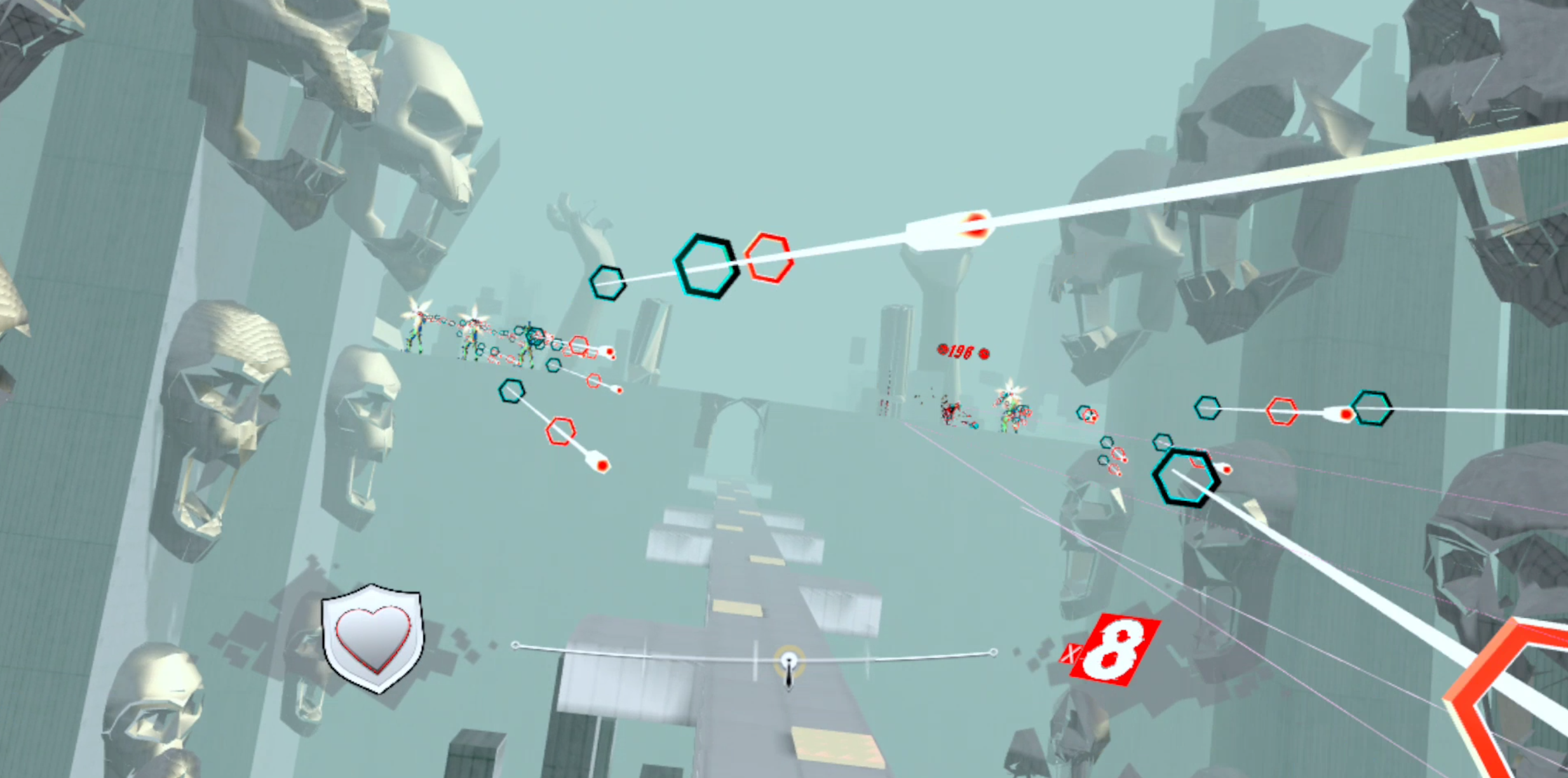
A ton of bullets incoming in Pistol Whip
Each level is unique and accompanied by its own track from a fantastic selection of mostly synth inspired music with a lot of bass. The music pairs so well with the gameplay, and that is what makes Pistol Whip one of the top VR Music Games. It’s also a VR Rhythm game because you are rewarded with a higher score for shooting enemies on the beat. Oh, and you’ll also need to dodge walls from time to time.
When you get into the groove of Pistol Whip, it’s a fantastic feeling. Ducking and dodging while you snap off shots is incredible, you might even feel like John Wick. The Rhythm and Music combine very well in this mixture between bullet hell and rail shooter that makes for a fantastic VR rhythm game. Oh, and if you’re considering exercise in Virtual Reality as well then Pistol Whip can make for a great workout.
Beat Saber - VR Rhythm Games And VR Music Games

The Beat Saber Logo
What list of VR Music Games or VR Rhythm Games would be complete without Beat Saber? If you’ve ever heard of VR gaming before then you’ve probably heard about this game, and for very good reasons. Beat Saber was an early innovator just like Pistol Whip, but with a much wider selection of music and the ability to add your own custom maps.
In Beat Saber you stand still as blocks of different colors come towards you. Each of your hands is holding a saber made of light, a lightsaber basically. You have to swing the appropriately colored saber to hit the same colored block in a direction that matches the symbol on the block. Sounds easy, right? Well it gets less easy when the blocks are flying at you at what seems like a hundred miles an hour, and then you also have to dodge out of the way of walls of light.

Smashing blocks in Beat Saber
Beat Saber is considered a classic for good reason, and is even considered to be good exercise by many. Overall this game is a fantastic VR Rhythm Game and VR Music Game for its wide range of musical options and gameplay that makes you move with the beat.
Moon Rider - VR Rhythm Games And VR Music Games

The Moon Rider Logo
Want Beat Saber with a different look and different songs? Then try Moon Rider, it’s also a very well made game, but lacks a bit of the distinct look that Beat Saber has. Still, if you’re a huge Beat Saber fan and want something similar, give Moon Rider a look.
Oh, and Moon Rider is free and includes a punching mode as well! You can also just chill as the music is visualized around you. It’s a great experience. Moon Rider can be played through their website.
Ragnarock - VR Rhythm Games And VR Music Games

The Ragnarock Logo
Want to be a Viking in your VR Rhythm game? Well that’s what you are in Ragnarock, a VR Music game where you are the drummer aboard a Viking longship.
In this VR game you have to beat drums to go along with the beat of the song that you’re playing, and instruments don’t get much more rhythmic than the drums. This is an excellent use of VR motion controls as you guide your huge Viking hammers to beat the drums along with the beat of the song.
Ragnarock combines this fun premise with some inspired visuals as you sail down idyllic waterways through ancient forests and ruins. More than most other VR Music games, Ragnarock uses interesting environments to create a unique backdrop to the gameplay that matches its premise.
It’s a ton of fun, and can be awfully hard, but if you master it you feel like a true rockstar as you hit your drums to match the runes floating towards them.
Audioshield - VR Rhythm Games And VR Music Games

The Audioshield Logo
Audioshield doesn’t involve shooting like Pistol Whip, or hitting things to a beat like Beat Saber, but it does match your actions in the game to the music you are listening to very well. In Audioshield the music takes the form of these differently colored blobs that fly at you.

Blocking in Audioshield
Just like in Beat Saber, in Audioshield you need to match the color of those blobs with the color of the shields on your arms to block them. Instead of attacking something, you’re defending, but that doesn’t make Audioshield a passive experience. It can be really intense, even in the world of VR Rhythm games.
You will even have to combine your shields together sometimes to block certain blobs, though it does lack the need to dodge and duck out of the way occasionally that Beat Saber and Pistol Whip bring to the table. Still, Audioshield is a good time and makes it easy to import your own music into the game. Audioshield will automatically create a map to match the track you’ve imported, so in this VR Music game you can very easily add your own music to jam out to.
OhShape - VR Rhythm Games And VR Music Games

The OhShape Logo
If you want VR Rhythm games that are more focused on whole body movement and dancing along to the beat, then OhShape is what you’re looking for. Instead of just swinging your arms or playing an instrument, OhShape has you moving your whole body to complete the level.
In OhShape a number of obstacles fly at you to accompany the rhythm of a wide range of upbeat and intense musical tracks. You have to move your body so that you fit into the shape made by walls, or dodge completely out of the way of big yellow blocks. There are also coins to collect for bonus points.

An incoming wall in OhShape
Just like in many of these VR Music Games, the different obstacles fly towards you to go along with the beat. When you hit your stride and start to dodge obstacle after obstacle, collect the coins, and fit your body into the walls that rush towards you then you end up doing a sort of dance.
OhShape is really a VR Dancing game as well as a VR Rhythm game, and just like any good dance the movements of your body that the game has you doing go along very well with the music.
Maestro VR - VR Rhythm Games And VR Music Games

The Maestro VR Logo
Maybe you want a calmer VR Music game experience. A more classical musical journey to enjoy in VR. Well then get ready to conduct your own orchestra in Maestro VR.
In this VR Music Game you are the maestro, and you must use both of your hands to conduct an orchestra of classical musicians to a number of great classical music pieces. You determine the tempo of the song, but also must use your off hand to instruct the musicians to crescendo, diminuendo, or begin playing.
Maestro VR can be hard to get a handle on… because being a conductor is actually really difficult. Though that’s only a skill issue as the controls are very responsive, and the feeling of getting a knack for the job and really mastering the music feels fantastic. You really do feel like you have your own orchestra in this VR Music Game.
There is also a very similar game called Maestro: The Masterclass on the Oculus App Lab.
Smash Drums - VR Rhythm Games And VR Music Games
The Smash Drums Logo
Want to be a drummer, but don’t have a drumkit? Well then Smash Drums is a very guided VR Drumming experience. You have to hit the notes by hitting the appropriate piece of the drum kit as those notes appear, kind of like Guitar Hero but for drums. Though unlike the drumming version of Guitar Hero, you can play Smash Drums in VR and don’t need to invest all that money and space into a physical drumkit.
While hitting VR drums will always lack the tactile feedback of hitting a physical object like with a real drumkit, Smash Drums does a great job of taking the Guitar Hero formula of varied songs, increasing level difficulty, and satisfying beats and notes to hit in this VR Rhythm game.
Keeping the beat and hitting the notes feels as satisfying as it ever did, and Smash Drums is a great addition to the catalog of VR Music games by taking a classic, putting it in Virtual Reality, and executing on its gameplay very smoothly and very well.
AUDICA - VR Rhythm Games And VR Music Games

AUDICA is a lot like Pistol Whip in that, instead of playing an instrument, you’re shooting guns along with the rhythm. What differs it from Pistol Whip is that in AUDICA you’re not shooting at waves of faceless enemies and dodging their projectiles, you’re shooting at the actual beats of the song.
You’ve got two guns of different colors, and as targets fly towards you, you have to shoot at them with the gun that is their color to get points. Though AUDICA becomes a lot more involved than that very quickly. This VR Music game is great because of how the targets are chained together, sometimes you will shoot one and a long line of other targets will appear behind it in rapid succession that you have to gun down with rapid fire.

Shooting targets in AUDICA
All of these targets appear with timing that matches the rhythm of the song, and so the experience is still kind of akin to playing an instrument in that it requires precise timing, but it still has the physical actions of a VR shooting game while being more closely tied to the music itself than Pistol Whip is. Though it lacks the dodging and constant reactiveness needed by Pistol Whip.
There’s even big grey blobs that fly towards you that you need to smash away to break up the song. AUDICA is another fresh take on the genre to add to the list of VR Music games, and is great for being unique but also familiar enough to easily get the hang of.
Synth Riders - VR Rhythm Games And VR Music Games

The Synth Riders Logo
Synth Riders definitely has a lot of synth music in it, and often feels like you’re… riding a train of some kind. It’s a difficult feeling to describe.
In Synth Riders your hands are balls of different colors, and balls of different colors fly at you. You need to match the your hand of one color to the balls of the same color as they come at you, oh and sometimes the balls are yellow and you need to combine your hands. If you’ve been reading every game on this list so far this doesn’t sound very special, does it?

Smashing spheres with spheres in Synth Riders
Well what Synth Riders brings to the table is a very fast pace right out of the gate, and some of the most intense synthetic music of any of these VR Music games. While the premise of Synth Riders is the same as many others, it differentiates itself by its dedication to synth music and level design.
Instead of moving your hand quickly to chop a block, shoot an enemy, or block a block like in other titles on this list, Synth Riders feels like doing an airplane impression with your hand by gliding it along the line of balls that you’re meant to hit. The levels have a flow to them that’s a little bit like doing Tai Chi. Your hands flow and hit the balls, and while the levels emphasize rhythm less than these other VR Rhythm games, Synth Riders has a very unique feel to its gameplay. Oh, and the cyberpunk city levels look very cool.
Audio Trip - VR Rhythm Games And VR Music Games

The Audio Trip Logo
Want Synth Riders but with different music made by a different studio? That’s Audio Trip, it’s more of the same sort of gameplay with very similar gameplay rhythms to Synth Riders, and which one is better comes out mostly to personal preference. If you only want to try one, then try whichever one looks cooler, or if you like triangles more than spheres go with Audio Trip.
Against - VR Rhythm Games And VR Music Games

The Against Logo
Out of all VR Rhythm games on this list none combines a setting and story so closely with the music and levels as well as Against does. The gameplay is also phenomenal and constantly changes itself to be fresh and completely different, even in the same level.
In Against you are a detective who is on the trail of the powerful Dr. Vice. The game explains its story with comic book style panels that flash in front of you as the story goes on. It’s nothing that will blow your mind, but does add to the levels to give you a sense of progression through them, and the art style feeds into the look of the game.

Fighting demonic crooks in Against
Each level in Against is, as you might expect in a VR Music game, accompanied by a fantastic soundtrack. At points you stop and at points you glide forward, and you are almost constantly assaulted by a tide of enemies. From regular crooks wielding crowbars, to evil looking crooks wielding shotguns, and even demonic snakes, there are a ton of threats to overcome in Against.
You overcome them by slashing, shooting, and punching to the music as your enemies charge towards you and attack. In that way its kind of like Pistol Whip, but with an entirely different musical selection and an interesting noir art style. Though what differentiates Against from these other VR Rhythm games is how your weapons change. Sometimes during a level you will pause and you gain a different weapon to use.
So your entire style of fighting through the level can change right in the middle of it. One minute you’re shooting, and the next you’re punching or slashing. It’s a ton of fun and keeps the gameplay constantly fresh. Oh, and there are wall runs and fantastic jumps. You have a lot of options for what way you want to advance forward in the level. That choice elevates Against to a whole new level of VR Rhythm.
Paradiddle - VR Rhythm Games And VR Music Games

The Paradiddle Logo
Want a less gamey and realistic VR Drumming game? Well then Paradiddle is the VR Music game for you.
In Paradiddle it’s just you, the music, and a drumset. You can choose to play the drums with no notes or music to tell you what to do, just jam with no scores and no gaminess. Though if you don’t know any of the songs and you’re not a professional drummer you can still play Paradiddle in the classic Guitar Hero style mode with notes telling you what piece of your drumset to hit just like in Smash Drums.
While Paradiddle looks less impressive visually, it does benefit from a more expanded music catalog and most importantly a larger drumset for you to use. It’s a more in depth sort of VR Rhythm game when compared to Smash Drums, and comes more highly recommended if you’re considering using VR to learn how to drum for real, or want a deeper and harder to master experience than Smash Drums.
Well those are the 13 best VR Rhythm games and VR Music Games. If you want to jam out in Virtual Reality then you’ll definitely find something you will love here. Enjoy!

Grimlord Is An Awesome Dark Souls VR Game
Have you ever wanted a true Dark Souls VR or Elden Ring VR experience that didn’t rely on janky mods for games not really built for VR? Well then look no further, because Metalcat Studio has just released a Dark Souls VR game that is built from the ground up for Virtual Reality. It’s called Grimlord, and wow does it have everything you might want in a Dark Souls VR game. Here we’re going to talk about how Grimlord takes inspiration from Dark Souls and how it plays in VR. This is Grimlord, the best Dark Souls VR experience out there.
Have you ever wanted a true Dark Souls VR or Elden Ring VR experience that didn’t rely on janky mods for games not really built for VR? Well then look no further, because Metalcat Studio has just released a Dark Souls VR game that is built from the ground up for Virtual Reality. It’s called Grimlord, and wow does it have everything you might want in a Dark Souls VR game. Here we’re going to talk about how Grimlord takes inspiration from Dark Souls and how it plays in VR. This is Grimlord, the best Dark Souls VR experience out there.
Dark Souls VR - Grimlord’s World
If you like the intricate world building and cryptic mysteries that accompany any Dark Souls game, then you’ll find that all over Grimlord.

A cool view in Grimlord
The oppressive feeling of decay that accompanies any of From Software’s Dark Souls titles is just as obvious here in Grimlord’s take on Dark Souls VR. Everything is old and crumbling. Most of your enemies are gross zombies that look like they’re a thousand years old, though not all of them are. Especially as you go further on, you’ll see a lot of very normal looking archers and knights, who as you might guess are a lot quicker and deadlier than the dusty zombies you’ll also be fighting a lot.
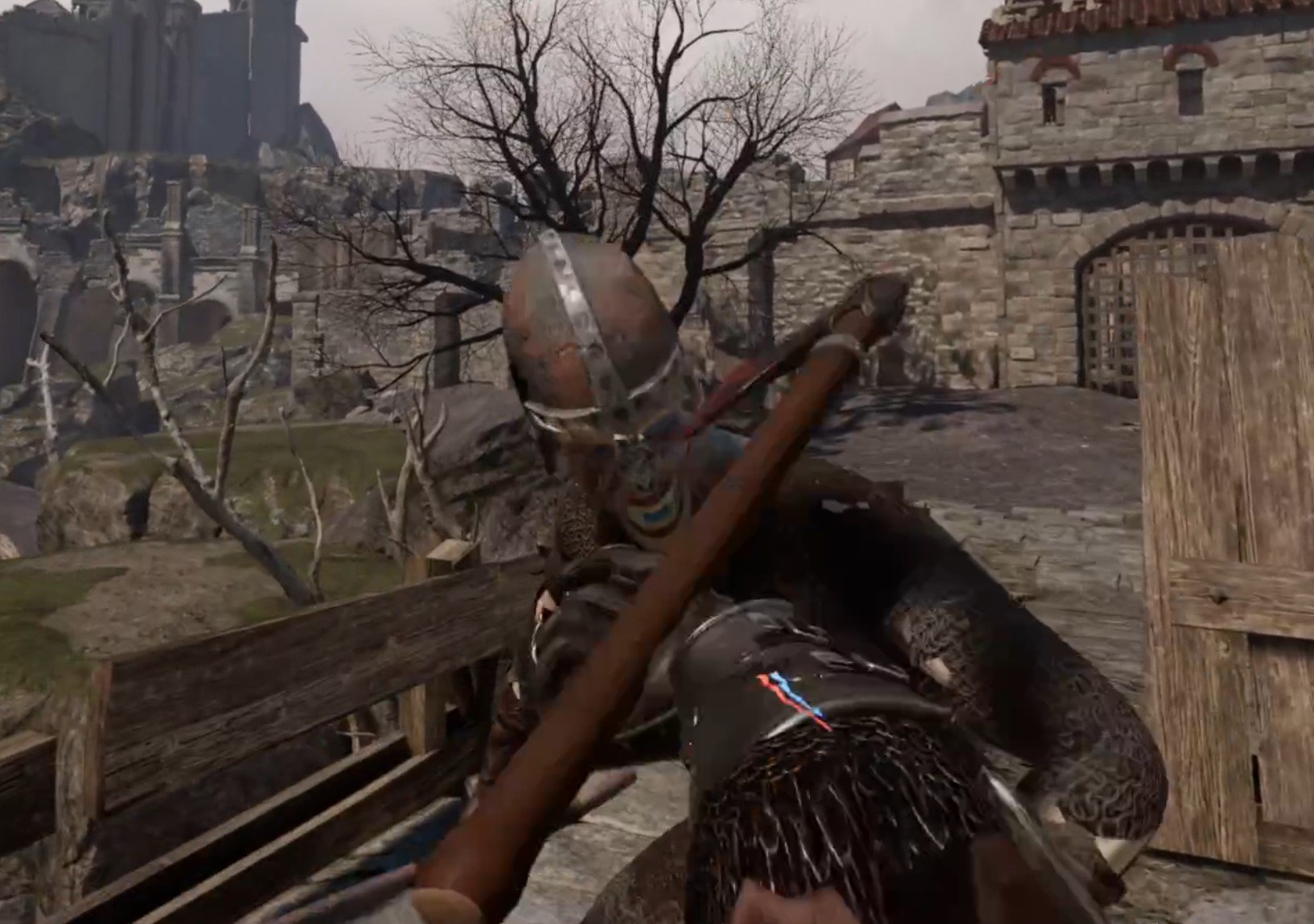
Axing an enemy in this Dark Souls VR game
The lesson that Grimlord takes from Dark Souls in this Dark Souls VR game more than anything else is the sense of scale. In the first location, a huge castle with a large keep at the top, you can see the very top of the map even from where you spawn in outside of the walls. Just like in any Dark Souls game you can see the places that you can head towards early on, and you can go to those places.

A keep in the distance in Grimlord
The further and further you fight your way through the castle then the closer you can see the keep become. You can even look back on the first areas of the castle and see far you’ve come. It’s a great effect, and made all the greater from how decayed everything looks. That sense of ancient wonder and grand but old things even comes to the dialog.

This guy is very cryptic… but he does reveal some things
The characters sound cryptic and almost not human. Even the woman who sells you upgrades to your character sounds like she’s reading an old poem every time you talk to her to get a new upgrade. Characters talk about old heroes, some of which you end up fighting, and the conflicts that you have somehow found yourself a part of. It’s great, and feels just as strange and otherworldly yet familiar as the setting of any Dark Souls game.
Dark Souls VR - Grimlord’s Progression
Just like in Dark Souls, this Dark Souls VR game has a similar sort of progression system, or at least the progression accomplishes the same feeling that Dark Souls games do. If you perish then your “matter” is where you were where you fell, ready to be picked up. You gain “matter” like you would souls in a Dark Souls game, by defeating enemies and bosses. Though if you perish again while your matter is sitting on the floor it is gone for good.
You, of course, need matter to buy upgrades and forge new weapons. So it’s important to not lose.

Picking Matter back up in Grimlord, the Dark Souls VR equivalent of souls
This is the classic Dark Souls formula, now in VR. This is what makes each run feel so tense and difficult. The penalty for failure can be pretty large, and you’re also encouraged to spend your matter on character upgrades or new items as soon as you can. If you’re stuck on a boss, then you can farm enemies until you have enough matter to get a level or two and try the boss again.

The first boss in Grimlord
The progression of weapons that you can use is one of the key differences between Grimlord and Dark Souls. You do find some weapons just laying around, but mostly you find pieces of paper with weapon plans on them for new parts. It could be a new handle, or a blade, or anything that you could put on a weapon. Bosses even drop unique weapon pieces.

Getting a unique weapon piece from a boss
Finding these scraps of paper means that you can go back to the blacksmith and use those new pieces to forge a new piece of equipment, which is a fun system. The only downside is that the act of finding a piece of paper for a new crossguard or handle isn’t exactly as exciting as finding a whole new piece of gear.
Sure it’s more manageable than having to lug about a ton of different weapons in Virtual Reality, but it’s certainly not as exciting. You have to find materials for equipment as well as the knowledge of the parts to make up that new piece of equipment. Forging a new axe or sword or whatever you want to make is a great feeling though.

Forging a new axe in Grimlord. There are a lot of customization options in this Dark Souls VR game
There is magic too in Grimlord, and to use it you’ll need a magic staff that you can craft as well as knowledge of what runes you can draw to do that magic. Yep, instead of just hitting a button to cast a spell, you need to physically draw the rune that casts that spell. This is not only very nerve wracking when you’re in the middle of combat, but a great way to incorporate Virtual Reality controls into a magic system in Dark Souls VR.

Casting a spell with a magic staff in Grimlord
There’s archery too, but it lacks the excitement of the other systems since archery has been done to death in VR, though without archery it would feel like Grimlord is really lacking a key system.

Shooting an arrow at a dummy
Dark Souls VR - Grimlord’s Combat
The progression, of course, feeds into the combat of Grimlord, and just like in Dark Souls, combat is the core of this VR Dark Souls game. There are a lot of VR fighting games out there, and Grimlord does have a different feel to a lot of those.

Blocking an attack with a shield
While there is occasionally some jankiness with collisions of weapons and enemies, it’s overall a very well done system. More than anything else it feels different because Grimlord encourages a more thought out and formulaic approach to combat encounters that rewards clear thinking and strategy. Just what you would expect from a Dark Souls VR game that takes inspiration from the From Software titles.

Axing another zombified enemy in Grimlord
Enemies and Bosses have preset moves and animations that you will recognize over time, and so can learn to dodge or block as they come at you. Fighting a single enemy is rarely difficult, with the exception of bosses because of their large health pools and devastating attacks. A lot of the difficulty comes from fighting groups of enemies.
Just swinging your sword around haphazardly and not concentrating on defense as well as offense will not end well for you, and you need to carefully pick your opportunities between enemy attacks to get some swings in. The only downside is that the game, for now at least, lacks enemy variety. There are some interesting enemy types that get mixed and matched well in the different environments of the game, but the same enemies are repeated so often that they eventually start to get boring.
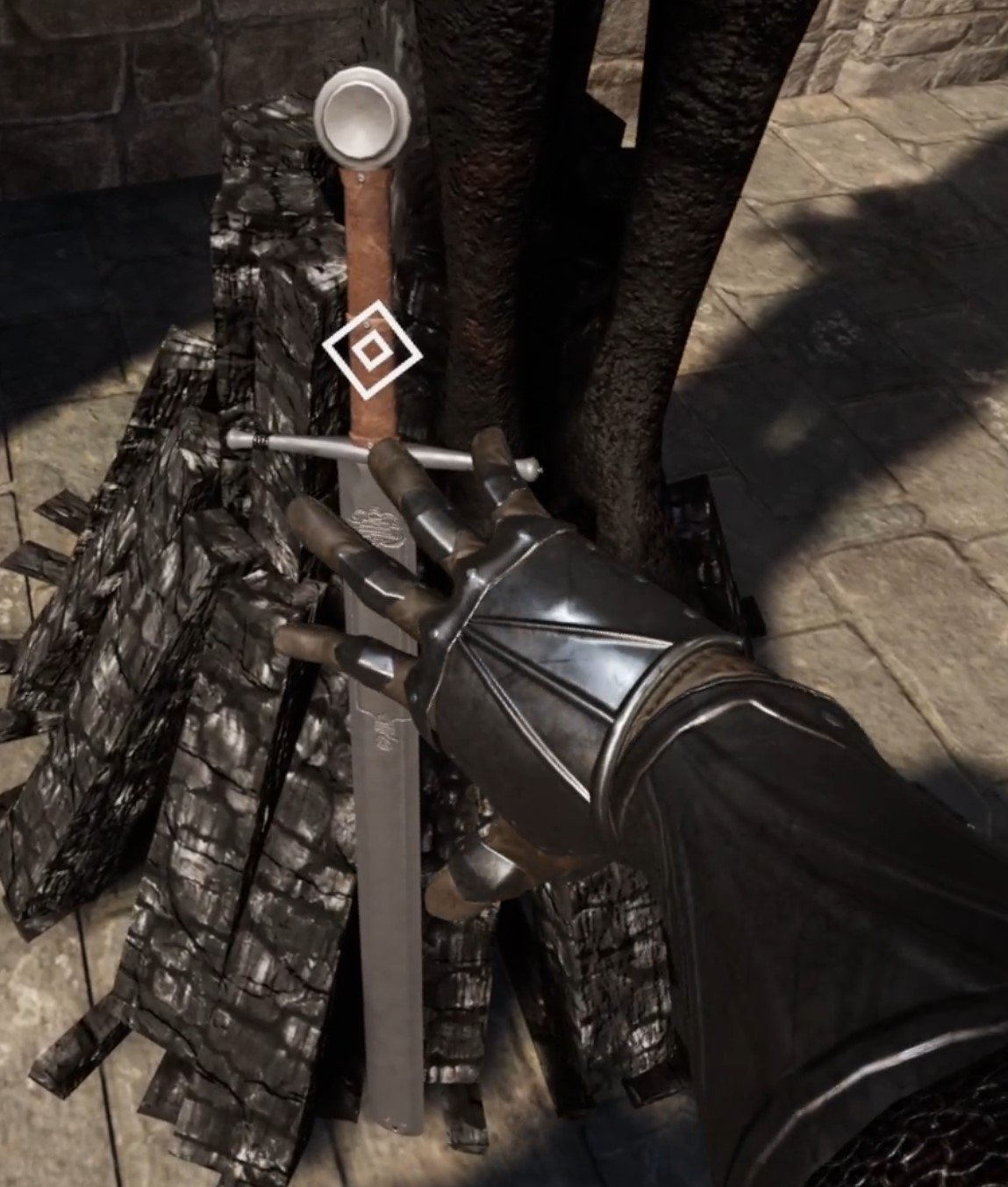
Finding a complete new weapon in Grimlord, a rare event
It can be easy for a Virtual Reality fighting system to devolve into a hack and smash fest where you can win by swinging your arms very fast, and Grimlord rarely has that problem. So overall it’s a good combat system, though some more development time will be needed to get the variety of enemies that can make it really shine.
Dark Souls VR - Grimlord Conclusions
While Grimlord clearly takes a lot of inspiration from the Dark Souls and Elden Ring games, which we’ve repeated here a lot, it is very much its own experience. It is differentiated more than by just the fact that it is in Virtual Reality. Grimlord has its own world and lore which is cryptic but interesting, and the encounters and enemy variety not only incorporate Virtual Reality well, but aren’t simply carbon copies of other games.
If you’re a fan of VR fighting games, or a fan of the Dark Souls series of games, then you’ll be happy with Grimlord. Even if you’re not and just want something to swing your arms at in exciting combat, then you’ll still find a lot to enjoy in Grimlord, which has a story and progression focus that most VR fighting games lack. Unlike a lot of them, Grimlord is not yet another sandbox in the vein of Blade & Sorcery.
A Virtual Reality fighting game that doesn’t rely on you to make your own fun and presents you with carefully designed combat encounters is, for now at least, a rare gem, and deserves to be enjoyed on its own merits as such.
Grimlord is available on Steam for PCVR, but does have a Quest release planned for standalone VR gamers. Enjoy!

Contractors VR Battle Royale Announced! - Contractors Showdown Announcement
The developers of Contractors VR over at Caveman studios have announced that they are working on a Battle Royale mode called Contractors Showdown. This Contractors Battle Royale mode offers a ton of great new possibilities for the game, and also mirrors the development of flatscreen games in the genre. First let’s talk about what will be introduced in Contractors Showdown, the new Contractors VR Battle Royale gamemode, and then get into what this might mean for Caveman Studios and Contractors VR going forward.
The developers of Contractors VR over at Caveman studios have announced that they are working on a Battle Royale mode called Contractors Showdown. This Contractors Battle Royale mode offers a ton of great new possibilities for the game, and also mirrors the development of flatscreen games in the genre. First let’s talk about what will be introduced in Contractors Showdown, the new Contractors VR Battle Royale gamemode, and then get into what this might mean for Caveman Studios and Contractors VR going forward.
Contractors VR Battle Royale - What Is Coming
So, details are a little sparse, but we do know that Contractors Showdown is planned to launch in 2024 on all Major VR platforms. It will be a battle royale in every sense of the word. While the amount of players that will spawn into each map is unknown for now, from the trailer we can see three Contractors characters getting ready in a plane. This suggests that the Contractors Battle Royale game mode will feature teams of three players who will jump into the map from a plane, as with so many other battle royale games like PUBG and Call Of Duty: Warzone.
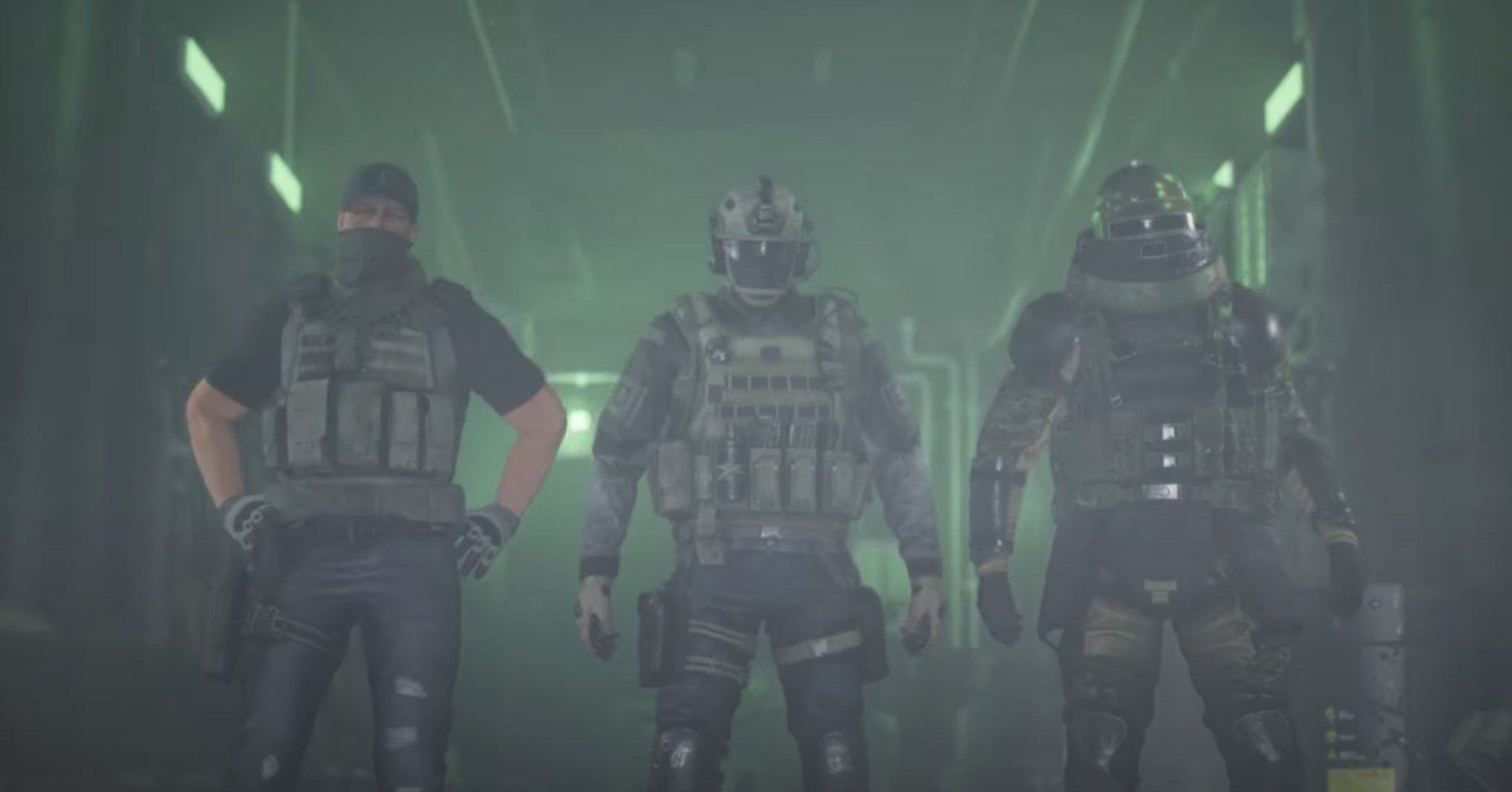
A screenshot from the Contractors Showdown trailer, which shows three contractors getting ready on a plane
While the teaser trailer released by Caveman Studios doesn’t offer much else in the way of solid information, there is also a new page on the contractors website that gives a few blurbs about the battle royale game mode. It will take place on an abandoned and ruined looking island. Just like in any other battle royale, you will need to loot equipment from the island to fight other players with in Contractors Showdown. Solo play also seems to be a possibility, not just teams.
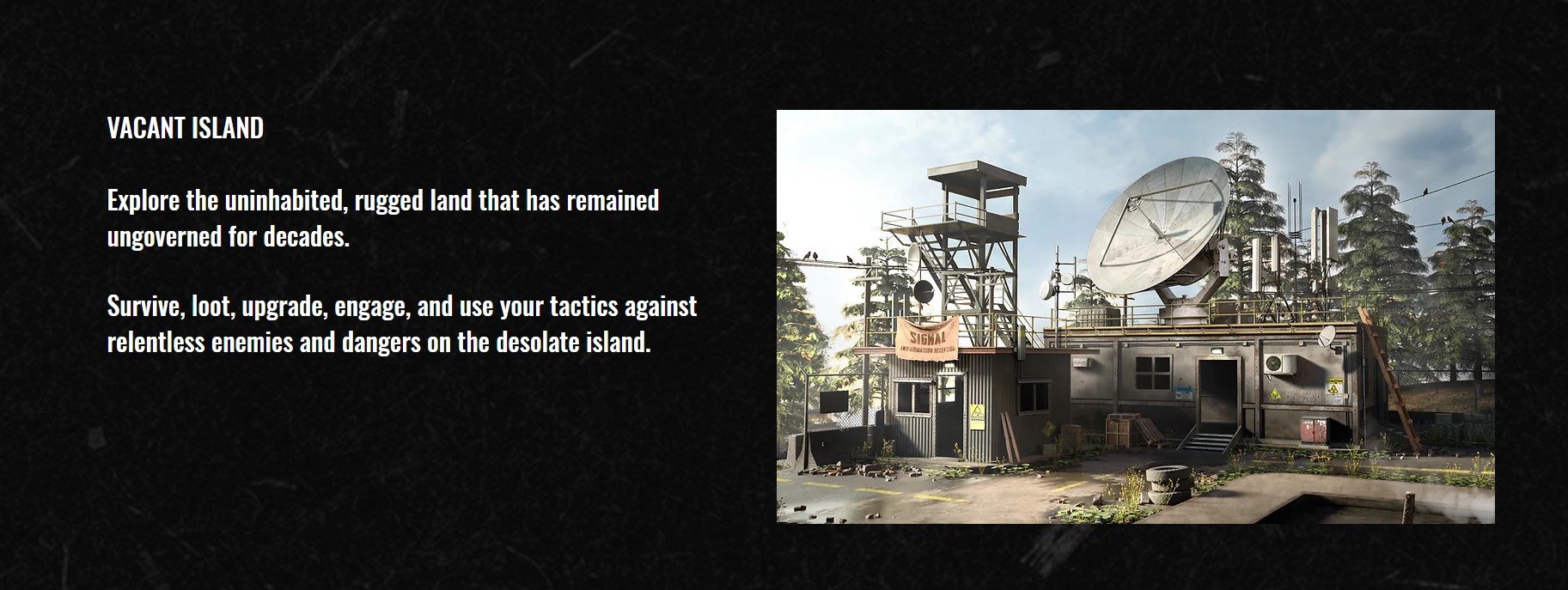
Contractors Showdown will take place on an abandoned island
Another section also teases the M.I.C.A. which is “the latest version of advanced tactical gear for all contractors.” This M.I.C.A. seems to function as a map at least, and possibly an inventory management system. Most likely it’s a fun name for a piece of fictional ingame technology that will let you do a lot of the things you need to do in a Battle Royale game. Maybe there will be contracts to take on the island for extra equipment or bonuses, but we will have to wait to get more concrete details.
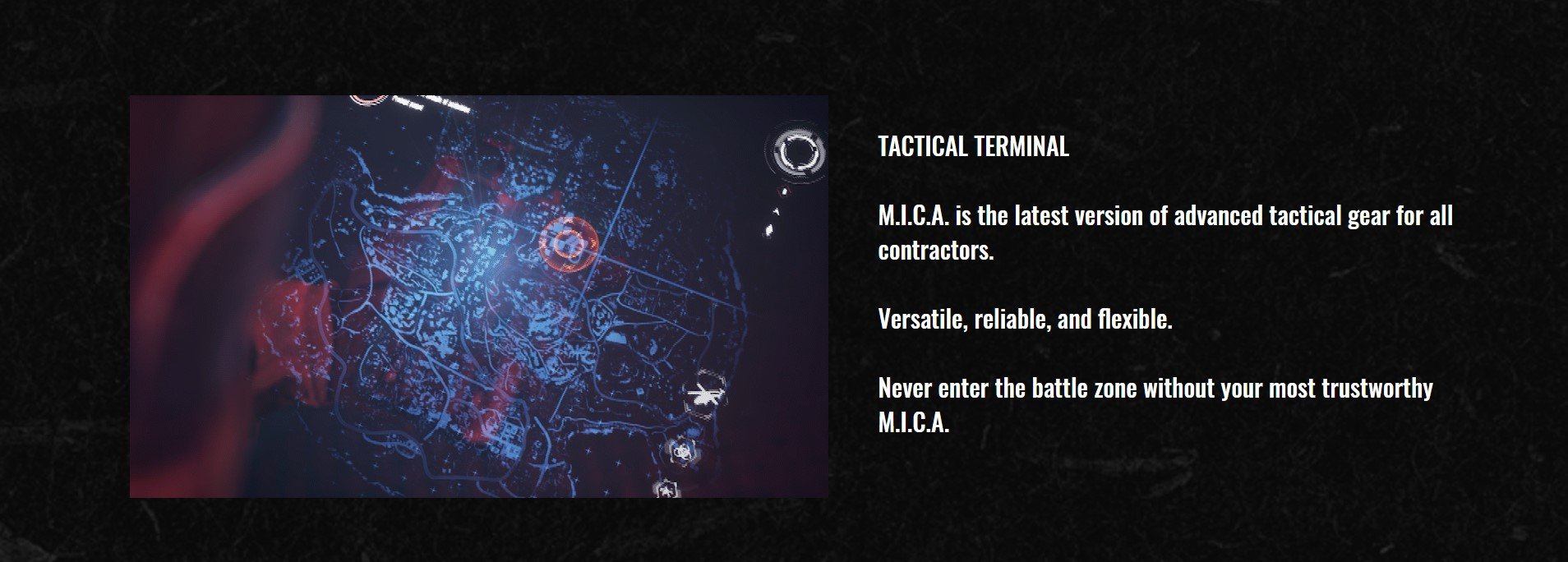
M.I.C.A. will be your new tactical equipment in the Contractors Battle Royale
Contractors VR Battle Royale - What It Means
Developing a classic Battle Royale is an interesting move for Contractors, which has taken some inspiration from the Call Of Duty franchise in its past additions to the game, like the zombie mode it released. So this could be an attempt to release the Virtual Reality equivalent of Call Of Duty’s Warzone game mode.
All in all the Battle Royale genre is only popularly represented in VR by the game POPULATION: ONE, which recently went free to play in an effort to boost player numbers. The battle royale genre is a very large one, and is very underrepresented in the Virtual Reality space. So the development of Contractors Showdown represents a very savvy business move for Caveman Studios.
Contractors has already snagged a large portion of the VR shooter community with its support of modding and consistently good updates. Contractors Showdown means that they can attract an even larger playerbase of anyone who is hungering for a Virtual Reality battle royale that isn’t POPULATION: ONE, which takes more inspiration from Fortnite than Call of Duty.
Still, we will have to see what Virtual Reality twist the Contractors team puts on their new battle royale mode. There are still a lot of opportunities to shake up the battle royale formula with VR technology and interactivity. Contractors Showdown is definitely something to look forward to, and considering the past successes of Caveman Studios, may very well succeed in its aims.

The Gorilla Tag Beach Map Is Here With The Summer Update
The Gorilla Tag Summer update is finally here! After a long wait the secret tunnel is open and leads to the Gorilla Tag Beach Map, the newest Gorilla Tag map. Here we’ll show you how to get into the secret tunnel and head to the Gorilla Tag Beach Map, and what you can find on the beach to enjoy now that the Gorilla Tag Summer update is here.
The Gorilla Tag Summer update is finally here! After a long wait the secret tunnel is open and leads to the Gorilla Tag Beach Map, the newest Gorilla Tag map. Here we’ll show you how to get into the secret tunnel and head to the Gorilla Tag Beach Map, and what you can find on the beach to enjoy now that the Gorilla Tag Summer update is here.
The Gorilla Tag Secret Tunnel
To find and enjoy the Gorilla Tag beach map, you’ll first need to start in your treehouse as always. Choose whatever gamemode and server you want to join as usual with the monkey PC, but if you want to leave that for later don’t worry, because there will be another. Then head out of the hole in the side of the tree to the forest map as usual.
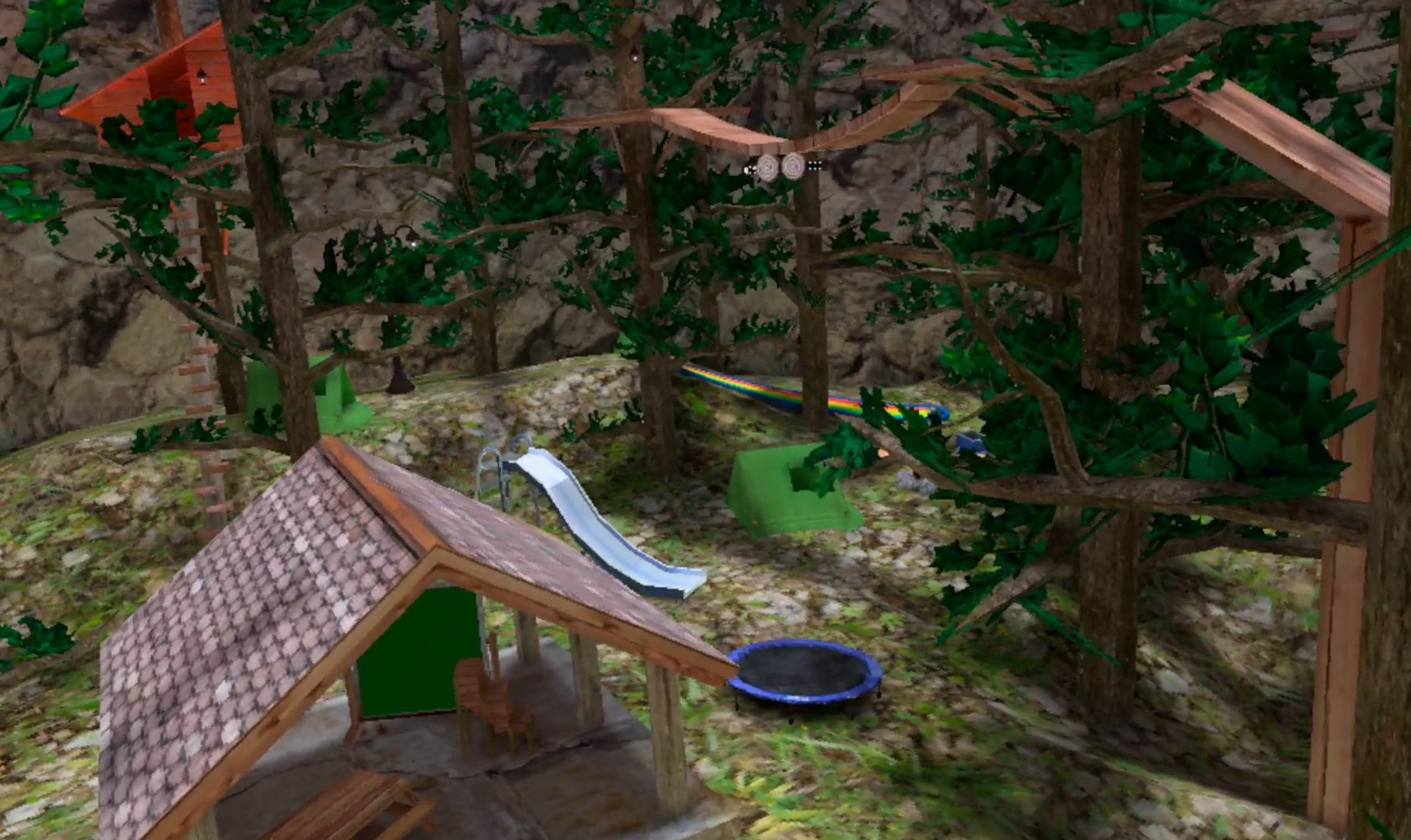
Some of the new stuff in the Gorilla Tag forest map
You’ll immediately see that some things are different. The summer update has added, for now, a ton of fun things to the forest map! There’s water slides and trampolines, and even a grill. So if you want to enjoy the forest map like usual then now is a good time to do that too. You’re probably still wondering where the beach map is though, so head to the right out of the treehouse and you’ll see it up against the wall on the side of the map.

The entrance to the Gorilla Tag secret tunnel
The Gorilla Tag Beach Map - Get To The Beach
With the Gorilla Tag summer update the secret tunnel is finally open, so head on through. It’s pretty short, and soon you’ll find yourself in a sweet cave with a small zipline and a rope leading up. The little cave isn’t much, but it does have some water. If you fall in, no worries, just move your arms to swim like you would in real life. Doggy Paddle, breast stroke, whatever, it all works in Gorilla Tag’s new swimming. That’s right, Gorilla Tag has swimming now too!
Whenever you’re ready to go to the Gorilla Tag beach, climb up the rope. The beach is pretty far up, but it’s worth it.

The cave that leads to the beach in Gorilla Tag
The Gorilla Tag Beach Map - What’s On The Beach?
Once you get out of the cave you’ll come out behind a waterfall on a platform overlooking the whole new Gorilla Tag beach map. It’s really beautiful and very sunny, a great map addition to Gorilla Tag.
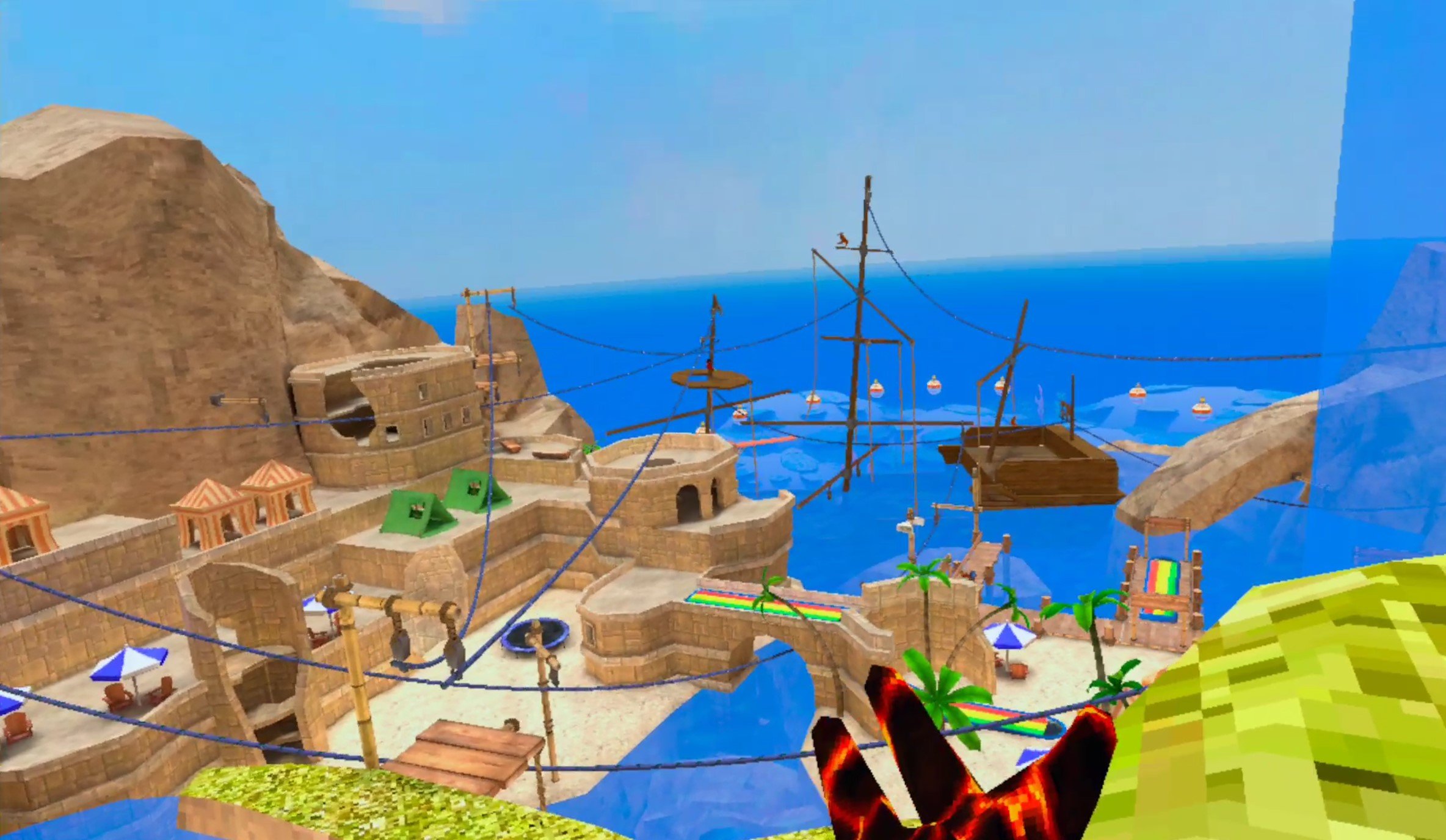
The Gorilla Tag beach
You’ll start out overlooking the beach, and you’ll notice that there are blue ziplines leading everywhere, just like on the canyons map. These are a great way to get between the different parts of the map quickly, but they’ll only work when you’re going down or you will lose speed.

Going down a zipline
Down by the water you’ll find a sunken pirate ship! It’s half covered in water so be careful not to fall in or you’ll lose all of your speed. Still, you might be able to escape into the water and swim away if you’re being chased. Though you can’t swim out past the buoys at the end of the beach. Still, you can jump off of those buoys to get away.

Swimming is now in Gorilla Tag
Some of the new things that you saw on the forest map are also here on the beach map too. There’s a trampoline that, like you would think, lets you jump up really high when you push off of its bouncy surface.

A Trampoline on the beach
There’s also a ton of water slides. If you land on them you’ll slide down, but not very fast if you haven’t already built up some momentum. Hitting the water slide while going very fast is a ton of fun.
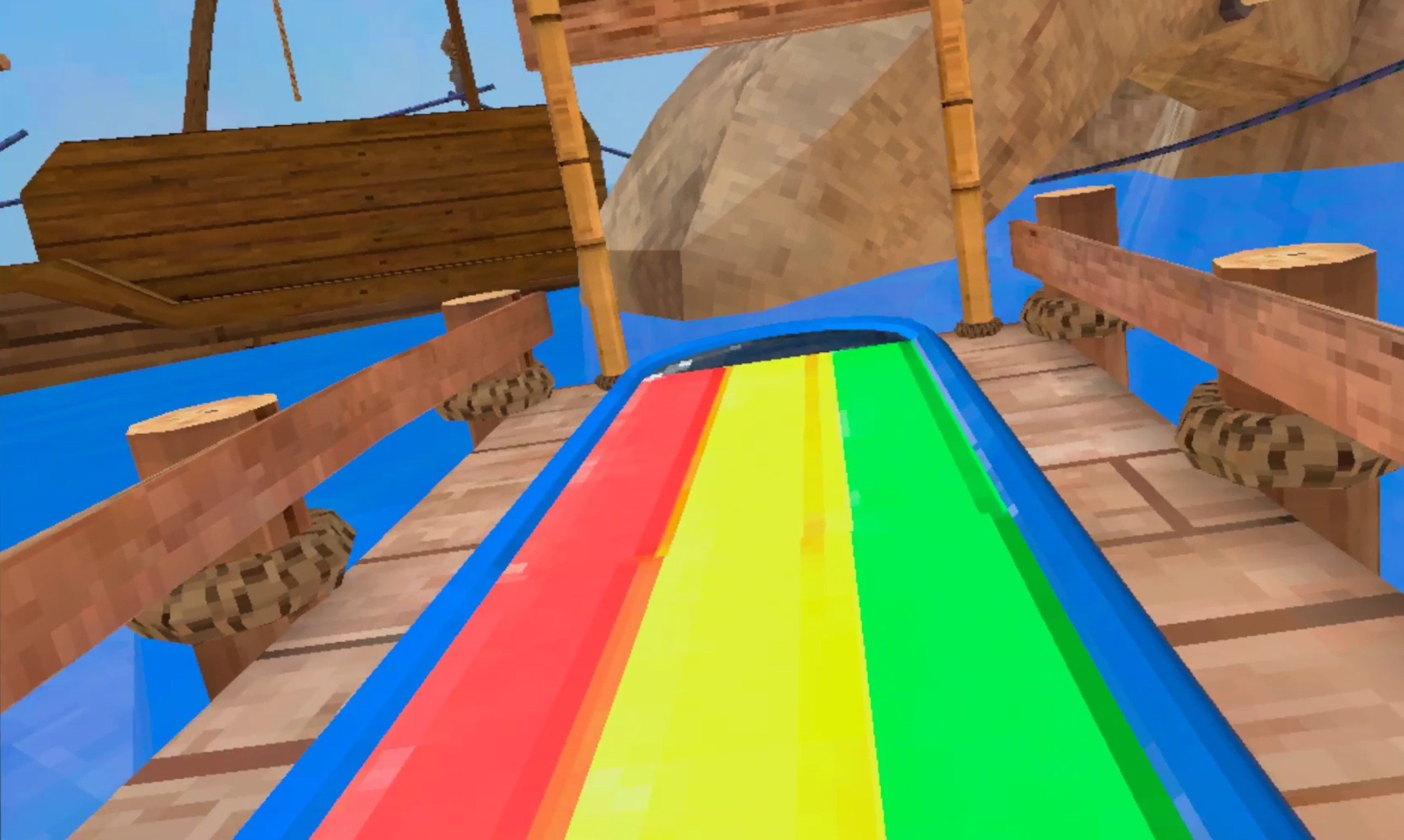
A water slide on the beach
There are a bunch of different terraces and areas on the beach, with umbrellas, chairs, tents, and all sorts of great stuff to hop around. If you manage to get up one of the ziplines you can also see basically the whole map from the zipline platforms.
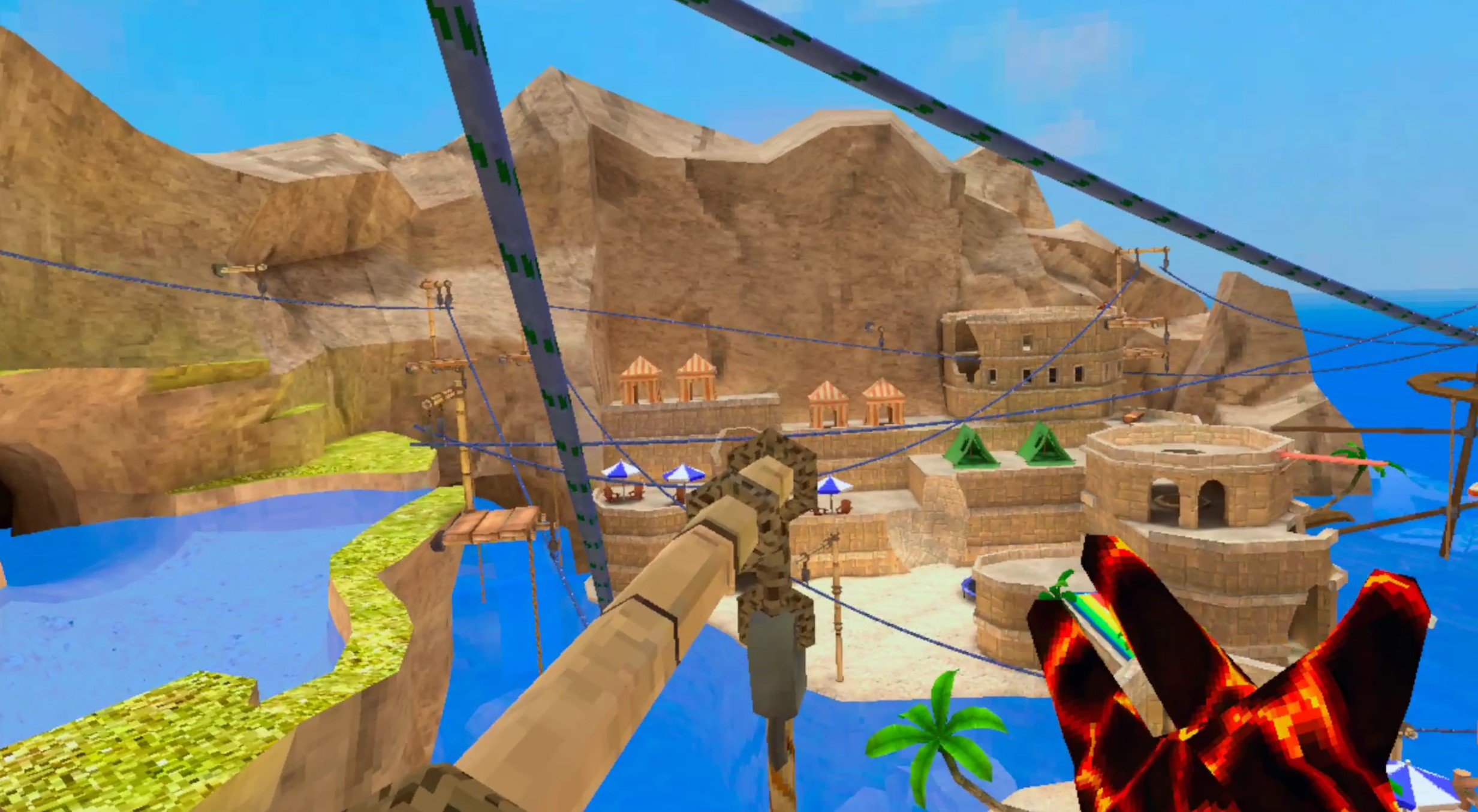
Ziplines are awesome in Gorilla Tag
There’s also a broken down building in the center, and most importantly down by the beach are a few houses with grass roofs. One of these houses has a monkey PC in it! So you don’t need to go all the way back to the treehouse or anything like that to use the PC. The house is the furthest one down the pier.

The monkey PC you can find in the houses on the pier of the Gorilla Tag beach map
Well, that’s the new Gorilla Tag beach map added in the summer update. If you haven’t already, give the beach a visit whenever you can. It’s a ton of fun in Gorilla Tag.

Alien: Isolation VR Mod Review And Setup Guide - MotherVR
The Alien: Isolation VR Mod MotherVR is a fantastic way to enjoy Alien: Isolation in VR. With this mod not only can you view and control the game entirely in Virtual Reality, but the Alien: Isolation VR Mod also allows you to use your touch controller buttons to control the game, or you can use a mouse and keyboard or gamepad. Unfortunately you can’t actually move your hands with the touch controllers in the MotherVR Alien: Isolation VR Mod. Still, this is a great VR mod, though it’s not perfect.
The Alien: Isolation VR Mod MotherVR is a fantastic way to enjoy Alien: Isolation in VR. With this mod not only can you view and control the game entirely in Virtual Reality, but the Alien: Isolation VR Mod also allows you to use your touch controller buttons to control the game, or you can use a mouse and keyboard or gamepad. Unfortunately you can’t actually move your hands with the touch controllers in the MotherVR Alien: Isolation VR Mod. Still, this is a great VR mod, though it’s not perfect.
Here we’ll go over how you can play Alien: Isolation VR on PCVR by installing the Alien: Isolation Virtual Reality Mod. Then we’ll talk a bit about how good Alien: Isolation is in VR and the strengths and limitations of the MotherVR mod.
Alien: Isolation VR Mod Review
Welcome to the review section of this article. If you’re interested in setting up the Alien: Isolation VR Mod then go down to the “Alien: Isolation VR Mod Setup” section below. Otherwise, here’s what you can expect from Alien: Isolation VR.
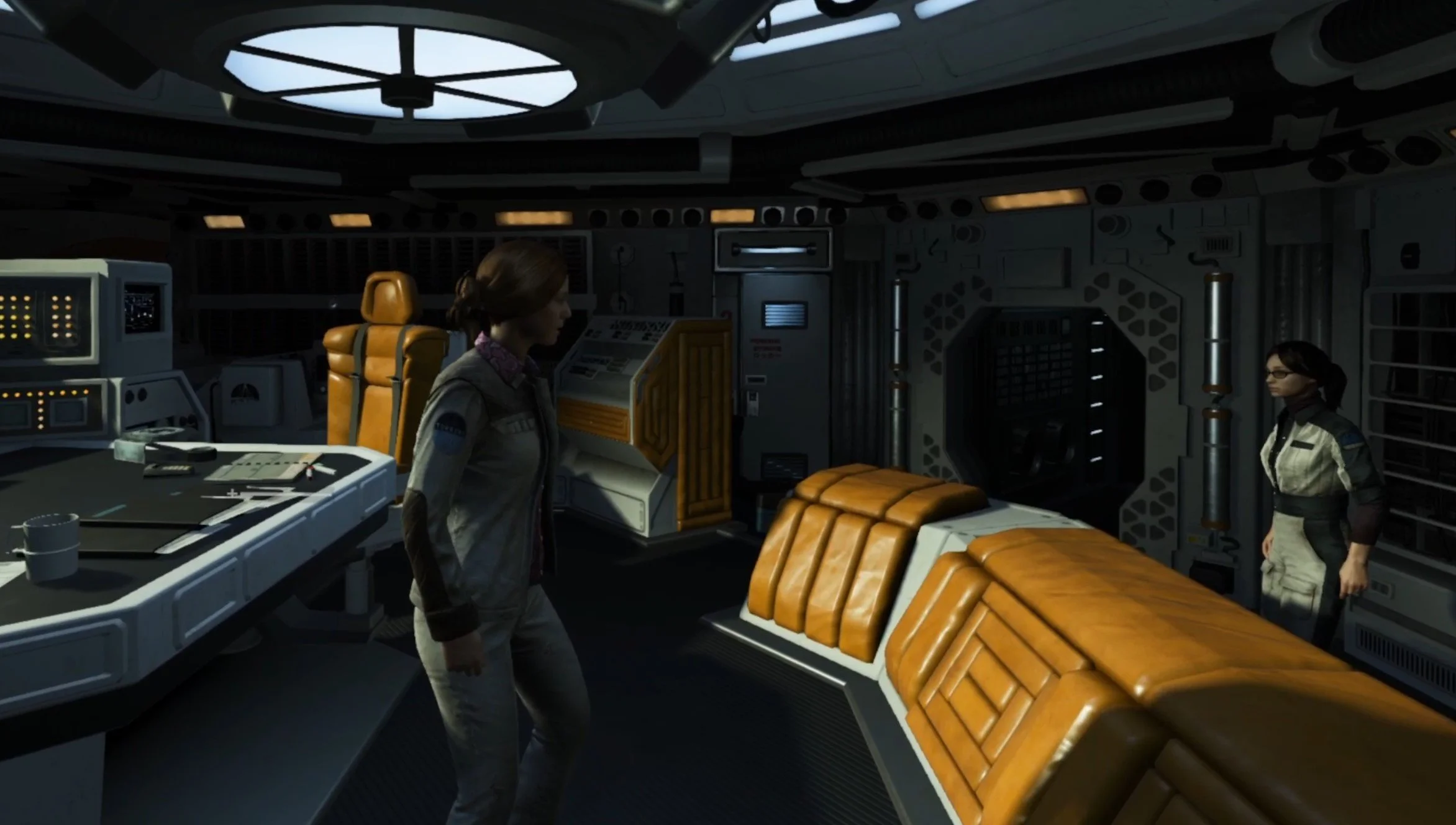
On the bridge of the Torrens before everything goes wrong in Alien: Isolation VR
The first thing you will notice is that your Virtual head is not tightly tied to the head of Ripley, our protagonist. Whenever you play Alien: Isolation VR you’ll have to stand in one place as much as possible, or your VR view will separate from your ingame character’s body.

Waking from cryo sleep is very disorienting
This is a little jarring, but you do get used to it, though you might find yourself wandering a little out of place and needing to either recenter your view or shuffle back into your original position. So physically moving is a little tricky, though it can be helpful to put a small carpet or towel in the center of your playspace so that you can feel where you should be standing with your feet. Or you can just play while sitting.
Luckily, despite not being able to physically move without becoming a disembodied head, you can turn physically, and Ripley’s body will turn to face the same direction as yours. This is great, and keeps you from having to rely on snap turning with your right thumbstick, and still gives you some of the usual feeling of freedom of movement that comes with VR gaming.

Hiding from a hostile person in Alien: Isolation VR
Though sometimes when you do an action that changes your view like reading a terminal or using one of Ripley’s many tools on an object or door, then your view gets forcefully shifted back to where you were originally facing. This can be a little jarring, but it’s easy enough to turn back to where you were facing at the start. If you accidentally move your head inside of an object, then your view will turn black until you move your view back into open space. This is definitely the worst aspect of the MotherVR Alien: Isolation VR Mod.
Still, all of the atmosphere and tension of Alien: Isolation is amped up in Alien: Isolation VR just as Virtual Reality always does by making the experience more immediate and immersive. The controls for Alien: Isolation VR are also impressive. You can use a gamepad, controller, or mouse and keyboard to control your character if you like, but there is even full support for using VR touch controllers.
Though the ingame popups with controls will show the gamepad controls. Still, you can view the touch controller keybinds in the MotherVR settings menu, and they cover almost everything.

The Alien: Isolation VR Controls
The one piece that seems to be missing from Alien: Isolation VR’s control scheme is the ability to use a control input to lean. You can try to physically lean, and while that works to see around a corner without being spotted it does compound the issue of getting your view separated from your body. Still, it’s impressive what you can do with just VR touch controls. You can even fire weapons and throw things just like with a mouse and keyboard or controller.

Aiming with a Revolver
Just look at where you want to throw something or shoot at and let it rip. Scavenging is even enhanced in the Alien: Isolation VR Mod. Now to scavenge something or interact with an object you need to look at whatever you want to pick up or interact with. This gives a whole new level of immersion to your surroundings, as even common objects become more interesting to look at as you try to sort the valuables from trash.
Though if you’re expecting to use your VR touch controllers as you would in a normal VR game… well you’ll be disappointed. There’s no way to actually control Ripley’s arms in this game by moving your own arms with the touch controllers, so they’re are more of a convenience than a necessity.

Getting caught by the Alien is terrifying in VR
Also, there is one place where the touch controllers failed. Certain hacking puzzles, luckily ones that are not overly common during the game, use the gamepad left and right as controls. This should in theory match the right thumbstick up and right thumbstick down mappings on the touch controllers, but for some reason that didn’t work. So a few times you might have to reset your view in front of a keyboard to complete those puzzles. It wasn’t a showstopper, but it was very annoying.

Had to use the keyboard for this hacking puzzle
Despite some shortcomings, overall Virtual Reality is a great addition to Alien: Isolation, though it can feel janky to play Alien: Isolation VR sometimes with the MotherVR mod. This is mostly due to your VR view not always matching up with your character’s location.
All in all this VR mod makes Alien: Isolation a fantastic addition to your VR library, and it is entirely possible to play through the whole game in Virtual Reality. Big thanks to Nibre for cooking up MotherVR and giving Virtual Reality gamers a chance to experience this game in VR.
Alien: Isolation VR Mod Setup
Setup of MotherVR, the Alien: Isolation VR Mod, is very straightforward. Unlike installing mods on other games, it’s pretty easy. First go to the MotherVR mod github page. Click the arrow beside “Assets” and then click on the .zip file at the top to download it.

Downloading the Alien: Isolation VR Mod
The mod file will download to your Downloads folder. Go there and unzip the .zip file. If you need more information on how to unzip a file check out this useful article. Once the file is unzipped copy the dxgi.dll file within the folder.

The dxgi.dll Alien: Isolation VR Mod
Then find your Alien: Isolation game folder so that you can copy the Alien: Isolation VR Mod file into it. If you’re using the Epic Games version of the game this can be found at C:\Program Files\EpicGames\AlienIsolation. If you’re using the Steam version of the game it can be found at C:\Program Files(x86)\Steam\steamapps\common\AlienIsolation (if you’ve installed Epic Games or Steam in a different location then just find the “EpicGames” or “Steam” folder and then follow the rest of the filepath).
Once you’ve found the Alien: Isolation folder just paste the dxgi.dll file into it.
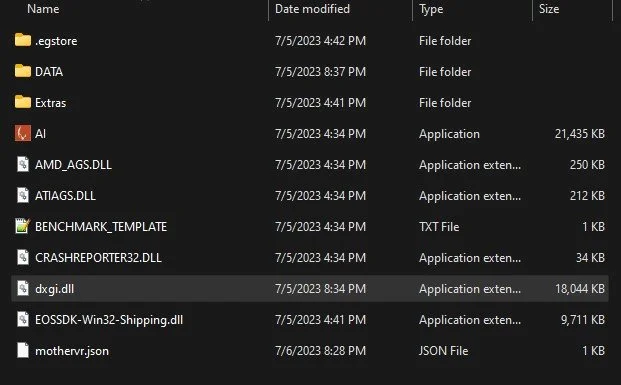
The Alien: Isolation installation folder with the Alien: Isolation VR Mod added
Now you’ve installed the MotherVR Alien: Isolation VR Mod! Now when you start the game it won’t be in Virtual Reality just yet. When you’re in the main menu go to Options > MotherVR and then VRRunTime. Select either “Use Oculus” or “Use SteamVR.” Using Oculus is the best idea if you’re connecting to your PC via Oculus Airlink using a Meta Quest device. SteamVR will also launch the SteamVR overlay when running the game, and can be easier if you’re using the Steam version. Whichever way you usually play PCVR games is what you should go with.

Enabling VR in Alien: Isolation
Now quit the game and launch it again. You’ll see a prompt like the one below pop up, just click OK, and the game will launch in Virtual Reality!

The prompt you will get when first launching Alien: Isolation VR
The game may also crash on launch or crash with an error prompt on launch if you’re using the Steam VR version of Alien: Isolation on a PC using Windows 11.
While we don’t have an in depth breakdown of this issue here you can find a fix for it in this thread in the MotherVR github. Many helpful readers have also offered solutions in the comments below. Big thanks to these readers! I would provide the solution as the author of this article, but I have never run into the problem myself to verify the solution. Hopefully if you encounter this problem the fixes described there will help.
That’s all for this Review and Setup guide for the MotherVR Alien: Isolation VR Mod. Have fun experiencing a whole new game in Virtual Reality!